Testers at different workstations
You want to use search filters on a shared computer without having to pair a wireless device first. Logitech says the M100 connects via USB.


For repeated search filter testing on a shared computer, a wired mouse with a compatible connection is a practical choice if you want to get started without pairing. Logitech describes the M100 as connecting via USB. For a quieter workspace, consider mice with explicitly quiet buttons, such as the Logitech M110 Silent or CHERRY GENTIX Silent. Bluetooth gives you more freedom to move without a cable, but requires Bluetooth to be available and pairing to be permitted.
You want to use search filters on a shared computer without having to pair a wireless device first. Logitech says the M100 connects via USB.
If both right- and left-handed people use the same mouse, check the shape of the specific version. Logitech and CHERRY describe the M100 and GENTIX Silent respectively as suitable for use with either hand.
Quiet buttons can make a difference when you’re clicking repeatedly around other people. Logitech describes the M110 Silent as a quiet version, while CHERRY specifies special quiet buttons on the GENTIX Silent.
First, check that the shared computer has the right connection available and that you’re allowed to set it up. Then consider the shape, how quiet you want the clicks to be, and how to clean the mouse in line with the manufacturer’s instructions.
These figures relate to consumers choosing a mouse for repeated search filter testing at a shared desk.
| Priority | What to check when buying | Who it matters most to |
|---|---|---|
| Ready-to-use connection | Check whether the computer has the required USB or Bluetooth connection and allows you to set it up. | If I want to start testing without interruption from pairing, having the right connection matters to me. Around 31% of consumers put a ready-to-use connection first. |
| Suitable for different users | Check the handedness, size and grip of the specific mouse version. | If right- and left-handed people share a workstation, it’s important to choose a shape that works for both. Around 25% of consumers prioritise a fit that suits different users. |
| Quiet clicks | Check whether the specific model version is explicitly described as having quiet buttons. | If I’m clicking repeatedly around other people, I want to keep the noise to a minimum. Around 25% of consumers put quiet clicks first. |
| Care when shared | Read the manufacturer’s cleaning instructions for the specific model. | When several people use the same mouse, I want to know how to clean it according to the manufacturer’s instructions. Around 19% of consumers prioritise easy care. |
A Bluetooth mouse needs to be paired with the computer you’re using. The Logitech M240 Silent uses Bluetooth, while Logitech describes the M100 as connecting via USB.
If you want to get started straight away on different computers, first check which connections are available and what the setup rules are.
Pairing may take extra time. With a battery-powered wireless mouse, you’ll also need to replace the batteries eventually.
Logitech offers the Signature M650 in different sizes, as well as a left-handed version. The model range name alone therefore doesn’t tell you whether a particular mouse will suit everyone at your workstation.
If several people share the same mouse, check the size and handedness of the exact version.
For a relevant consumer purchase, a voluntary warranty does not replace your statutory consumer rights.
When buying, distinguish your statutory rights from the terms of any voluntary warranty, and check who would be responsible for return postage, if applicable.
The models listed include standard and quiet wired mice, as well as a Bluetooth option.
The GENTIX Silent is a wired model with quiet buttons, designed for shared workspaces.
According to HP, the wired HP 100 is designed for both right- and left-handed users.
The wired Pro MS3220 is designed for users who need extra buttons or adjustable pointer sensitivity.
This selection includes wired mice for testing without wireless pairing, as well as wireless models if quiet clicks or a suitable wireless connection are important on a shared computer.
 No image available
The stated 2.4 GHz connection with a USB receiver could suit you if you want to work without Bluetooth pairing.
The product description lists optical tracking, several DPI settings from 800 to 1600, and a weight of 55 g.
The clicks are described as quiet; the USB receiver is required for the wireless connection.
 No image available
The M311 could be a good option if you need quiet buttons and the choice of Bluetooth or 2.4 GHz.
The product description lists Silent Touch buttons and adjustable DPI settings from 800 to 4000.
Connections listed are Bluetooth and 2.4 GHz with a USB receiver; this version is specified as 1xAA Battery.
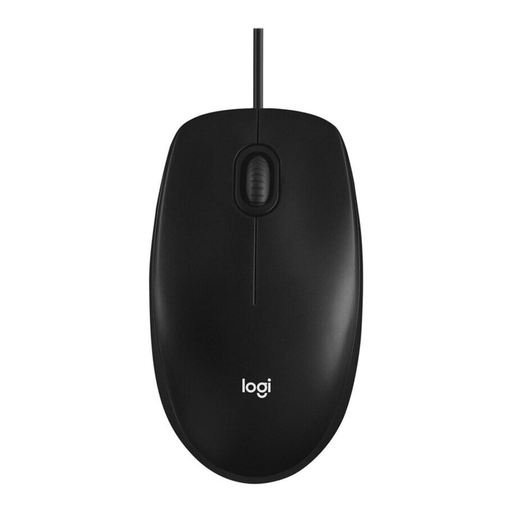 No image available
The wired M100 could suit you if you want to get started without wireless pairing; Logitech describes it as suitable for use with either hand.
The product description lists a 1000 DPI optical sensor, a 180 cm cable and USB plug-and-play.
According to the description, it has three buttons, including a scroll function.
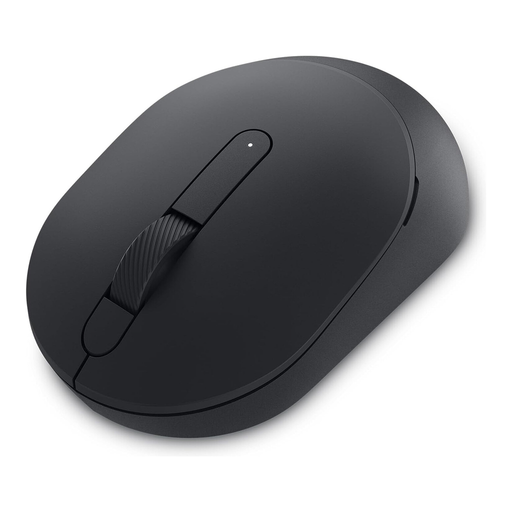 No image available
This wireless model could suit you if you want quiet operation and a choice of two connection types.
The product description lists an adjustable optical sensor of up to 4020 DPI and three buttons.
Connections listed are Bluetooth and 2.4 GHz with a USB receiver.
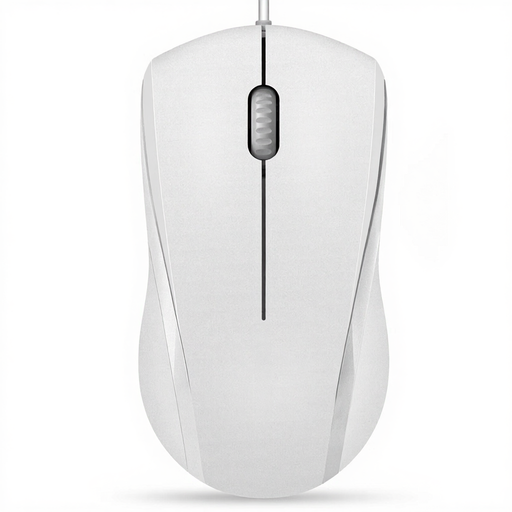 No image available
The wired N1600 could suit you if you’re looking for an ambidextrous shape and quiet left and right buttons.
The product description lists a 1000/1600 DPI optical sensor, a two-way scroll wheel and USB plug-and-play.
According to the description, the middle button’s click is not quiet.
For ordinary clicking and scrolling, the basic functions of the specific mouse are all you need. The CHERRY GENTIX Silent is described as having three buttons, including the scroll wheel; extra programmable buttons are only relevant if your workflow actually uses them.
According to Logitech, you set up the M100 by plugging in its USB cable, while the M240 Silent requires Bluetooth pairing. Follow the cleaning instructions for the model you buy: Microsoft recommends disconnecting its own mice or removing their batteries before cleaning, and advises against applying liquid directly. These instructions do not automatically apply to other models.
For a relevant online purchase from a business seller in the EU, you generally have a 14-day cooling-off period from delivery; exceptions apply. According to the European Union’s consumer information, you may have to pay return costs if you were told about them in advance and the seller does not cover them. The statutory guarantee for faulty goods is separate from a voluntary warranty; Your Europe states that goods bought in the EU are covered for at least two years from receipt.
For display screen workstations in workplaces covered by health and safety legislation, workstation design requirements are relevant; this does not mean there is a general requirement to buy a particular type of mouse. A discarded mouse must be taken to an authorised collection point for electrical waste and must not go in household rubbish.