What should you look for when buying?
Check that the connections are compatible with your computer before choosing between quiet clicks, a comfortable fit and the ongoing hassle of cables or batteries.
| Consideration |
What to check before buying |
Who should consider this? |
| Click noise |
Look for an explicit statement that the buttons are quiet, and check that the connection is compatible with your device. |
If I’m often clicking filters in a shared room, quiet buttons matter to me. Around 31% of consumers put quiet clicks first. |
| Connection and switching between devices |
Check for USB-A, Bluetooth support and, where relevant, an included receiver. |
If you want to use the mouse with your existing laptop or switch between devices, you’ll need a suitable connection. Around 31% of consumers put connectivity first. |
| Comfort during extended use |
Check the size and whether it’s designed for left- or right-handed use; aim for a relaxed working posture. |
If I’m testing filters for longer periods, I want a mouse that suits my hand and posture. Around 23% of consumers prioritise fit. |
| Batteries and cables |
Check the battery type and what’s included, or make room for the cable and connection. |
If you want to minimise future battery changes or cable management, consider the mouse’s power supply. Around 15% of consumers look at ongoing upkeep first. |
Joybuy products for this use
This selection includes mice for quiet clicking, connecting to one or more computers, and use at a fixed desk.
 No image available
HOFOTEK M311 2.4G+BT Silent Office Mouse
It could suit frequent clicking and switching between devices if you’re looking for a mouse labelled as silent, with several connection options.
Listed in the product name: 2.4G+BT, multiple DPI settings, compatibility with several systems and operation using 1 × AA battery.
View at Joybuy
 No image available
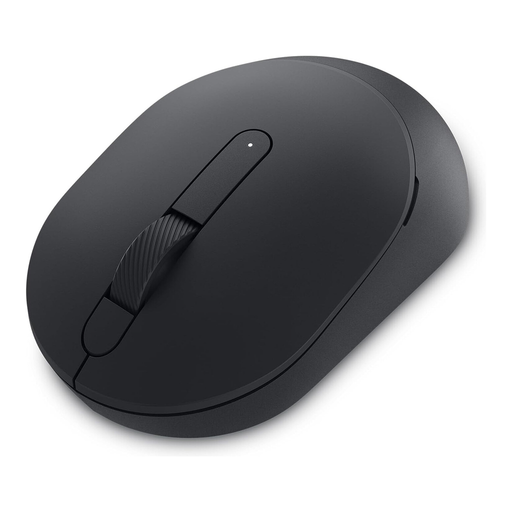
DELL Silent Mouse MS355
If quiet clicks and scrolling matter to you, the MS355, described as a Silent Mouse, could be worth considering. Check that its connection options suit your computer.
It’s listed as connecting via Bluetooth or 2.4 GHz wireless with a USB receiver. It uses one AA battery for power.
View at Joybuy
 No image available
Logitech MX Master 3S Bluetooth Edition
It could be a good option for long lists of results if the MagSpeed scroll wheel and quiet clicks appeal to you.
The product description lists Bluetooth connections for up to three devices and rechargeable operation.
View at Joybuy
 No image available
Logitech Signature M650 L, Graphite (for large hands)
If you’re looking for a mouse for larger hands and scroll through long lists of results, its stated fit and SmartWheel are useful features to consider.
The product description lists Bluetooth, a Logi Bolt USB receiver and one AA battery. Check which connection suits your computer.
View at Joybuy
 No image available
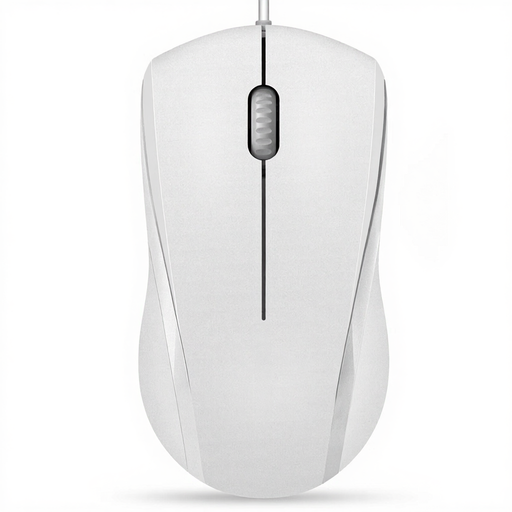
RAPOO N1600 wired USB mouse, 1000 DPI
It could work well at a fixed desk if you’re looking for a wired USB mouse with reduced clicking noise.
Features listed include 1000 DPI, three buttons and a two-way scroll wheel. According to the product information, the middle button click isn’t quiet.
View at Joybuy
Frequently asked questions
Do I need a gaming mouse to test search filters?
No, not for this task alone. First check that the mouse clicks reliably, has a scroll wheel that works well with your result lists, and suits your connection and hand. Extra features are only worthwhile if you’ll actually use them.
How do I set up a mouse with my laptop?
First, check that the connection matches your laptop’s ports: the CHERRY GENTIX SILENT needs USB-A, while the Logitech M240 Silent connects via Bluetooth without a dongle, according to the manufacturer. For a model with a USB receiver, also check whether it’s included and whether you have a suitable free port.
What should I plan for after buying?
The Logitech M240 uses one AA battery, according to the manufacturer; its stated battery life of 18 months may vary depending on use. A wired mouse doesn’t need battery changes, but does need a port you can keep using and space for the cable. If a product is faulty, remember that your statutory rights against the seller are separate from any voluntary guarantee.
How should I dispose of an old mouse and its battery in Germany?
Electrical waste must not go in household rubbish. Germany’s Federal Environment Agency lists local collection points and retail take-back options; removable batteries should be taken separately to a battery collection point.


