Suitable mice at Joybuy
The Joybuy products below offer a range of options for quiet clicks, wireless connections and an angled grip. Before choosing, check which features you can actually use with the shared computer.
 No image available
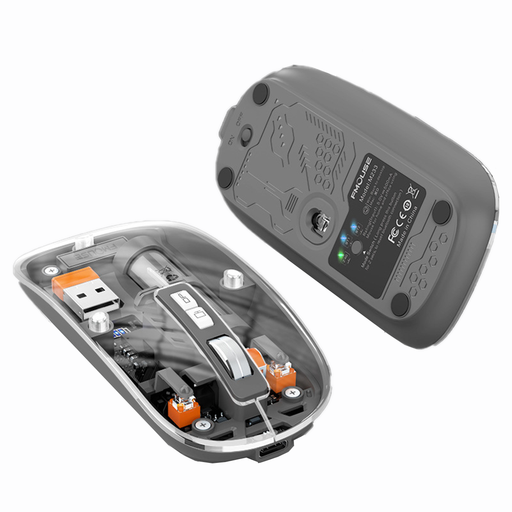
KINSI M233 Wireless Bluetooth Mouse
An option if quiet clicks and several connection modes matter at work; check which mode is permitted with the computer you use.
The product title specifies a rechargeable version and 1600 DPI; the product description mentions quiet clicks and three connection modes.
View at Joybuy
 No image available
ATTACK SHARK X11 Wireless Gaming Mouse
An option if you want to choose between the connection types listed in the product title; first check which of them are permitted on the shared computer.
The product title lists Bluetooth, 2.4 GHz and USB-C, as well as five programmable buttons.
View at Joybuy
 No image available
HOFOTEK M308 2.4G Silent Office Mouse
An option if you’re looking for an office mouse described as quiet, with a 2.4 GHz connection; check that the computer has a suitable free USB port.
The product title specifies adjustable DPI settings. The product description lists Windows, macOS and Android as compatible systems.
View at Joybuy
 No image available
HOFOTEK M311 2.4G+BT Silent Office Mouse
An option if you want quiet clicks and a choice between Bluetooth and 2.4 GHz; set up the connection in line with the rules for the computer you’re using.
The product title specifies adjustable DPI and an AA battery included. The product description lists Windows, macOS and Android as compatible systems.
View at Joybuy
 No image available
Logitech MX Vertical
An option if you’re looking for an angled grip and the shape suits your hand; it isn’t a universal solution for discomfort.
The product description lists a 57° angle, Bluetooth or a USB receiver, a rechargeable battery and multi-device support. The product title specifies a 4000 DPI sensor.
View at Joybuy
Frequently asked questions
Do I need a USB receiver for a wireless mouse on a shared computer?
Not necessarily: Logitech lists Bluetooth Low Energy and Logi Bolt for the Signature M650; Rapoo describes Bluetooth and a dongle for the M500 Silent. Check which connection the specific computer supports and which pairing methods are permitted at your workplace.
How do I keep a shared mouse clean?
Logitech recommends cleaning your own mice regularly and provides separate care instructions. Follow the manufacturer’s instructions for the specific model; this doesn’t mean that a cleaning product is approved for other brands.
What rights do I have if an item bought online is faulty?
The Verbraucherzentrale distinguishes statutory rights against the seller from a voluntary guarantee. For newly purchased faulty goods, it generally describes consumer rights under the statutory warranty as applying for two years; many online purchases are also generally covered by a 14-day right to cancel, subject to its own conditions.
Are there CE marking requirements for wireless mice in Germany?
The Bundesnetzagentur explains that products covered by relevant EU harmonisation legislation must carry a CE marking. A product name alone doesn’t prove that a particular mouse complies; if in doubt, check the marking and manufacturer documentation for the specific version.
Is a particular mouse shape required for a shared office desk?
The ASR A6 from the Federal Institute for Occupational Safety and Health (Bundesanstalt für Arbeitsschutz und Arbeitsmedizin) doesn’t establish a blanket requirement to buy a vertical mouse. It sets out requirements for screen-based work within its scope; how it applies to a particular workplace depends on the context in which the equipment is used.


