People working through reading lists in quiet surroundings
If you often click while sharing a desk, look for quiet buttons and check whether the scroll wheel and extra buttons are comfortable to use, too.


For reading lists at a shared desk, choose a mouse that suits your hand and your computer’s connection options. If you work with long lists, a scroll wheel that’s easy to control is important; quiet buttons can be useful in a quiet environment. A wired mouse avoids wireless connections and battery changes, but limits your freedom of movement. Bluetooth or a USB receiver offers more flexibility, but must be compatible with your computer. Check the noise level and shape of the specific model variant, and allow enough space for your mouse and keyboard, as recommended by the Federal Institute for Occupational Safety and Health when arranging a workstation.
If you often click while sharing a desk, look for quiet buttons and check whether the scroll wheel and extra buttons are comfortable to use, too.
When working through long lists, it helps to move precisely between individual entries and skim longer sections quickly.
If you often switch between mice or computers, consider the connection type, available ports and, where applicable, the option to switch between multiple devices.
| What you need | What to check before buying | Who it matters most to |
|---|---|---|
| Quiet operation | Check the noise information for the specific variant; pay particular attention to the wheel and extra buttons. | If I click frequently at a shared desk, I want to disturb others as little as possible; around 29% of consumers therefore put quiet operation first. |
| Precise, quick scrolling | Check whether the wheel moves precisely through individual steps and allows you to scroll quickly when needed. | If I work through long lists, I want to find specific entries and skim longer sections quickly; around 29% of consumers prioritise scrolling. |
| Connecting at different workstations | Check the USB connection, Bluetooth support, device switching and power supply for the specific variant. | If I want to use the mouse with different computers, I need a connection that works with each one; around 21% of consumers prioritise connectivity. |
| Fit for your hand | Consider the size and right- or left-handed version; also allow enough room for your mouse and keyboard. | If I share the mouse with different people or use it for long periods, a comfortable shape matters to me; around 21% of consumers put a good fit first. |
Claims about quiet buttons don’t automatically tell you how noisy the scroll wheel or other buttons will be in your working environment.
Check the details for the exact variant and, if possible, pay attention to the wheel and extra buttons, too.
The number of connections and the option to switch between them vary by model and connection type.
Check how many devices the specific mouse can connect to, and whether Bluetooth or a USB receiver will work with your computers.
Depending on the model, you may need a spare USB port, batteries or a way to recharge it.
Hand size, handedness and the space available at a shared desk all vary, so a particular shape won’t automatically suit everyone.
Choose the right size and handedness variant for you, and leave enough space to position your mouse and keyboard comfortably.
According to the manufacturer, the Signature M650 range comes in different sizes and offers a choice of connections. The Lift is a vertical alternative, available in a left-handed version.
The wired GENTIX SILENT suits a fixed workstation; according to the manufacturer, the wireless STREAM MOUSE COMFORT is designed for right-handed users.
The Ozaa Compact is a compact wireless mouse for people who want to switch between computers.
The selection below includes wireless mice with different connection options, quiet operation and features for working through longer lists. Before buying, check that the features and connections suit the specific variant and your computer.
 No image available
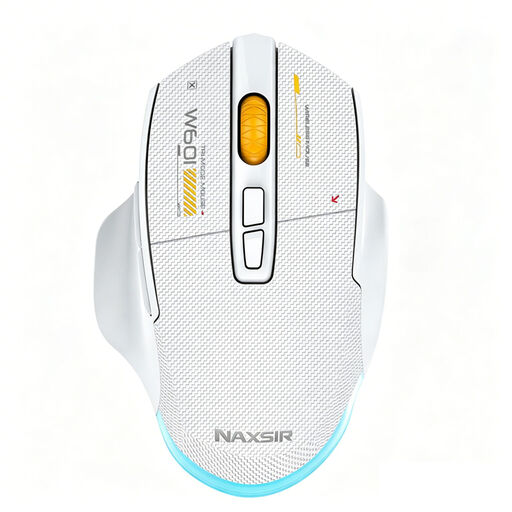
For people looking for a vertical shape and wireless connections. The product title lists Bluetooth, 2.4 GHz and USB-C charging, along with three DPI settings: 800, 1200 and 1600.
 No image available
For people looking for several connection options and quiet buttons. The product description lists quiet micro-switches, wired operation, 2.4 GHz wireless and Bluetooth, as well as seven programmable macro buttons and 12,800 DPI.
 No image available
For people looking for an office mouse with quiet buttons and a wireless receiver. The title and description list several DPI settings and a USB receiver for the 2.4 GHz connection.
 No image available
For people who need quiet buttons and the option to switch between devices. The description lists Bluetooth 5.1, 2.4 GHz wireless, switching between up to three devices, a USB receiver, a weight of 62 g and a pre-installed AA battery.
 No image available
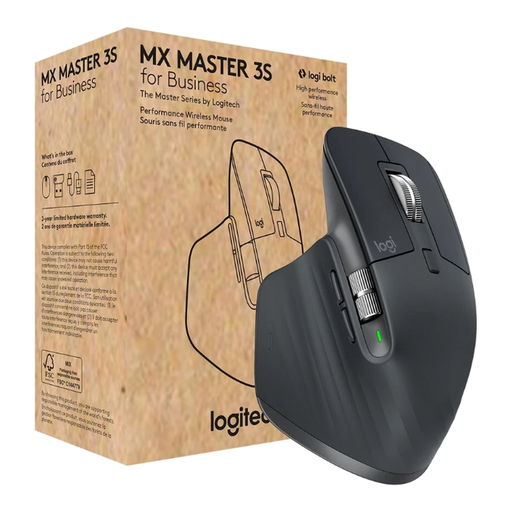
For people looking for scrolling features and multi-device connections in one mouse. The product information lists MagSpeed scrolling, Quiet Clicks, Bluetooth and Logi Bolt, support for up to three devices, USB-C charging and a right-handed shape.
No, not necessarily: Logitech lists Bluetooth Low Energy or a Logi Bolt USB receiver for the Signature M650 range. Check which connection your computer supports and whether you have a suitable USB port available.
It depends on the model. Trust lists connections via a USB receiver and two Bluetooth connections for the Ozaa Compact; the F.A.Z. Buying Guide notes that the M650 L cannot be paired with multiple devices simultaneously via Bluetooth.
Check the battery type, charging connection and whether the battery can be replaced. The Federal Environment Agency recommends choosing new devices with batteries that are easy to replace; used batteries and rechargeable batteries must not be put in household waste.
Online purchases generally come with a 14-day right to cancel. The Verbraucherzentrale distinguishes between the statutory warranty and a voluntary guarantee. For market surveillance, the Federal Network Agency lists requirements including the CE marking and correct manufacturer information.
In Germany, waste electrical equipment must not be put in household waste. The Federal Environment Agency notes that packaging waste, bulky waste and scrap metal are not suitable disposal routes either; removable batteries and rechargeable batteries should be handed in separately.