Quiet writers sharing a desk
If you’re writing alongside other people, you’ll want to keep clicking noise to a minimum while still being able to scroll comfortably between your notes and reference material.


If you’re writing alongside other people, a mouse with quiet clicks, a suitable size and an easy-to-use scroll wheel is a good place to start. Logitech offers the Signature M650 in different sizes, and F.A.Z. describes the M650 L as quiet. For longer sessions or limited space to move the mouse, a vertical mouse or stationary trackball may suit you better. Check whether it’s designed for your hand, how it connects and how long it might take to get used to.
If you’re writing alongside other people, you’ll want to keep clicking noise to a minimum while still being able to scroll comfortably between your notes and reference material.
When you’re working on a review and taking notes for longer periods, your hand size, which hand you use and your preferred grip can all affect your choice. A vertical design is one option, but it isn’t a medical solution.
If there’s hardly any room to move a mouse at your shared workstation, a stationary trackball could be an alternative that can be used with either hand.
First, check that the size and click noise suit you and your shared workspace. Then compare the scroll controls, connection options and space available.
| What matters | What to check when buying | Who it matters most to |
|---|---|---|
| Click noise | Check whether quiet clicks are specified for the exact model and whether the scroll wheel is suitable for longer texts. | If I’m writing alongside other people, I want frequent clicks to be as quiet as possible. Around 31% of consumers put quiet clicking first. |
| Fit and hand position | Check the mouse against your hand size and whether you need a right- or left-handed version. With vertical mice, it’s also important that the position feels comfortable to you. | When I’m writing for longer periods, it matters that the mouse suits my hand and preferred position. Around 25% of consumers prioritise fit. |
| Text navigation | Check how the scroll wheel works and, if needed, whether horizontal scrolling or extra buttons suit your documents. | If I often switch between a draft and long reference texts, I want to be able to find specific passages easily. Around 19% of consumers put navigation first. |
| Connection | Check that Bluetooth support, the type of USB port and the available connection options are compatible with your computer. | If I want to use the mouse with a particular computer, its connection needs to suit the options available on that device. Around 13% of consumers prioritise connection compatibility. |
| Space and care | Check how much clear space the design needs and what care instructions apply. | When space is limited, I want to control the pointer without having to move the mouse very far. Around 12% of consumers put space requirements first. |
F.A.Z. reports that the Signature M650 L can’t be paired with several devices via Bluetooth at the same time.
If you switch between computers, check the switching function for the exact model and connection type.
Size and hand orientation vary by model. A manufacturer’s claims about posture don’t prove that a mouse will treat your individual discomfort.
Check the size and whether you need a right- or left-handed version, and think of an unfamiliar shape as a matter of personal fit.
Kensington advises cleaning the ball on the Orbit Wireless. Taking up less space doesn’t mean you can skip this care.
Weigh the space you’ll save against the adjustment period and the care instructions for the specific model.
The M650 range includes traditional mice in different sizes; the Lift is a separate vertical option.
The MW 4500 and MW 4500 LEFT are vertical options; the MC 2000 is a wired mouse with horizontal scrolling.
The Orbit Wireless Trackball with scroll ring offers a stationary way to work at desks with little room to move.
These products are primarily for writers who prefer quiet clicks and a wireless connection at a shared desk. They differ in hand orientation, model and connection type.
 No image available
An option if you’re looking for quiet clicks and a wireless mouse for writing at a shared desk.
Features listed in the product name: 2.4G+BT, multi-level adjustable DPI, compatibility with multiple systems and 1xAA battery.
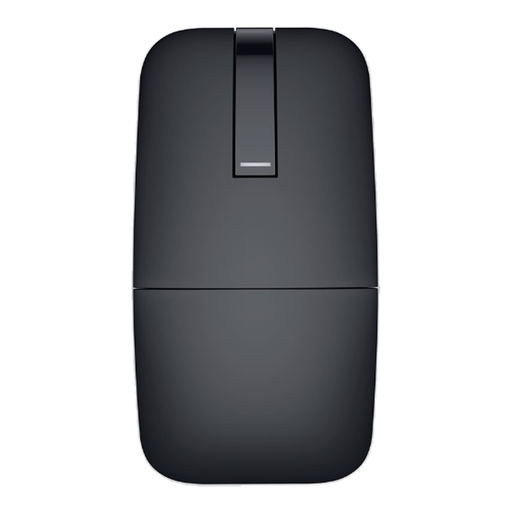 No image available
Worth considering if you’re looking for a Bluetooth mouse for your writing space and the design, described as a Travel Mouse, suits the way you work.
Feature listed in the product name: Bluetooth.
 No image available
A possible choice if you’re looking for quiet clicks and a wireless connection via a USB receiver.
Features listed in the product name: 2.4GHz, USB receiver, 1600 DPI, Silent Click and optical sensor. Described as an EU version.
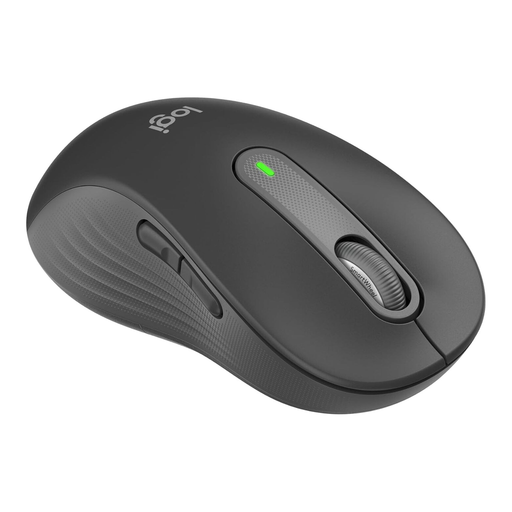 No image available
For larger left hands, if you’re looking for a traditional mouse with quiet clicks and scrolling that works well with longer texts. Logitech lists the M650 L Left as a left-handed version.
Features listed in the product name: Bluetooth, customisable side buttons and Graphite.
 No image available
For larger hands, if quiet clicks and scrolling through longer texts are priorities when writing reviews. Logitech lists the M650 L as the size option for larger hands.
Features listed in the product name: Bluetooth, customisable side buttons and Graphite. According to F.A.Z., the M650 L can’t be paired with several devices via Bluetooth at the same time.
No. If your computer has a suitable USB-A port, a wired mouse such as the CHERRY MC 2000 is an option that doesn’t need a wireless connection. You’ll just need to manage the cable on your desk. With wireless models, check whether Bluetooth or a receiver is compatible with your device.
For the Orbit Wireless, Kensington recommends gently removing any dirt with your finger or a dry cloth. This is care advice for this particular model, not general disinfection guidance for all mice.
In Germany, if a consumer purchase is faulty, you can generally assert your statutory rights against the seller. The Verbraucherzentrale states that faulty new goods are covered for two years from the date of receipt.
The German Federal Network Agency’s market surveillance includes checks of CE markings, manufacturer information and German-language instructions, among other things. This does not mean that every mouse on sale has received individual approval from the authorities.
No. According to the German Federal Ministry of Labour and Social Affairs, the Workplace Ordinance concerns the protection of employees when workplaces are set up and operated. ASR A6, issued by the Federal Institute for Occupational Safety and Health, sets out requirements within its scope. Whether a shared desk falls under these rules depends on how the workstation is used and set up.