Writers working alongside others
You want to click and scroll through notes at a shared desk without unnecessarily disturbing those around you. Quiet buttons are the first thing to compare.


For writing at a shared desk, quiet buttons and a comfortable shape are sensible first things to look for. Choose the connection type based on whether you use one computer or several. The F.A.Z. Kaufkompass describes the Logitech Signature M650 L as quiet, but points out that it cannot be paired with several devices at once via Bluetooth. A vertical mouse is a personal choice of shape, not a proven benefit for everyone.
You want to click and scroll through notes at a shared desk without unnecessarily disturbing those around you. Quiet buttons are the first thing to compare.
You use more than one computer while writing, or move between workspaces. The key question is whether the mouse can pair with those devices and let you switch between them easily.
You want to check the size, handedness and grip before longer sessions, rather than assuming that ‘ergonomic’ means a universal fit.
Start by comparing click noise and fit, then look at connectivity and the day-to-day effort involved in replacing batteries or using a receiver.
| What matters | What to check before buying | Who it matters most to |
|---|---|---|
| Click noise | Look for buttons specifically described as quiet; check the noise from the scroll wheel and side buttons separately if needed. | When I write at a shared desk, I want to disturb others as little as possible with repeated clicks. Around 36% of consumers put quiet clicks first. |
| Connectivity and switching between devices | Check Bluetooth support, the USB port required and whether the specific model explicitly offers a device-switching function. | When I move between computers or workspaces, I need a connection that works with my devices and don’t want to pair the mouse again every time. Around 29% of consumers prioritise connectivity and switching between devices. |
| Hand size and grip | Check the recommended hand size, whether it’s for left- or right-handed use, and whether there’s enough room for a comfortable arm position. Try an unusual shape if possible. | When I write for long periods, I want a mouse whose size and grip suit my hand. Around 21% of consumers prioritise fit and hand position. |
| Ease of use | Check the connection and whether it needs a battery or charging, and consider whether you really need the extra connectivity features. | When I usually write at one computer, I want a straightforward mouse and to keep ongoing maintenance to a minimum. Around 14% of consumers prioritise ease of use and day-to-day upkeep. |
Having two connection types doesn’t automatically mean the mouse can remember several computers and let you switch between them quickly. The F.A.Z. Kaufkompass notes that the Logitech Signature M650 L has a limitation when it comes to pairing with several devices at once via Bluetooth.
If you switch devices often, check specifically that the mouse can remember them and has a switching function.
If a device isn’t remembered, having to pair it again can make switching between computers more of a hassle during your working day.
A different grip won’t automatically suit every hand. The position of your mouse, keyboard and armrest also matters, and a particular mouse shape doesn’t prove that it will provide an individual health benefit.
Check the fit and the space available on your desk. If you have discomfort, don’t base your buying decision on an ergonomic claim alone.
If you don’t have the right port, or you lose the receiver, you may not be able to use your preferred connection. The CHERRY MW 2400 needs a USB-A port and an AA battery; Rapoo says that a replacement receiver isn’t available for the M500 Silent.
Check the specific model’s connections, alternative connection options, what’s included and how it’s powered.
For battery-powered models, replacing the battery is part of the ongoing upkeep.
The Signature M650 is a quiet, traditionally shaped mouse available in versions for different hand sizes and handedness. The Lift has a different shape and is designed for small to medium-sized hands.
The M500 Silent could suit writers looking for quiet clicks and the ability to switch between connected devices.
The MW 2400 is a receiver mouse designed for use with either hand; the MW 4500 and MW 4500 LEFT have a different grip shape.
The Bayo+ is aimed at people looking for a vertical shape and the ability to switch between connected devices.
This selection includes quiet office mice, models that may let you switch between devices, and a vertical mouse for workspaces with different fit requirements.
 No image available
Could suit you if you’re looking for a mouse described as silent, with a 2.4 GHz connection for a fixed workspace.
The product title mentions several adjustable DPI settings. Check that the connection works with your computer.
 No image available
Could be an option if you’re looking for quiet clicks and a choice between Bluetooth and a 2.4 GHz connection.
The product title lists both connection types. Before buying, check that the switching function works with your devices.
 No image available
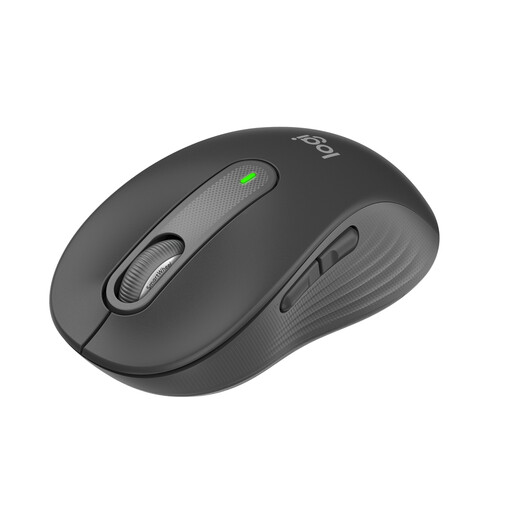
According to the product title, this version is designed for small to medium-sized hands and has quiet clicks, making it an option for a shared workspace.
The title lists Bluetooth, Logi Bolt, SmartWheel and a 24-month battery life.
 No image available
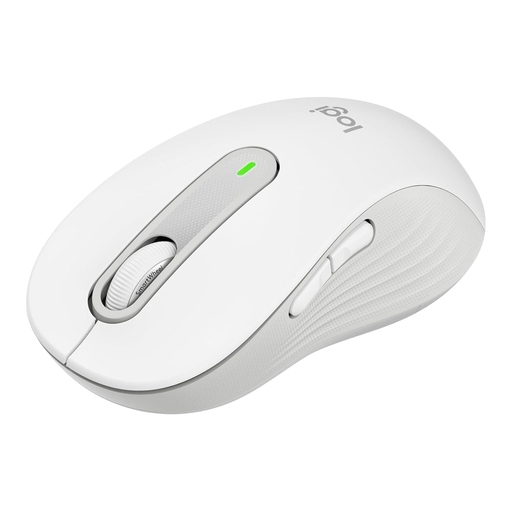
According to the product title, the M650 L is designed for large hands and has quiet clicks; the F.A.Z. Kaufkompass also describes it as quiet.
The title lists SmartWheel, Bluetooth, Logi Bolt, five buttons and a 24-month battery life. According to the F.A.Z. Kaufkompass, it can’t be paired with several devices at once via Bluetooth.
 No image available
The vertical shape offers an alternative grip, so check that it feels right before a longer writing session.
The product title lists Bluetooth, a USB receiver, a 4000-DPI sensor, a rechargeable battery and use with multiple devices.
Leave enough room for your mouse and keyboard, and position them so you can reach the mouse comfortably. The German Federal Institute for Occupational Safety and Health recommends an arrangement that can be adjusted to individual body measurements; choosing a particular mouse won’t replace setting up your workspace properly.
According to Rapoo Support, press and hold the Bluetooth button for at least three seconds to pair via Bluetooth, then select a different channel for the second device. Rapoo says you can connect up to two Bluetooth devices and one more device via the 2.4 GHz receiver.
Electrical waste shouldn’t go in household rubbish; it should be taken to a separate collection or recycling point. The German Environment Agency also advises that removable used batteries and rechargeable batteries should be taken to suitable collection points.
The seller is responsible for the statutory consumer rights that apply if an item is faulty. The German consumer advice centre distinguishes these rights from a voluntary guarantee; the first remedies may include a repair or replacement.