If the mouse will stay with one computer, a wired model may be suitable, provided there’s a compatible USB port. If you use different computers, a wireless mouse may be a better fit, as long as Bluetooth or its USB receiver is supported. Also consider whether the device will be used by one person or shared, along with hand shape, click noise and scrolling behaviour. A trackball needs little room to move, but users will need to be comfortable with controlling it using their thumb.
Who might need a mouse for a shared desk?
Teams sharing a workspace
If several people use the same desk, decide whether everyone will bring their own mouse or how a shared device will be cleaned. The German Social Accident Insurance (DGUV) recommends either personal input devices or daily professional cleaning of shared work equipment.
People using different computers
If you use different computers or docking stations, check in advance that the required port or connection method is available. Logitech lists Bluetooth and a USB receiver for the Signature M650; the right option depends on the computer you’re using and your IT requirements.
People working with long membership lists
If you scroll frequently, easy-to-reach controls and a comfortable fit matter. If desk space is limited, a trackball may also be an option, provided users are happy with its different way of working.
What should you consider when choosing one?
First, decide how the mouse will be shared and connected. Then narrow down your options by considering fit, scrolling behaviour and click noise.
| What matters |
What to check before buying |
Who is this important for? |
| Sharing and cleaning |
Decide whether the mouse will be for personal or shared use; check which cleaning methods are approved for the specific model. |
If several people use the same desk, I want to know whether everyone brings their own mouse or how a shared one will be cleaned. Around 25% of consumers prioritise this practical arrangement. |
| Connecting to computers |
Check which USB ports are available and what Bluetooth requirements apply; for wireless models, make sure the required receiver is available. |
If I switch between computers, I need a connection method that works with the devices I actually use. Around 25% of consumers have this connection requirement. |
| Hand shape and room to move |
Consider the hand size and preferred hand of regular users; check how much clear space there is next to the keyboard. |
If different people use the same mouse, its shape should suit the regular users. A trackball may offer an alternative when space is tight. Around 20% of consumers prioritise comfort and fit or limited room to move the mouse. |
| Scrolling through long lists |
Check whether the scroll wheel supports controlled scrolling and makes it easy to navigate long lists. |
When working through long membership lists, I want to move quickly while still being able to select individual entries precisely. Around 15% of consumers prioritise navigation. |
| Click noise |
Look for a quiet-click specification for the exact model; ‘quiet’ doesn’t mean completely silent. |
If other people are working right next to me, I want to keep distracting clicking to a minimum. Around 15% of consumers put quiet clicks first. |
Common buying mistakes
-
Choosing a wireless mouse without checking how it connects
Bluetooth and a USB receiver are different ways to connect. If the receiver is missing or misplaced, you may not be able to use the mouse as planned via USB.
Before choosing, check the available ports, your IT requirements and what’s included with the specific model.
-
Assuming an ergonomic shape will suit everyone
When a mouse is shared, users may have different hand sizes and preferred hands. A trackball also works differently from a mouse that you move across the desk.
Think about the regular users and whether the shape, handedness and way of using the mouse will suit them.
-
Sharing a mouse without a cleaning plan
You’ll need to agree how a shared device will be cleaned. For desk-sharing, the DGUV recommends personal input devices or daily professional cleaning of shared work equipment.
Agree how the mouse will be shared and check which cleaning products are approved for the specific model.
If a mouse is shared, make sure time is set aside for the agreed cleaning routine.
Helpful brands to consider
CHERRY
The MC 1000 is a symmetrical wired mouse, while the MW 2310 2.0 is a wireless model with a USB receiver.
- CHERRY specifies USB-A connectivity and three buttons for the MC 1000. The manufacturer says the MW 2310 2.0 has a sensor adjustable across three levels.
- The MC 1000 needs a compatible USB-A port. The MW 2310 2.0 needs its receiver and batteries for wireless use.
Logitech
The Signature M650 comes in versions for different hand sizes and for left-handed users; the ERGO M575S is a stationary trackball.
- Logitech lists Bluetooth and Logi Bolt for the M650. The M575S is controlled with the thumb and stays in place as you move the pointer.
- Choose the right M650 version for your hand size and preferred hand. A trackball requires a different way of working; claims about reducing strain don’t guarantee an individual health benefit.
Dell
The MS5120W is a compact mouse with Bluetooth 5.0 and a 2.4 GHz connection.
- Dell describes two connection methods for this model, so you can choose according to the computers and ports available.
- Check the details for the exact product version before relying on individual technical specifications.
HP
The HP 280 Silent is a traditional wireless mouse for anyone specifically looking for a model with quiet clicks.
- HP promotes this model’s quiet clicks.
- HP gives a battery life of up to 18 months. Actual battery life may vary depending on use.
Joybuy products for shared desks
This selection includes wired and wireless options for a shared desk.
 No image available
HOFOTEK M311 2.4G+BT Silent Office Mouse, White-Grey
An option if you need a wireless mouse that can connect to your computer via Bluetooth or 2.4 GHz.
The product name specifies several adjustable DPI levels and quiet clicks. A USB receiver is used for the 2.4 GHz connection; the model requires one AA battery.
Joybuy
 No image available
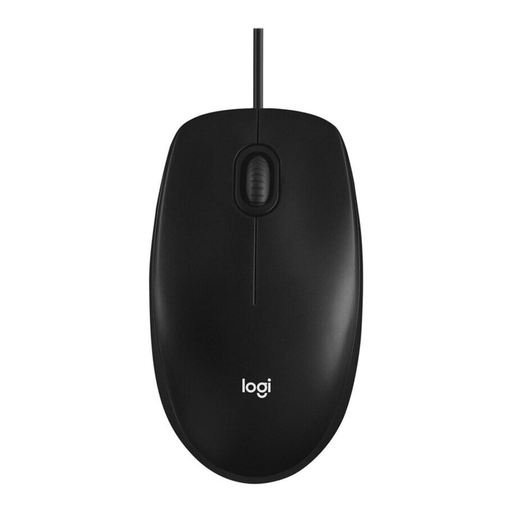
Logitech Mouse M100 Optical Corded, Black
A good fit for a fixed computer station if you want to use a wired mouse.
Optical, wired mouse; requires a USB port on your computer.
Joybuy
 No image available
Logitech MX Master 3S Bluetooth Edition, Graphite
An option for working through long lists if you want fast scrolling and precise control, and the mouse suits a right-handed user.
The product name specifies Bluetooth, a MagSpeed scroll wheel, quiet clicks and an 8K DPI sensor. The shape is designed for right-handed users.
Joybuy
 No image available
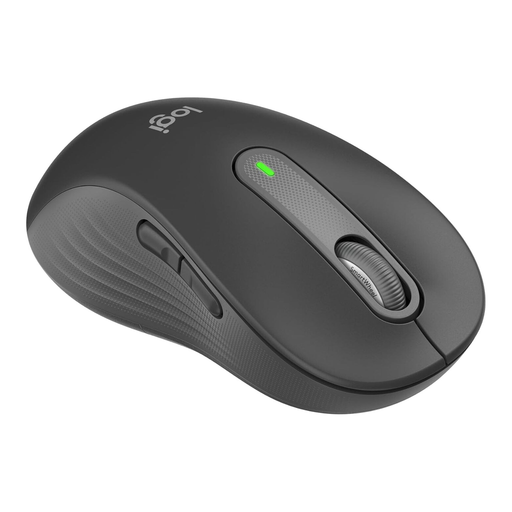
Logitech Signature M650 L Left, Graphite
Designed for long lists and larger left hands, provided this specific fit suits the user.
The product name specifies a SmartWheel, Bluetooth, quiet clicks and customisable side buttons. This version is designed for larger left hands.
Joybuy
 No image available
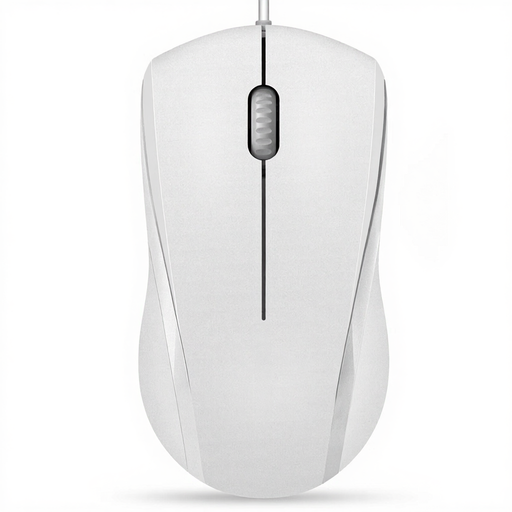
RAPOO N1600 Wired Mouse, White
An option for a fixed USB workstation if the mouse will be used by both left- and right-handed people. The left and right buttons are described as quiet, but the middle click isn’t.
The product name specifies 1000 DPI, three buttons and a USB cable connection.
Joybuy
Frequently asked questions
Should everyone use their own mouse at a shared desk?
Not necessarily. For desk-sharing, the DGUV recommends personal keyboards, mice and headsets, or daily professional cleaning of shared work equipment. If you share a mouse, agree which cleaning products are suitable for it.
What should I check before setting up a wireless mouse?
Check whether your computer supports Bluetooth or has a suitable port for the USB receiver. Also take IT requirements into account and check whether the receiver you need is included with the specific model.
When is a trackball worth considering if space is limited?
A trackball may be a good fit if there’s little room to move a mouse and users are comfortable controlling it with their thumb. Logitech says the ERGO M575S stays in place as you move the pointer; it works differently from a traditional mouse.
Which mouse should I choose if my team has different hand sizes and preferences?
Check the hand size and preferred hand of regular users rather than assuming one shape will suit everyone. Logitech offers the Signature M650 in versions for different hand sizes and for left-handed users; CHERRY describes the MC 1000 as symmetrical and suitable for both left- and right-handed users.
Does the Workplace Ordinance specify a particular mouse for desk-sharing?
Workplaces covered by the German Workplace Ordinance must meet its requirements for display screen workstations, including when desks are shared. It doesn’t require a particular mouse brand, wireless technology or a trackball; the DGUV provides recommendations for shared work equipment.


