People with limited room to move a mouse
You manage your household budget at a small desk and need to decide whether a compact mouse or a device that stays in one place would work better for your space.


If there’s barely any room beside your computer, a compact mouse or a stationary trackball could be a good option. For wide spreadsheets, a horizontal scroll wheel may help, provided it works with your application. Choose the shape and size to suit your hand and how you use it, and check the connection and power requirements. Extra mouse buttons aren’t essential for occasional budgeting.
You manage your household budget at a small desk and need to decide whether a compact mouse or a device that stays in one place would work better for your space.
You regularly compare lots of spending categories or time periods and want to find out whether extra scrolling controls are useful alongside the navigation options in your spreadsheet application.
You use a mouse for longer periods or find small, flat models uncomfortable. Hand size, handedness and grip therefore all matter when choosing one.
First, work out how much clear space you have to move the pointer. Then compare your options for spreadsheet navigation, fit and connectivity.
| What matters | What to check before buying | Who it matters to |
|---|---|---|
| Room to move | Compare the clear space needed for a conventional mouse with a trackball, which stays in place while you control the pointer. | When there’s barely any room to move the mouse beside my keyboard and paperwork, available space matters more to me than the size of the mouse itself. Around 29% of consumers put this space requirement first. |
| Spreadsheet navigation | Check whether your application supports a horizontal scroll wheel. Microsoft also lists arrow keys and scroll bars as ways to navigate in Excel. | When working with wide expense spreadsheets, I want to move between categories and time periods without relying on an extra feature. Around 23% of consumers prioritise spreadsheet navigation. |
| Hand and grip | Check the size and handedness of the exact model variant. Logitech offers the M650, M650 L and M650 L Left in its Signature range. | When I’m working for longer, hand size, handedness and how the mouse feels in my hand matter more to me than having the smallest possible design. Around 18% of consumers put fit first. |
| Click noise | Check which buttons the manufacturer describes as quiet. This doesn’t mean the scroll wheel or mouse movement will be silent. | In a shared space, I want to keep clicking noise to a minimum. Around 18% of consumers prioritise quieter clicks. |
| Connection and power | Check whether the specific model supports Bluetooth, has a USB connection or receiver, and uses batteries or a charging port. | To make sure a mouse will work with my computer, I check the wireless connection and power supply first. Around 12% of consumers put connectivity and power first. |
A manufacturer’s description of an extra control doesn’t tell you how it will work in every application or configuration.
Check the settings and features of your spreadsheet application, and compare them with the navigation options it already offers.
A small mouse still needs room to move. A trackball stays in place while you control the pointer, but works differently and may take some getting used to.
Measure the clear space beside your keyboard and bear in mind that a trackball works differently.
Logitech distinguishes between the M650, M650 L and M650 L Left according to hand size and handedness.
Check the full model variant and choose one to suit your hand, rather than relying on the range name alone.
Bluetooth and a USB receiver are different ways to connect. According to Logitech, the compatible Logi Bolt receiver isn’t included with the MX Anywhere 3S.
Check the connection type, what’s included in the box and the power requirements of the specific variant.
Options to consider include the Pebble Mouse 2 M350s, the different sizes of the Signature M650 and the vertical Lift.
The Orbit Wireless is a trackball alternative if you have limited space to move a mouse around.
The Ozaa Compact is described as a compact option for use with multiple devices, with quiet buttons. The Ozaa+ is aimed at people looking for a horizontal scroll wheel.
According to CHERRY, the MW 9100 is a compact mouse with Bluetooth or a 2.4-GHz receiver and a rechargeable battery.
The MT560 may suit people looking for a horizontal scroll wheel and several connection options.
The Joybuy products below are conventional mice for use where movement space is limited. If you can move a mouse as little as possible, you should also consider whether a stationary trackball would suit you.
 No image available
A conventional mouse for you if you prefer a familiar way to control the pointer in a tight space.
The product name lists 2.4G, Silent Touch and adjustable multi-level DPI.
 No image available
This conventional wireless mouse could suit you if you want a familiar way to control the pointer in a tight space.
The product name lists 2.4G+BT and a 1xAA battery.
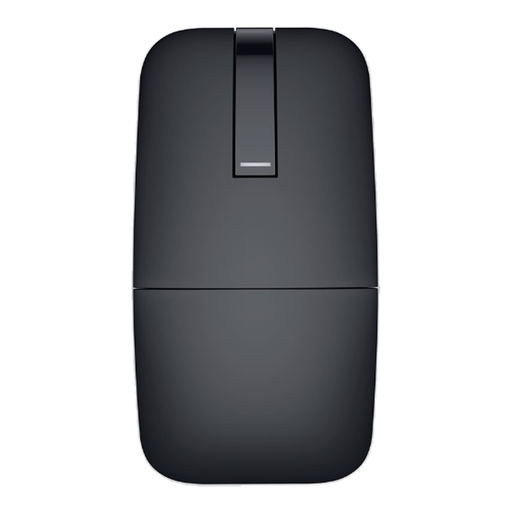 No image available
A Bluetooth travel mouse for you if you’re looking for a conventional mouse with this type of connection. Check that your computer supports Bluetooth.
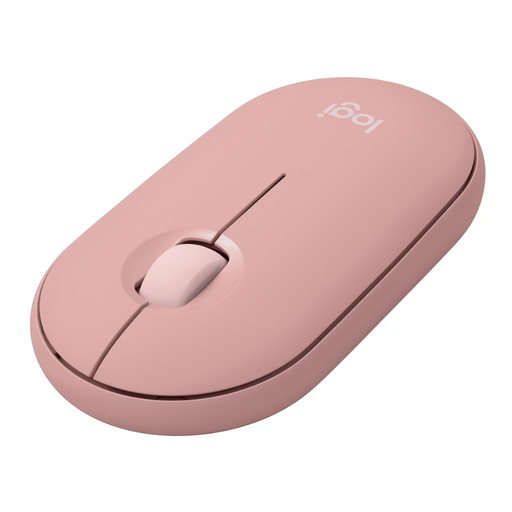 No image available
Its compact, flat design could be a good fit if you want to use a conventional mouse on a small desk.
Logitech says Silent Touch makes clicks quieter. This is the manufacturer’s description of its click-noise reduction.
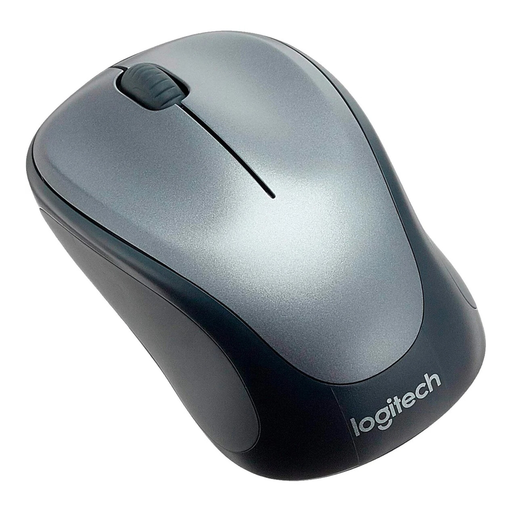 No image available
A conventional mouse for you if you can use a USB receiver and aren’t looking for a trackball.
The product name lists a 2.4-GHz USB receiver and 1000 DPI optical tracking.
No. Microsoft also lists arrow keys and scroll bars as ways to navigate in Excel. If you prefer a horizontal mouse wheel, check how it works with the application you actually use.
A Bluetooth mouse can connect directly to a compatible computer without a USB receiver. Otherwise, the wireless receiver needs a suitable port. Check the connection type and what’s included with the specific model.
If your purchase is faulty, contact the seller. The Verbraucherzentrale generally states that the statutory warranty lasts two years; separate rules apply to sales contracts from 31 July 2026. This is different from a voluntary manufacturer’s guarantee.
An old mouse is electrical waste and must not go in household rubbish. Remove any used batteries before handing in the device and take them separately to a suitable collection point, such as a shop. Used batteries must not go in household rubbish either.