For working with long spreadsheets, a mouse with a well-controlled scroll wheel is an obvious choice. However, Microsoft Support also recommends using the arrow keys and scroll bars to navigate in Excel. If you share a room, explicitly quiet clicks may matter more than extra scrolling features. Whatever the design, consider your hand size, the connection you need and the space available on your desk.
Who these mice may suit
Students working with long data tables
If you check lots of rows and columns, you’ll want to move easily between individual entries and larger sections of a table. Microsoft Support describes navigating in Excel using the arrow keys, scroll bars or a mouse. Logitech says the Signature M650 offers both line-by-line and fast scrolling.
Students sharing a room
If others in the room need peace and quiet, quiet clicks can be important when you’re working with datasets. Rapoo describes the M500 Silent’s clicks as quiet.
Students with limited desk space
If you have little room to move a mouse or need to work for long periods, different designs may be worth considering. Trust describes the Bayo II as a vertical mouse, while Kensington says the Expert Mouse Wireless Trackball has a trackball and scroll ring. These offer different ways to use a mouse; that doesn’t mean one design will suit everyone.
What to look for when buying
First, think about what would make the biggest difference to your data work: navigating spreadsheets, quiet operation, a comfortable shape for your hand or the setup of your desk.
| What matters |
What to check before buying |
Who may find it particularly important |
| Navigating spreadsheets with precision |
Check whether the wheel offers both line-by-line and fast scrolling, and whether you also need to navigate horizontally. Logitech lists these scroll modes for the Signature M650; Microsoft Support also mentions the keyboard and scroll bars for Excel. |
If I switch between checking individual responses and long sections of a table, I want to be able to control how I navigate. Around 33% of consumers put navigating spreadsheets first. |
| Being considerate of others |
Look for clicks explicitly described as quiet, and check that the available connection works with your computer. Rapoo lists quiet clicks, Bluetooth and a 2.4 GHz receiver for the M500 Silent. |
If I’m working late in a shared room, quiet clicks matter more to me than extra scrolling features. Around 27% of consumers prioritise keeping the room quiet. |
| Hand comfort during longer sessions |
Compare the mouse’s size and shape with your hand, and consider whether you’d prefer a familiar design, a vertical mouse or a trackball. |
If I’m at my computer for a long time, I want to first find out whether the specific shape feels right for me. Around 20% of consumers prioritise a suitable hand position. |
| Connection and space |
Check for Bluetooth support, the USB port you’ll need and how much space you’ll need to use the mouse. A trackball is controlled by a ball rather than being moved across the desk like a conventional mouse. |
If my laptop doesn’t have a suitable port or my desk offers very little room to move, the connection or the way the mouse works needs to suit my setup. Around 20% of consumers check connection and space first. |
Buying decisions to check
-
Assuming all M650 versions are the same model
Logitech distinguishes between the M650, M650 L and M650 L Left based on hand size or which hand they’re designed for. So, models in the same range aren’t necessarily interchangeable.
Before buying, check the full model name and choose the right size or version.
-
Assuming “wireless” automatically means Bluetooth
The CHERRY MW 2310 2.0 specifies a Nano USB receiver and USB-A as a hardware requirement. Other mice offer Bluetooth as well, according to their manufacturers.
Before choosing a receiver, check the connection types explicitly listed and compare them with the ports on your laptop.
-
Expecting a vertical mouse to solve discomfort
A different shape may feel different, but that doesn’t prove it will treat or reliably prevent discomfort. The claim that the Bayo II helps relieve strain comes from Trust.
Check whether the shape suits your hand, and also consider your posture and how your workspace is set up.
Key brands at a glance
Logitech
The Signature M650 range is an option if scrolling, hand size and connectivity are the main factors in your choice.
- Logitech lists SmartWheel, Bluetooth and Logi Bolt for the M650.
- According to the manufacturer’s size guide, the M650 is designed for small to medium hands and the M650 L for larger hands. The M650 L and M650 L Left are separate versions.
Rapoo
The M500 Silent may suit you if quiet clicks and a choice of connection methods are important.
- Rapoo lists Bluetooth, a 2.4 GHz receiver and the ability to switch between devices for this model.
- The manufacturer’s stated battery life of up to 12 months is a figure for the model, not a guarantee of how long it will last in everyday use.
CHERRY
The MW 2310 2.0 is a wireless mouse for computers with the specified USB-A port.
- CHERRY lists six buttons, three DPI settings and a Nano USB receiver.
- The manufacturer specifies USB-A as a hardware requirement and two AA batteries. Check these details against your setup.
Trust
The wireless Bayo II has a vertical design, offering an alternative to a conventional mouse.
- Trust lists a 57-degree design, a rechargeable battery and a 2.4 GHz USB receiver.
- The manufacturer’s claim about relieving strain doesn’t prove that it will suit you or help with discomfort.
Kensington
The Expert Mouse Wireless Trackball offers a different way to navigate when you have little room to move a mouse.
- Kensington lists trackball control, a scroll ring, Bluetooth and a USB receiver.
- The manufacturer describes the model as suitable for medium to large hands and notes that software customisation on Mac may be limited depending on the connection.
Joybuy products for spreadsheet work
This selection includes wireless mice for long spreadsheets, quiet working and different hand sizes at a small desk.
 No image available
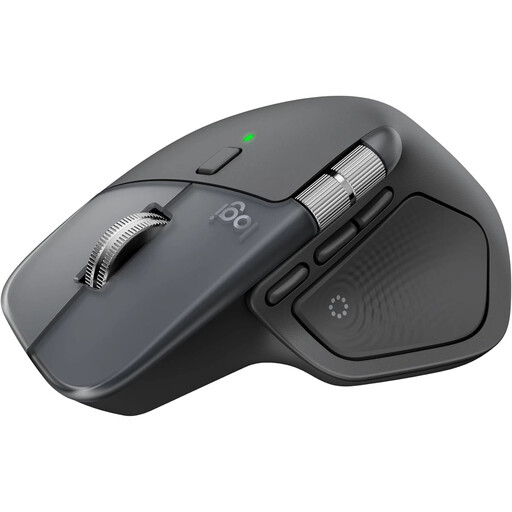
Logitech MX Master 4
For working with long sections of a spreadsheet and checking individual entries, with the option to switch between fast and controlled scrolling.
The product description mentions MagSpeed scrolling and quiet clicks. Connections include Bluetooth and a Logi Bolt USB receiver, and charging is via USB-C. The description says Logi Options+ is required for full customisation.
View at Joybuy
 No image available
HOFOTEK M311 2.4G+BT Silent Office Mouse, White-Grey
An option for shared rooms if quiet clicks and a choice of Bluetooth or a receiver matter to you.
The product description lists Bluetooth and 2.4 GHz wireless, several DPI settings and one AA battery. This version is White-Grey.
View at Joybuy
 No image available
Logitech MX Vertical
For anyone who wants to try a vertical design for longer sessions and check that it suits their hand before buying.
The product description lists Bluetooth and a USB receiver, a rechargeable battery and a 4000-DPI sensor. Compatible systems include Windows, macOS and iPadOS.
View at Joybuy
 No image available
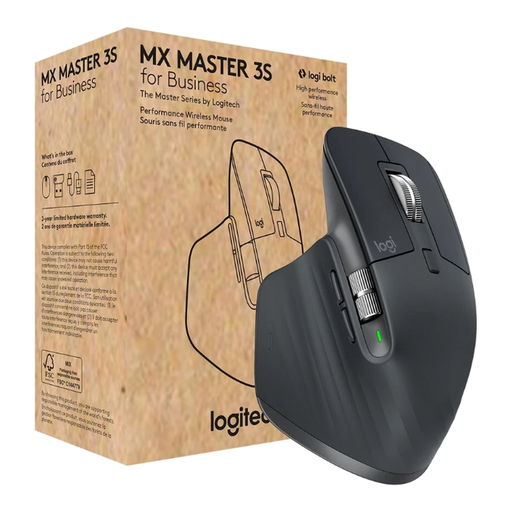
Logitech MX Master 3S for Business
An option for switching between precise scrolling and working with long documents, if quiet clicks are also important to you.
The product description lists MagSpeed scrolling, Quiet Clicks, an 8000-DPI sensor, Bluetooth and a Logi Bolt USB receiver. It also mentions multi-device connectivity and a right-handed design.
View at Joybuy
 No image available
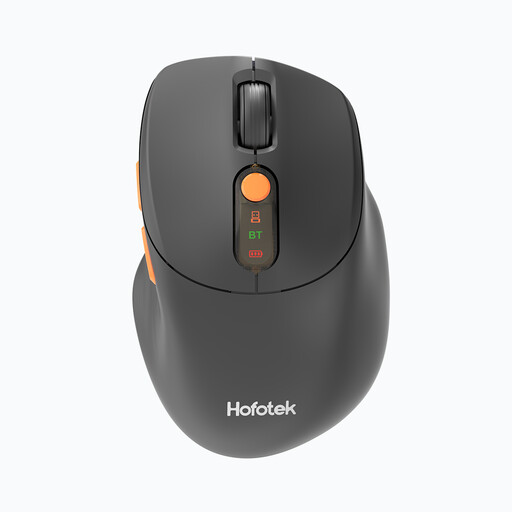
HOFOTEK M311 2.4G+BT Silent Office Mouse, Black-Orange
For quiet working, with the option to choose Bluetooth or 2.4 GHz wireless depending on your computer.
The product description lists quiet clicks, several DPI settings and connectivity with up to three devices. This version is Black-Orange and weighs 62 g, according to the description.
View at Joybuy
Frequently asked questions
Do I need a mouse with extra buttons to clean up long Excel spreadsheets?
No, they’re not essential. Microsoft Support describes the arrow keys and scroll bars as other ways to navigate in Excel. If you often switch between individual rows and long sections, a wheel with different scroll modes may be useful. Check that the specific model offers this feature.
How do I connect a wireless mouse if my laptop doesn’t have a spare USB-A port?
Choose a suitable Bluetooth connection, or check whether you have a compatible port for the receiver. Logitech lists Bluetooth and Logi Bolt for the Signature M650; the CHERRY MW 2310 2.0 specifies USB-A as a hardware requirement.
How can I keep a wireless mouse working during longer data sessions?
Check how the specific model is powered and follow its instructions. The CHERRY MW 2310 2.0 uses two AA batteries, according to the manufacturer, while the Trust Bayo II has a rechargeable battery. Check which version you’re buying.
What are my rights when buying a mouse online from a trader?
For a typical distance purchase, the European Union’s Your Europe consumer portal states that you generally have 14 days from delivery to cancel. Exceptions and possible return costs apply. If goods are faulty, you have a legal right to a minimum two-year guarantee from the seller, starting from the date you receive the goods. This is different from a voluntary manufacturer’s warranty.


