For long borrowing lists, the most important thing is a scroll wheel that lets you move quickly through rows and, when needed, across wide tables. In a shared study space, check whether the specific model has quiet buttons; for longer sessions, hand size and handedness matter. Then compare Bluetooth and USB connectivity with your computer: a wired mouse needs a compatible port, but avoids battery changes and a wireless connection.
Which mouse matters for different needs
Reviewing borrowing lists
If you often work through long lists or tables, check whether the scroll wheel supports both careful and fast navigation. Logitech describes these scroll modes for the Signature M650; CHERRY lists horizontal scrolling for the MC 2000.
Studying in a shared room
If other people in the room are studying or working, quiet buttons can be important. Trust describes the Yvi+ as a compact wireless mouse with quiet buttons; also check that the mouse’s connection is compatible with your laptop.
Choosing the right fit and handedness
For longer sessions, it’s worth checking the exact size and design against your hand. Logitech offers the M650 in different sizes and handedness options, and the Lift is also available for left-handed users.
What to look for when buying
First, consider whether you’ll mainly be navigating long lists, want to minimise disruption to others in the room, or need a particular connection and fit. Then check the ports and the exact model variant.
| Consideration |
What to check when buying |
Who this matters most to |
| Click noise in a shared room |
Check whether quiet main buttons are specified for the exact model; assess the scroll wheel separately if needed. |
If I want to minimise disruption to others while studying in a shared room, I look for quiet buttons. Around 29% of consumers put quiet clicking first. |
| Navigating lists and tables |
Check whether the scroll wheel offers the modes you want and whether you need horizontal scrolling. |
When I’m working with long borrowing lists or wide tables, I want to move quickly while still being able to navigate individual rows precisely. Around 23% of consumers prioritise this kind of navigation. |
| Connecting to your computer |
Check Bluetooth support and available USB-A ports against the connection options offered by the model. |
If my laptop or PC only has certain ports, I need a mouse that can connect to them. Around 18% of consumers prioritise having the right connection. |
| Hand shape and handedness |
Check your hand size, preferred hand and the exact size or handedness variant. |
If I work at a desk for longer periods, the shape should suit my hand and handedness. Around 18% of consumers also put fit first. |
| Ongoing upkeep |
Compare the power supply, connection requirements and the stated contents of the exact model. |
If the mouse will mainly stay at a fixed workstation, I want to weigh up the need for a cable against potential battery changes. Around 12% of consumers prioritise easy day-to-day use. |
Common buying mistakes
-
Assuming Bluetooth, a wireless receiver and a USB cable are interchangeable
Each type of connection has different requirements for your laptop or PC. A mouse with a USB-A cable needs a compatible port; a wireless receiver also uses a compatible USB port.
Before choosing a model, check Bluetooth support, available USB-A ports and the operating system requirements for that exact model.
-
Assuming a model name tells you whether it will fit your hand
Size and handedness vary between versions. A vertical design is no guarantee that it will suit your hand.
Compare the exact variant name with your hand size and the hand you plan to use to operate the mouse.
-
Thinking only about going wireless when choosing a wireless mouse
Depending on the power supply, you may need to change the batteries. A wired mouse needs a compatible port and space for the cable instead.
Check the power supply and what’s included with the exact model. Used batteries should go to a battery collection point, not into household rubbish.
Key brands at a glance
Logitech
The M650 and Lift cater for different scrolling and design preferences.
- For the Signature M650, Logitech lists Bluetooth and Logi Bolt, along with different sizes and left-handed versions. The Lift has a vertical design and is also available for left-handed users.
- The versions differ in size and handedness. Before buying, check the exact variant and whether its shape suits your hand.
CHERRY
The wired MC 2000 is an option for a fixed workstation and working with wide documents.
- For the MC 2000, CHERRY lists a tilt wheel with horizontal scrolling and a USB-A connection.
- The model is listed for Windows; glass and reflective surfaces are not suitable for its sensor. Check that it’s compatible with your operating system and works on your desk surface.
Trust
The Yvi+ and Ozaa+ cater for different space and connectivity needs.
- Trust describes the compact Yvi+ as having quiet buttons. For the Ozaa+, the manufacturer lists connections to up to three devices via a 2.4 GHz receiver or Bluetooth.
- The compact Yvi+ and larger Ozaa+ differ in design and features; features of one mouse don’t automatically apply to the other.
HP
The HP 240 is an ambidextrous Bluetooth option with no USB receiver.
- For the HP 240, HP lists Bluetooth 5.1, a 1600 dpi optical sensor and an ambidextrous design.
- Quiet buttons are not specified for this model. Check the battery-life details for the exact version before buying.
Joybuy products for working with lists
The Joybuy products below include wired USB mice as well as wireless mice with a USB receiver or Bluetooth and 2.4 GHz connectivity. This makes it easy to compare connection requirements, working with lists and use in a shared study space.
 No image available
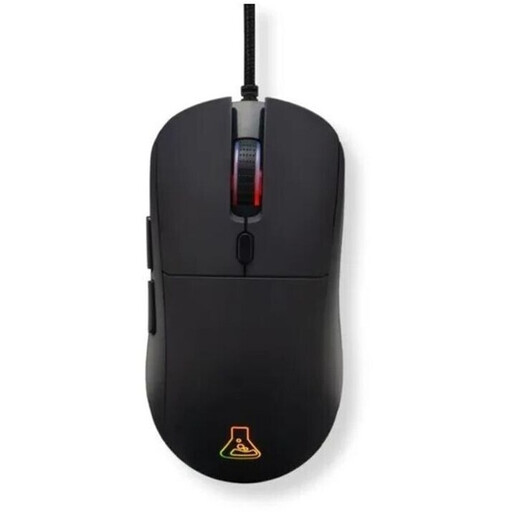
The G-Lab KULT-COBALT-B, wired, RGB, 12800 DPI
An option for a fixed computer setup if you want programmable buttons and adjustable DPI settings.
USB connection, optical tracking, six programmable buttons and a 1.8 m cable. Optional software is listed for macros and other advanced customisation.
View at Joybuy
 No image available
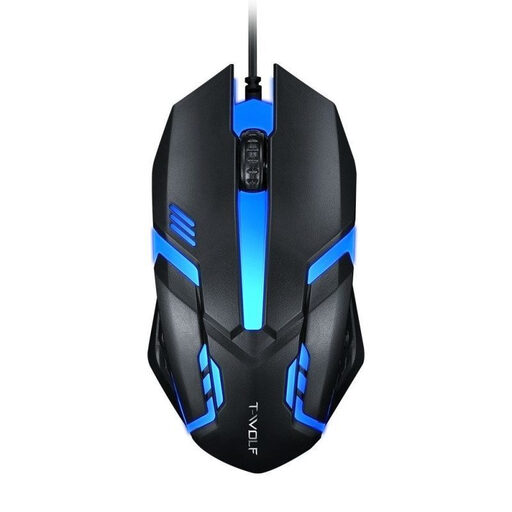
Wired USB optical mouse for desktop PCs and laptops
An option for wide tables when horizontal scrolling is useful at a fixed workstation.
USB connection, four-way scroll wheel, three sensitivity settings and a 1.3 m cable.
View at Joybuy
 No image available
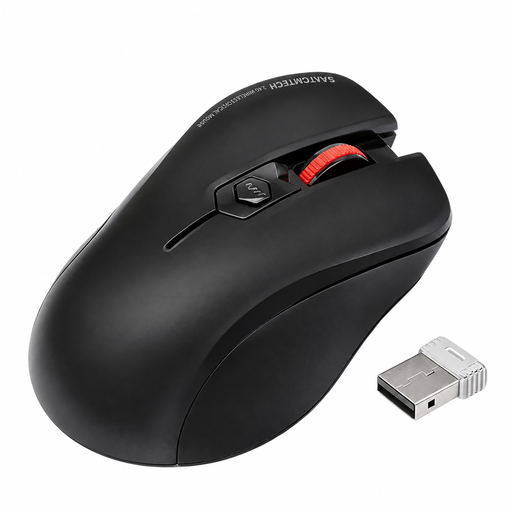
Wireless ergonomic mouse with quiet clicks and USB receiver
An option for shared spaces if quiet clicks and a suitable USB-A port are important.
The description lists a 2.4 GHz connection via a USB-A receiver, optical tracking and an additional top button. Keep the mouse and receiver away from liquids.
View at Joybuy
 No image available
HOFOTEK M308 2.4G Silent Office Mouse
A wireless option for shared spaces if you want quiet clicks and several adjustable DPI settings.
2.4 GHz connection via USB receiver, optical tracking, four DPI settings and a weight of 55 g.
View at Joybuy
 No image available
HOFOTEK M311 2.4G+BT Silent Office Mouse, White-Grey
An option if you want to switch between Bluetooth and 2.4 GHz wireless and connect several devices.
The description lists up to three devices, five DPI settings, a weight of 62 g and compatibility with Windows, macOS and Android. The product name specifies 1xAA Battery; check whether the battery is included before buying.
View at Joybuy
Frequently asked questions
Do I need a mouse with lots of buttons for long borrowing lists?
Not necessarily: for long lists, the scroll wheel is the priority. Logitech describes the Signature M650 as offering precise and fast scrolling; according to CHERRY, the MC 2000 also supports horizontal scrolling for wide documents.
How do I connect a mouse to my laptop?
It depends on the model and the ports on your laptop. Logitech lists Bluetooth Low Energy or a Logi Bolt USB receiver for the Signature M650; the CHERRY MC 2000 needs USB-A. Before buying, also check that the listed operating systems are compatible with your device.
What should I do with a used mouse battery or an old mouse?
Take used batteries to a battery collection point and, where this can be done easily, remove them from the electrical device before handing it in. The German Environment Agency lists local collection points as one way to return old electrical equipment free of charge; it should not go in household rubbish.
Who is responsible if the mouse is faulty?
If the mouse is faulty, the seller is responsible for the statutory guarantee; the manufacturer is not a substitute. The consumer advice centre distinguishes this legal responsibility from a voluntary warranty.
What details matter when choosing a wireless mouse?
Check the product details for its connection and the information supplied with the exact model. The German Federal Network Agency monitors wireless and other electronic products, and lists CE marking, manufacturer details, the required information in German and a declaration of conformity among the points to check.


