For taking study notes at a shared desk, your mouse should suit your hand, your computer’s connection options and the noise level you’re comfortable with. When working through long course materials, switchable scrolling may be more useful than a high DPI figure alone. A wired CHERRY GENTIX SILENT avoids batteries and wireless pairing, but needs a USB-A port and space for its cable.
Who is a mouse for a shared study desk for?
Students at a quiet shared desk
If you’re working on digital notes alongside other people, explicitly quiet buttons may be important. CHERRY and Trust list quiet buttons for certain models, but that doesn’t mean the scroll wheel or mouse movement is silent too.
Students working with long course materials
When organising longer documents, you may want to switch between precise, line-by-line navigation and fast scrolling. Logitech describes the Signature M650 as offering both types of scrolling.
Students who move between workspaces
If you take your mouse with you or work across several of your own devices, consider its size, connection type and how you switch between devices together. Logitech and Trust describe device switching on certain models.
What should you look for in a mouse for taking study notes?
First, check which noise level and shape will suit a shared desk. Then compare the scrolling and connection options with your documents and computer.
These are the main things to consider if you’re choosing a mouse for organising digital study notes at a shared desk.
| Consideration |
What to check before buying |
Who it matters most to |
| Quiet buttons |
Check whether the specific model is described as having quiet buttons. This doesn’t mean the scroll wheel or contact with the desk will be quiet too. |
When I study alongside other people, I want to minimise the disruption from repeated clicks. Around 31% of consumers prioritise quiet buttons. |
| Scrolling through long documents |
Check whether the wheel can switch between line-by-line and fast scrolling, and whether any additional features suit the way you work. |
When I’m working with long course materials, I want to move to individual lines as well as get through the document quickly. Around 25% of consumers prioritise navigating documents. |
| Connection and device switching |
Check that Bluetooth or USB is compatible with your computer’s ports. If you use several devices, also check how switching between them works. |
When I switch between my own devices, the connection needs to work with them. Around 19% of consumers say connection or device switching is their main concern. |
| Hand fit and desk space |
Check the size and handedness of the specific version. Make sure you have enough room to move the mouse and rest your arm. |
When I spend a long time at my desk, I want a shape that suits my hand and the space available. Around 25% of consumers prioritise fit and positioning. |
Common mistakes when buying a mouse
-
Assuming ‘quiet’ means completely silent
A manufacturer’s claim about quiet buttons doesn’t automatically apply to the scroll wheel or noise made as the mouse moves across the desk.
Check which controls the manufacturer describes as quiet on the specific model.
-
Assuming similarly named versions are identical
Logitech has several versions in the Signature range: the M650, M650 L and M650 L Left. They can differ in size and handedness.
Compare the full model name and check that the size and version suit your hand and the hand you use to operate the mouse.
-
Choosing based only on whether it’s wireless or wired
Bluetooth, a USB wireless receiver and a cable each have different requirements for your computer’s connections and power supply.
Check your computer’s ports, what’s included in the box and whether the model uses batteries or a rechargeable battery.
With battery-powered models, you’ll need to allow for replacing the batteries later. Rechargeable models will need regular charging.
-
Assuming an ergonomic label guarantees you’ll be free from discomfort
The German Federal Institute for Occupational Safety and Health stresses that you should consider the positioning of your mouse and keyboard, as well as having room to support your hand and arm. A mouse on its own can’t compensate for these conditions.
If possible, try the shape out and see how the mouse feels on your actual desk.
Brands to consider
Logitech
Logitech offers compact models designed for switching between devices, the Signature M650 range with different size options, and the vertical Lift as another shape to consider.
- According to Logitech, the Signature M650 offers line-by-line and fast scrolling. Consider the model version, your hand size and which hand you use to operate it.
- The manufacturer’s information about the Lift doesn’t guarantee that it will be comfortable for everyone. Its shape should suit your hand and desk setup.
CHERRY
The wired GENTIX SILENT is an option for a permanent workspace. According to CHERRY, the MW 9100 offers Bluetooth or a wireless receiver connection.
- CHERRY describes the GENTIX SILENT’s buttons as quiet and lists a 1.8 m USB cable.
- The GENTIX SILENT needs a compatible USB-A port and room for its cable. The quiet-button information doesn’t apply to the MW 9100.
Trust
Trust describes the Ozaa Compact as having quiet buttons and several connection options. The Seron adds scrolling for vertical and horizontal navigation.
- Trust lists Bluetooth and a USB wireless receiver as connection options for the Ozaa Compact.
- These details apply to the models mentioned, not the entire range. Check the charging requirements and connections you need for the model you choose.
Joybuy products for taking study notes at a shared desk
This selection includes wireless mice for quiet use, changing study spaces and different scrolling and hand-fit requirements.
 No image available
HOFOTEK M311 2.4G+BT Silent Office Mouse, White-Grey, 1xAA Battery
An option if quiet buttons and Bluetooth or 2.4 GHz wireless connectivity are important for your study space.
Powered by one AA battery.
View at Joybuy
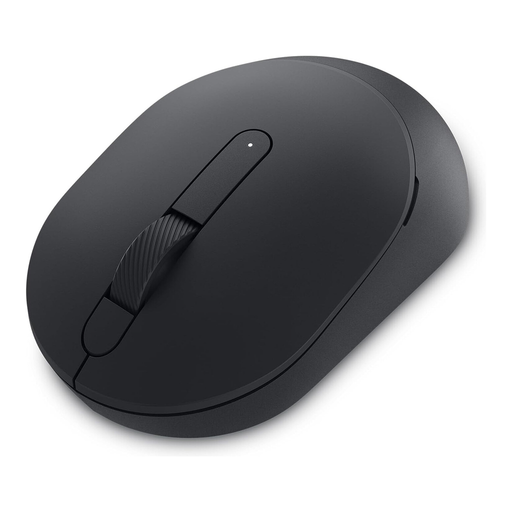 No image available
DELL Silent Mouse MS355
An option for a shared desk if you want to consider quiet operation when choosing a mouse.
Powered by one AA battery.
View at Joybuy
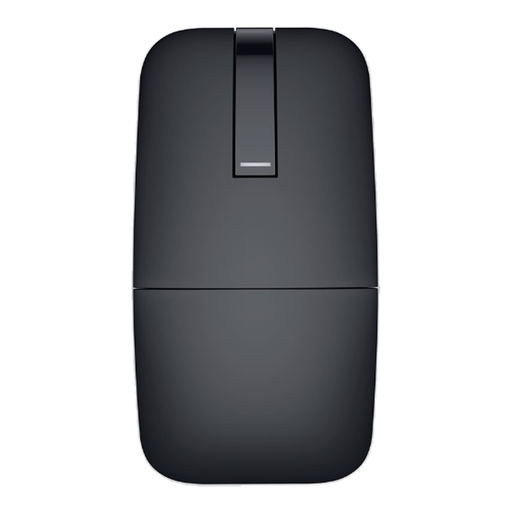 No image available
DELL Bluetooth Travel Mouse MS700 Black
This Bluetooth travel mouse is worth considering if you’re looking for a wireless option for different study spaces and want to take quiet operation into account.
Runs on a battery.
View at Joybuy
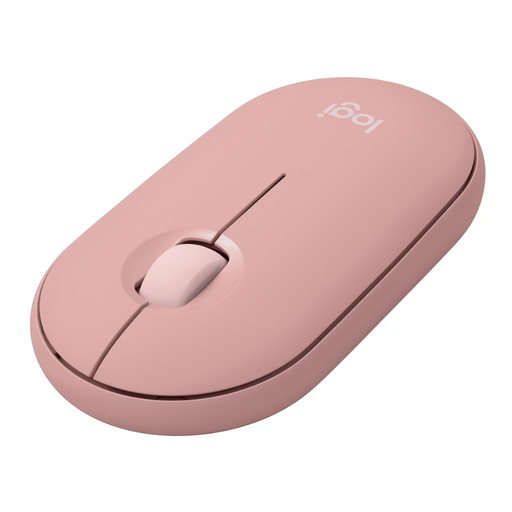 No image available
Logitech Pebble Mouse 2 M350s Tonal Rose
A compact option for smaller desks and switching between your own devices. Logitech describes the Pebble Mouse 2 M350s as a model that lets you switch between devices.
Powered by one AA battery.
View at Joybuy
 No image available
Logitech Signature M650 L Wireless Mouse Graphite
If you’re working through long study materials, the precise or fast scrolling options described in the product information may help you decide if it’s right for you.
This version is described as being for large hands. It’s powered by one AA battery.
View at Joybuy
Frequently asked questions about mice for taking study notes
Do I need a particularly high DPI mouse for taking study notes?
Not just for taking notes. Check that you can select text precisely and scroll comfortably through your documents. Logitech describes the Signature M650 as offering line-by-line and fast scrolling. A high DPI figure alone doesn’t show whether the mouse will suit the way you work.
What should I check before connecting a wireless mouse?
Make sure the connection type is compatible with your computer: Bluetooth requires Bluetooth support, while a USB receiver needs a suitable free port. For the CHERRY MW 9100, CHERRY specifies Bluetooth 4.0 or later, or USB-A, as a hardware requirement.
What ongoing costs and rights should I consider when buying?
Check whether the specific model uses disposable batteries or a rechargeable battery, and what accessories are included. The consumer advice centre distinguishes between your statutory rights when goods are faulty and a voluntary guarantee. Online purchases generally come with a 14-day right to cancel, subject to statutory exceptions.
How should I dispose of an old mouse and its batteries?
Don’t put waste electrical equipment in your household rubbish. The German Environment Agency recommends using designated collection points or recycling centres. Remove the batteries if possible and take them separately to a battery collection box.


