What should you consider when choosing?
First, measure the usable space beside your keyboard. Then decide whether there’s enough room to move a mouse, or whether a stationary trackball would better suit the way you work.
| Priority |
What to check before buying |
Who is this important to? |
| Space for the device and your arm |
Measure the area beside your keyboard, taking into account both the size of the device and the room needed to move it and rest your arm. |
If there’s barely enough room on my small desk to move a mouse and rest my arm comfortably, the usable space is crucial. Around 36% of consumers prioritise space for the device, movement and their arm. |
| Pointer control and scrolling |
Check whether you can adjust the pointer speed and whether the scroll wheel or scroll ring is easy to reach while you work. |
When I place layout elements and then scroll through longer designs, I need controlled pointer movement and easy-to-use scrolling. Around 29% of consumers prioritise navigation and scrolling. |
| Fit in your hand |
Consider the grip, how easily you can reach the buttons and your arm position in your actual desk setup. |
When I’m designing for long stretches, I want a mouse that fits my hand and doesn’t make my posture more difficult because of an awkward setup. Around 21% of consumers prioritise how a mouse fits their hand. |
| Connection and power |
Check that Bluetooth, any required receiver or cable is compatible with your computer and included with the specific model variant. |
If I want to connect the mouse to my existing computer, the connection needs to work and the power supply needs to suit how I use it. Around 14% of consumers prioritise connection and power. |
Mouse models at Joybuy
The following Joybuy picks are wireless conventional mice designed for a small footprint and layout navigation. If your main aim is to save space for moving a mouse, compare the trackball design too.
 No image available
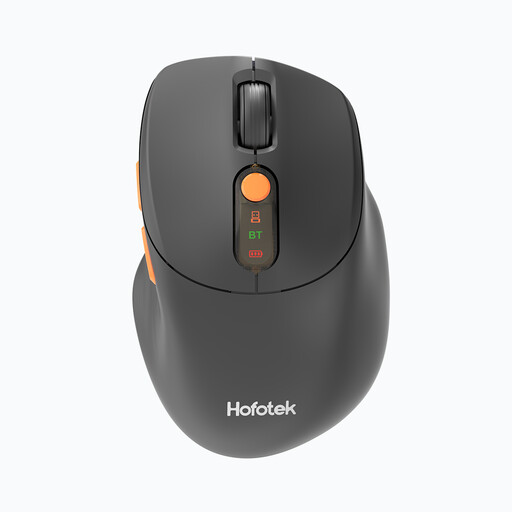
HOFOTEK M311 2.4G+BT Silent Office Mouse
If you’re looking for a conventional mouse with adjustable pointer speed, check that its listed DPI settings and connection options suit your work and computer.
Listed in the product name: 2.4G+BT, Silent, adjustable DPI settings and 1xAA Battery.
Joybuy
 No image available
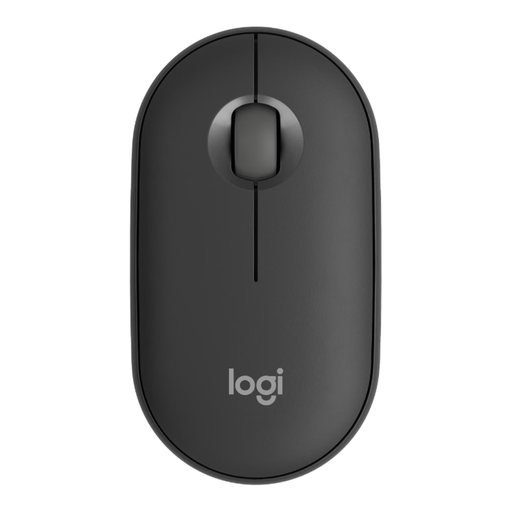
Logitech Mouse Pebble M350s Wireless Tonal Graphite
If you’re considering a low-profile mouse for a small desk, check that it fits your hand and that the controls are easy to reach when switching between pointer control and scrolling.
Listed in the product name: wireless design and graphite colour.
Joybuy
 No image available
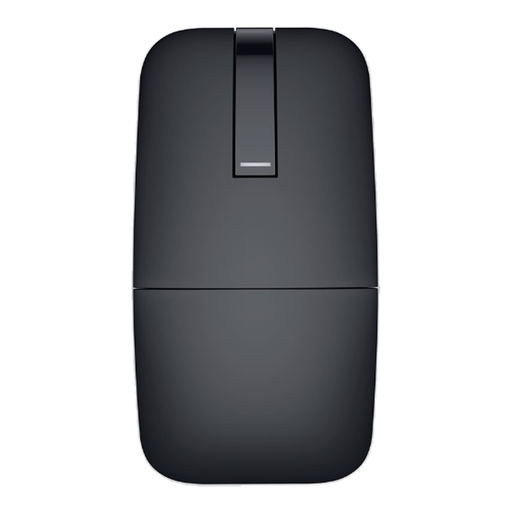
DELL Bluetooth Travel Mouse MS700 Black
If you’d like to store your mouse compactly when it’s not in use, check that the folding design and touch controls described suit the way you work.
Listed in the product name: Bluetooth connection and black finish.
Joybuy
 No image available
Logitech Signature M650 L Wireless Mouse
If you’re looking for a mouse for larger hands, check that its shape and customisable side buttons suit your grip and layout tasks.
Listed in the product name: for large hands, quiet clicks, customisable side buttons and Bluetooth.
Joybuy
 No image available
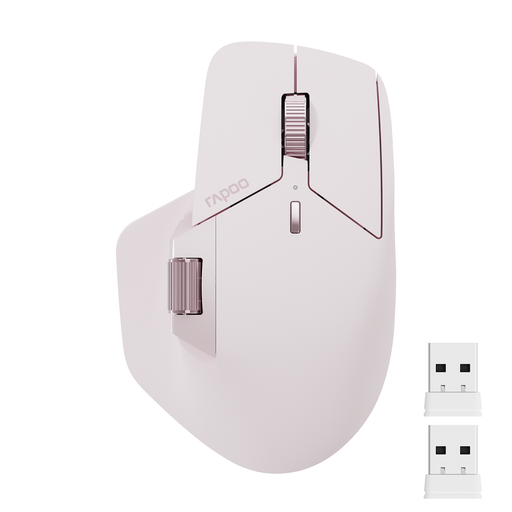
Rapoo MT760Mini Bluetooth Wireless Mouse
If you’re considering extra controls for navigating longer layouts, check that the button layout and side-scrolling function suit you.
Listed in the product name: Bluetooth 5.0, 2.4GHz, connection to up to four devices and eleven programmable buttons.
Joybuy
Frequently asked questions
Is the highest DPI figure the most important thing when placing layout elements?
No, not on its own. The models listed offer different adjustment options. Choose a pointer speed you can control comfortably with your hand movements and screen work, rather than assuming that the highest manufacturer figure is best.
How should I position my mouse and keyboard on a small desk?
Allow room to position them flexibly and to rest your hand and arm. A compact mouse or trackball may be an option when space is limited, but it won’t automatically make an awkward posture comfortable.
What should I know about connections and batteries?
Check whether Bluetooth, a USB receiver if required, or a USB-A cable will work with your computer and is included in the box. Rechargeable mice need to be charged. As recommended by the German Environment Agency, used batteries should be taken to an appropriate collection point, not put in household waste.
What are your rights when shopping online in Germany?
For a qualifying online purchase from a trader, you generally have a 14-day right to cancel from the day you receive the goods; statutory exceptions and rules on return costs apply. Your Europe also states that goods bought in the EU have a minimum two-year statutory guarantee from the date you receive them. These rights for faulty goods are separate from a voluntary guarantee offered by the manufacturer.


