What should you look for when buying?
For checkout testing, your choice mainly depends on whether both screens are connected to one computer or you need to switch between computers. Hand fit and power are separate considerations.
One computer, two screens
A good fit if: Both screens are controlled by the same computer. Arrange them in your operating system to match their actual positions.
Bear in mind: A device-switching button won’t fix screens that are arranged incorrectly; Microsoft Support recommends testing how the pointer moves between them.
Two separate computers
A good fit if: You switch between two computers while testing and want to use one mouse for both.
Bear in mind: Check how you switch between devices, which connections are supported and what’s included in the box. Switching devices doesn’t automatically mean the pointer will move seamlessly between screens.
| What matters |
What to look for when buying |
Who is it important to? |
| Controlled pointer movement |
Check the sensitivity settings and button reach, and make sure the screen layout matches the settings in your operating system. |
When I’m repeatedly checking fields and buttons, I want to stay in control of the pointer and clicks across my workspace. Around 40% of consumers put controlled input first. |
| Hand fit |
Check the hand you use, your hand size, how the mouse feels to hold and whether the buttons are easy to reach on the specific model. |
For long testing sessions, I want a shape that suits my hand and buttons I can reach easily. Around 30% of consumers prioritise a comfortable fit. |
| Switching between computers |
Check how many computers it supports, which connections are available, whether a receiver is included and how you switch between devices. |
When I use two separate test computers, I want to be able to switch between them without needing a second mouse. Around 20% of consumers prioritise switching between computers. |
| Power and connection |
For a wired mouse, check the connection and cable length. For a wireless mouse, check how it connects and how it’s powered. |
Before a testing session, I want to know whether the connection and power supply will work with my set-up. Around 10% of consumers prioritise these practical considerations. |
Mouse models at Joybuy
Joybuy mice for checkout testing, with options for pointer control, hand fit and switching between computers.
 No image available
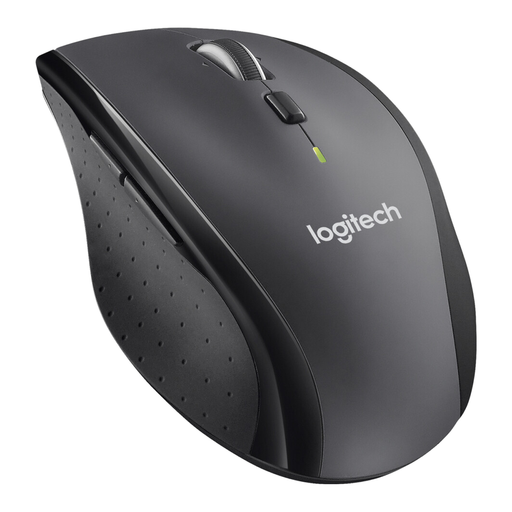
Logitech M705 Marathon Wireless Mouse
If you’re working through long checkout pages, the scroll wheel is designed for fast scrolling, according to the product description. The shape is designed for right-handed users.
Wireless mouse.
View at Joybuy
 No image available
Logitech MX Vertical Ergonomic Mouse, 4000 DPI, Graphite
The vertical shape may be worth considering for longer periods of work. Check that the grip and button reach suit your hand.
The product title lists 4000 DPI, Bluetooth, a USB receiver and compatibility with Windows, macOS and iPadOS.
View at Joybuy
 No image available
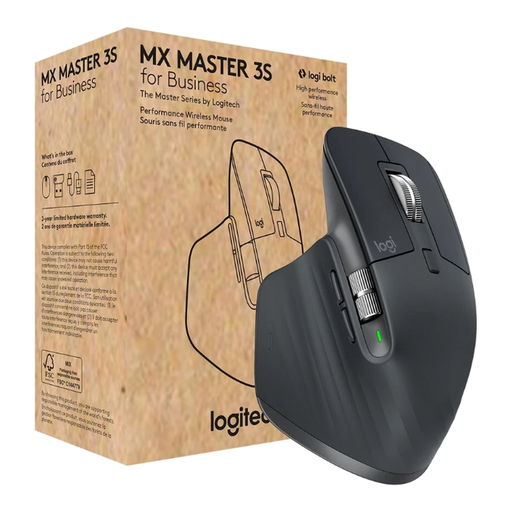
Logitech MX Master 3S for Business, 8000 DPI, Graphite
If you switch between separate computers, the listing’s stated support for up to three devices may be useful. Check which connection and receiver will work with your systems.
The product title lists a Darkfield sensor with 8000 DPI, Bluetooth, Logi Bolt and MagSpeed scrolling.
View at Joybuy
 No image available
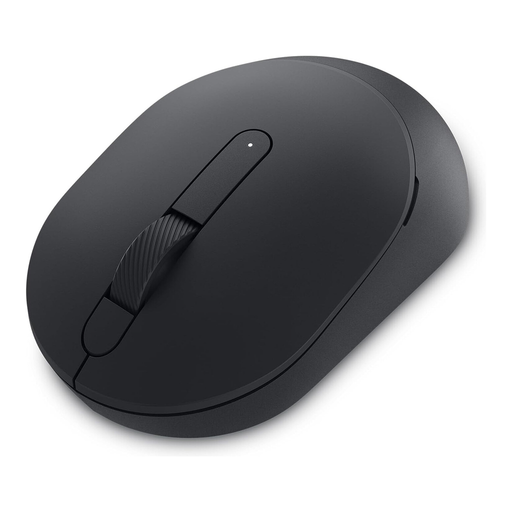
DELL Silent Mouse MS355
If you want to adjust pointer speed or prefer quiet clicks, these features are listed in the product description. Also check that Dell Peripheral Manager is compatible with your system.
View at Joybuy
 No image available
Logitech Signature M650 L Wireless Mouse, Graphite
If you switch between precise and fast scrolling, the SmartWheel listed in the product details may be useful. According to the product title, this version is designed for large hands.
The product title lists Bluetooth and customisable side buttons.
View at Joybuy
Frequently asked questions
Do I need a mouse that can connect to two devices to use two monitors?
No, not just because you have two monitors. If both are connected to one Windows computer, arrange them in Display settings and check how the pointer moves between them. Multi-device connectivity only matters when you switch between separate computers.
What can I do if the pointer doesn’t move to the second screen as expected?
Arrange the screens in Windows Display settings to match their actual positions, apply the change, then test the transition by moving the pointer across the boundary. Microsoft Support explains how to do this with multiple monitors.
What should I check when choosing a wireless or wired mouse?
For a wireless mouse, check whether it uses Bluetooth or needs a USB receiver, and make sure you’ve considered how it’s powered. For a wired mouse, check the connection and cable length. Perixx lists a 1,8 m cable for the PERIMICE-513.
How do I find a mouse that suits my hand?
Compare your hand size and the hand you use with the details for the specific model, and check that you can reach the buttons comfortably. Logitech describes the Lift as suitable for small to medium-sized hands and offers a left-handed version. CHERRY says the MW 8C ERGO is designed for medium to large right hands.
What rights do I have when buying online as a private customer in Germany?
Consumers generally have a right to cancel a distance sales contract, subject to statutory exceptions. The Verbraucherzentrale (German Consumer Advice Centre) says that, where the relevant conditions are met, you have 14 days from receiving the goods. For faults with newly purchased goods, it describes statutory warranty rights that apply for two years after delivery. These rights are separate from a voluntary manufacturer’s guarantee.


