Recipe researcher
If you’re working through lots of source pages and switching between a long list of recipes and individual entries, controlled scrolling and easy-to-reach navigation buttons are important things to look for.


If both screens are connected to one computer, you don’t need a mouse with device switching: what matters is controlled scrolling and a shape that suits your hand. If you’re actually using two computers, switching between devices becomes important. For longer data-entry sessions, a vertical mouse or trackball may be an alternative, but consider whether you’ll be comfortable with the different feel before buying.
If you’re working through lots of source pages and switching between a long list of recipes and individual entries, controlled scrolling and easy-to-reach navigation buttons are important things to look for.
For longer sessions, choosing a shape that suits your hand may matter more than having extra features. A vertical mouse or trackball could be an option if you’re willing to try a different hand position or way of controlling the cursor.
If you use two computers and want to switch a mouse between them, look for a suitable device-switching feature. Two monitors connected to one computer don’t automatically require a mouse that works with multiple devices.
First, check whether the two screens are connected to one computer or two; Microsoft Support explains how to arrange multiple displays in Windows to match their physical positions.
| What matters | What to look for | Who this matters most to |
|---|---|---|
| Working through long sources | Check whether you can switch between fast and line-by-line scrolling, and whether the navigation buttons are easy to reach. A thumb wheel is most useful if you often scroll horizontally. | If I’m scanning long recipe pages and need to find individual entries again, controlled scrolling matters more than a long list of features. Around 40% of consumers put navigation first for this reason. |
| Hand shape and feel | Compare the mouse with your hand size and check whether it’s available for right- or left-handed use. With a vertical mouse or trackball, you should also consider the unfamiliar way of controlling it. | For longer data-entry sessions, I want to choose a mouse shape that suits my hand rather than making extra buttons my main consideration. Around 30% of consumers prioritise hand comfort for this reason. |
| Cursor control and switching between devices | Check whether you use one computer or two. With two monitors connected to a Windows PC, you can adjust their arrangement and the pointer speed in the system settings. | If I’m switching between a source view and an index across two displays connected to the same computer, I want to get the cursor movement set up first. With two computers, device switching becomes important. Around 20% of consumers put this screen workflow first. |
| Connection and power | Check whether your computer has Bluetooth or the USB port you need, and how the mouse is powered. If you want to customise the buttons, you may also need to check the requirements for the relevant manufacturer’s app. | If I want to keep connection and power requirements simple, I check the cable, wireless connection and battery requirements in advance. Around 10% of consumers prioritise hassle-free use for this reason. |
With two monitors connected to a Windows PC, you can set up how the pointer moves between them by arranging the displays. You don’t automatically need a mouse with device switching.
Before choosing a mouse with a multi-device feature, check whether you really do switch between two computers. If you’re using a Windows PC, first arrange the displays to match their actual positions.
Different sizes and left-handed versions may be sold separately within the same product range. A vertical mouse can also feel quite different from a conventional mouse at first.
Compare the exact version with your hand and the way you work. Don’t assume that an ergonomic shape is a universal solution for discomfort.
Trust offers a wired Fyda and a separate wireless version that works with multiple devices. That means the connection type and device switching aren’t necessarily features of every model in the range.
Check the full model name, connection type and what’s included with the specific product.
The ranges mentioned include contoured office mice, vertical mice, and options for different hand sizes and handedness.
The MW 4500 is a vertical alternative for longer periods of office work.
The SlimBlade Pro is a stationary finger-operated trackball for a fixed workstation.
The Fyda range includes a wired office mouse and a separate wireless version that works with multiple devices.
The HP 430 Wireless Mouse and the HP 920 are different options, including a separate vertical design.
This selection includes wireless office mice with scrolling features, vertical designs and options for switching between devices. Whether you need device switching depends on whether you actually use two computers.
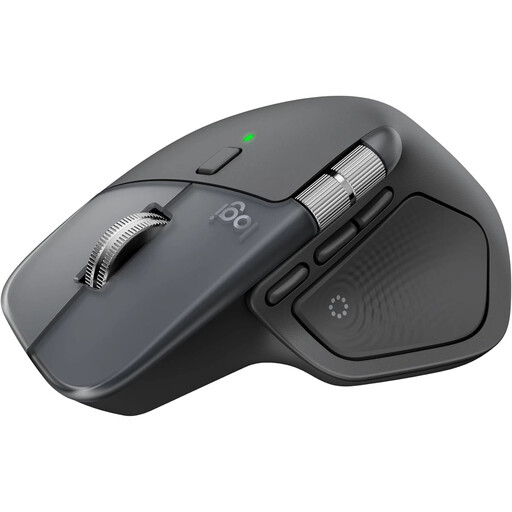 No image available
Could suit you if you want to switch between faster and more precise scrolling when working through long pages.
The product title lists a wireless connection, Bluetooth and USB-C charging. Compatibility is listed for Windows and MacOS; according to the product information, the USB-C charging cable isn’t included.
 No image available
Could be worth considering for longer data-entry sessions if you’d like to try a vertical mouse.
The product title lists a wireless connection, Bluetooth and a USB receiver. A rechargeable battery and multi-device compatibility are also specified.
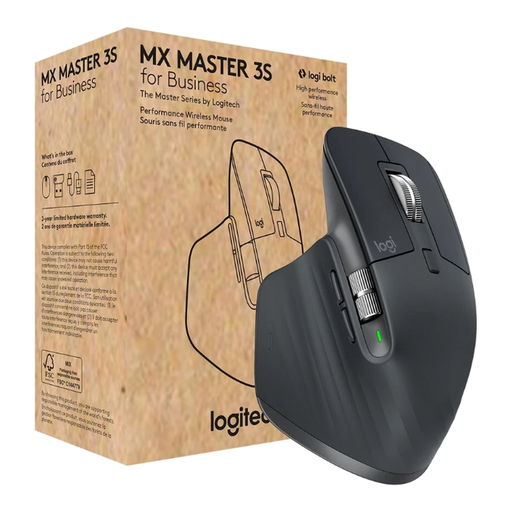 No image available
Could be a good fit for quickly scanning recipe pages and accurately selecting individual lines.
The product title lists an 8000-DPI Darkfield sensor, Bluetooth, Logi Bolt USB and MagSpeed scrolling. “For Business” is part of the name of this version.
 No image available
The L version could suit you if you’re looking for a mouse for large hands and want to switch between faster and more precise scrolling while working on a recipe index.
The product title lists Bluetooth, customisable side buttons and Quiet Clicks. This version is listed as Graphite.
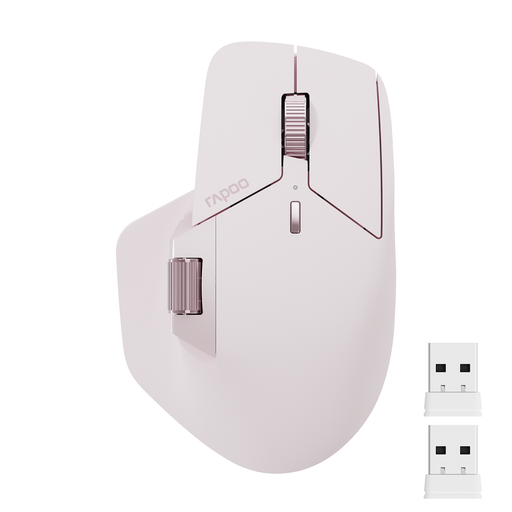 No image available
Could be worth considering if you really do switch between several computers or often scroll horizontally through spreadsheets.
The product title lists Bluetooth 5.0, a 2.4 GHz connection, support for four devices and 11 programmable buttons. According to the product information, switching between computers using M+ requires an installed driver and a shared Wi-Fi or Ethernet connection. The listed colour is pink.
No, not if both monitors are connected to the same computer. In Windows, you can arrange the detected displays to match their actual positions, then test how the pointer moves between them. Device switching is for moving between computers; Microsoft Support explains how to set this up in Windows.
In Windows, you can change the mouse pointer speed in the mouse settings. Try adjusting the setting and checking the actual monitor arrangement before buying a new mouse just because the pointer has a long way to travel; Microsoft Support guides you through the pointer settings.
Check whether the specific model uses a battery or a rechargeable battery, and whether it connects via Bluetooth or a USB receiver. For example, the HP 430 is listed as using an AA battery and a USB-A dongle. The German Environment Agency recommends disposing of batteries separately from old electrical appliances.
No. Your statutory rights apply in relation to the seller; a guarantee is an additional, voluntary service with its own terms and conditions. The German consumer advice centre explains the difference. Check the specific guarantee terms before paying for extra cover.