Joybuy products for your writing setup
This selection features vertical mice for writing setups where you’d prefer a different hand position. As with any vertical design, check that the fit suits your hand and that there’s enough room to move it on your desk.
 No image available
NAXSIR wireless vertical mouse, rechargeable, 6 buttons
For writers looking for a vertical design and quiet buttons; check that the shape suits your hand.
The product details list a rechargeable battery, adjustable DPI settings and a USB receiver.
View on Joybuy
 No image available
Wireless vertical mouse with 6 buttons, Bluetooth and 2.4 GHz
For writers looking for a vertical mouse with two listed connection options; check that it’s compatible with your device.
The product details list USB-C charging and a DPI range of 800–1600.
View on Joybuy
 No image available
Vertical wireless mouse with USB-C charging, Bluetooth and 2.4 GHz
For writers who prefer a vertical design and quiet clicks; check the fit and the available room to move it.
The product details list three DPI settings: 800, 1200 and 1600.
View on Joybuy
 No image available
KINSI wireless vertical mouse, rechargeable, 5 buttons
For writers looking for a vertical design and quiet clicks; check that the mouse suits your hand and fits your desk.
The product details list a 2.4 GHz USB receiver and adjustable DPI from 800–4800.
View on Joybuy
 No image available
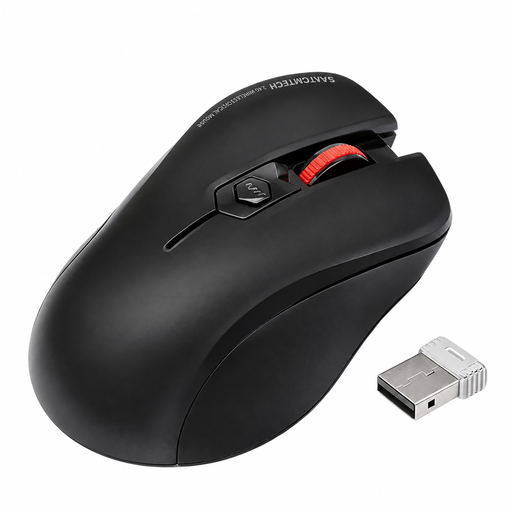
Wireless ergonomic mouse with quiet clicks and USB-A receiver
For writers who prefer quiet clicks and a USB-A receiver; check that your device supports this connection.
The product details list a USB-A receiver as included.
View on Joybuy
Frequently asked questions
How should I set up a mouse on a small desk?
Arrange your mouse and keyboard so you can rest your arm and still have enough room to move the mouse. The German Federal Institute for Occupational Safety and Health recommends enough desk space for a flexible setup; this isn’t a general minimum size for home desks.
Do I need a USB receiver for a Bluetooth mouse?
According to Logitech, the M240 Silent doesn’t need a dongle for a Bluetooth connection. For other models, check the connection type, compatibility and included accessories separately, along with your writing device.
What should I consider when it comes to batteries and charging?
According to the manufacturer, the Logitech M240 Silent uses one AA battery, while Trust says the Ozaa Compact can be charged by cable. Check how each mouse is powered and whether you’ll need a spare battery or a way to charge it.
Do workplace screen rules also apply when writing at home?
Germany’s ASR A6 expressly doesn’t apply to screen-based devices used privately outside workplaces and teleworking arrangements. It therefore doesn’t create a special approval requirement when choosing a mouse for private use.
Where should I dispose of an old mouse and removable batteries in Germany?
Electrical waste mustn’t go in household rubbish. Take the mouse to a suitable collection point and remove the batteries before handing it in, if they can be removed easily. Used batteries should be taken to designated collection points.


