If keeping noise down in a shared bedroom is a priority, a mouse specifically described as having quiet clicks is the more obvious choice; Logitech lists SilentTouch on the Signature M650. Gaming buttons or the label ‘gaming mouse’ alone tell you nothing about how loud the clicks are. For longer building sessions and frequent in-game actions, you should also consider a suitable shape, an easy-to-use scroll wheel and buttons that are within comfortable reach.
Which mouse suits you?
Considerate night-time gamers
If you play in the same room while someone else needs peace and quiet, explicitly quiet clicks may matter more than extra gaming features. However, that claim doesn’t mean the scroll wheel and side buttons are silent too.
Long-session zoo builders
For longer building and navigation sessions, your mouse should suit your hand size and grip. Check, too, that the scroll wheel and side buttons are easy to reach.
Players who optimise their controls
If you want to assign frequent in-game actions to mouse buttons, first check that the game supports the assignments you want and that you can reach the buttons with your grip.
What to look for when buying
First decide how important it is to keep the room quiet. Then let hand shape and grip, the buttons you need and the connection type guide your choice.
| Consideration |
What to look for |
Who should pay particular attention? |
| Click noise |
Look for a specific noise claim for the model variant; consider the scroll wheel and side buttons too. |
If I play while someone in the room needs peace and quiet, I want to keep click noise to a minimum. Around 36% of consumers put quiet clicks first. |
| Hand comfort |
Check the specific variant against your hand size, handedness and grip; make sure the buttons are within easy reach. |
For longer building sessions, I want a shape that suits my hand and grip. Around 29% of consumers prioritise hand comfort. |
| Accessible buttons |
First work out which game commands you need, then check the button layout and any software requirements. |
If I perform the same actions frequently, I want to trigger them comfortably using mouse buttons within easy reach. Around 21% of consumers focus above all on access to commands. |
| Space and connection |
Check for USB ports and Bluetooth support; if you choose a wired mouse, consider how much desk space you have. |
At a small or shared desk, I want a connection that suits my computer and the space available. Around 14% of consumers prioritise space and connection. |
Common buying mistakes
-
Assuming a gaming mouse will be quiet
Gaming switches or programmable buttons don’t mean the clicks will be quiet in a bedroom.
If keeping noise down is essential, look for a specific noise claim for the model variant you’re choosing. Remember to consider the scroll wheel and side buttons too.
-
Overlooking hand-specific or similar models
A product range may include different sizes and versions for different hands. Models with similar names may also differ in their connections and features.
Compare the full model name, variant, connection type and shape before making your decision.
Choosing the wrong variant could mean extra hassle with returns and finding another one.
-
Buying lots of buttons without planning how you’ll use them
Extra buttons are only useful if the game supports the commands you want and they’re comfortable to reach.
First make a note of the actions you use most, then check the button positions and any software requirements.
Relevant brands and product ranges
The details below apply to the product ranges mentioned and aren’t general recommendations for every model from each brand.
Logitech / Logitech G
Logitech lists SilentTouch on the Signature M650, along with different sizes and a left-handed version. The Logitech G G502 X is a wired gaming mouse with gaming switches and two scroll modes.
- According to Logitech, you can choose an M650 to suit your hand size and handedness.
- The G502 X’s features don’t mean its clicks are quiet; SilentTouch doesn’t mean the entire mouse is silent either.
Razer
Razer describes the Pro Click V2 as a wireless mouse for work and gaming, with an ergonomic shape, customisable buttons and two scroll modes.
- These features may appeal to users looking for customisable buttons and different ways to scroll.
- The manufacturer’s claims don’t confirm that the clicks are quiet, so they don’t show whether the mouse is suitable for quiet nights.
SteelSeries
SteelSeries lists nine programmable buttons on the wireless Aerox 5 Wireless.
- The buttons may be useful for frequently needed commands supported by the game you’re playing.
- The number of buttons says nothing about click noise, and their position should suit your grip.
CHERRY XTRFY
According to the manufacturer, the M42V2 has interchangeable back shells, while the wired M50 saves settings in profiles.
- The M42V2 comes with two back shells to choose from.
- Neither feature indicates that either model has quieter clicks; the M50 is wired.
Joybuy products
The Joybuy models below include mice specifically described as having quiet clicks, as well as options for longer scrolling and navigation sessions.
 No image available
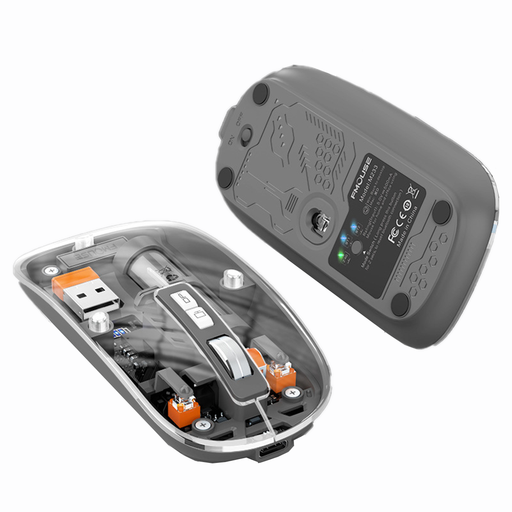
KINSI M233 Silent Wireless Gaming Mouse
For gaming in a shared room if you’re looking for a gaming mouse described as quiet, with several connection options.
1600 DPI; 2.4 GHz, Bluetooth and USB connectivity; rechargeable; symmetrical design and claw-grip shape.
View at Joybuy
 No image available
Logitech MX Master 3S Bluetooth Edition
For longer scrolling and navigation sessions if you’re looking for quiet clicks and customisable buttons.
Quiet Clicks; MagSpeed scrolling; customisable buttons; 8K DPI sensor. The ergonomic shape is designed for right-handed users.
View at Joybuy
 No image available
Philips 3000 Series SPK7378B/00
A wireless option for shared spaces if quiet clicks and an ambidextrous shape are important to you.
1600 DPI; 2.4 GHz connection with USB receiver; shape designed for both right- and left-handed users.
View at Joybuy
 No image available
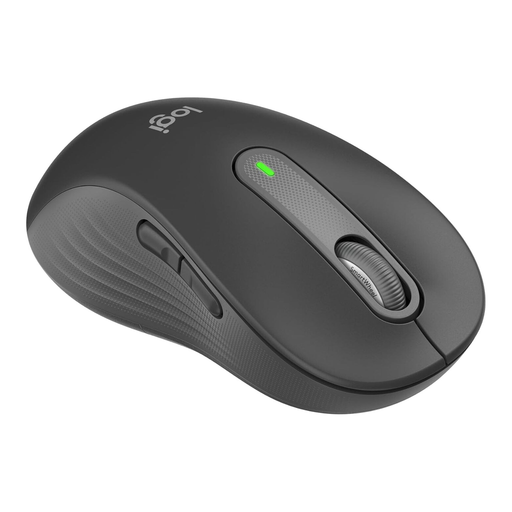
Logitech Signature M650 L Left
For large left hands if quiet clicks and extended scrolling are your priorities.
SilentTouch; SmartWheel; customisable side buttons; Bluetooth or Logi Bolt connection. This variant is specified for large left hands.
View at Joybuy
 No image available
Logitech Signature M650 L
For large hands if you want to combine quiet clicks with scrolling features and shortcuts for frequently used commands.
SilentTouch; SmartWheel; customisable side buttons; Bluetooth or Logi Bolt connection; AA battery. This variant is specified for large hands.
View at Joybuy
Frequently asked questions
Do I need a gaming mouse for a zoo-building game?
No, not simply because of the type of game. If keeping noise down in a shared bedroom matters more, a mouse specifically described as quiet may be a good fit. If you need extra buttons, check that they’re within easy reach and that the game lets you assign the controls you want.
How do I set up a wireless mouse?
Check that your computer supports the connection used by the variant you’ve chosen. Logitech lists Bluetooth Low Energy or a Logi Bolt USB receiver for the M650. According to the manufacturer, you can plug a receiver into your computer or set up a direct Bluetooth connection.
What should I bear in mind when cleaning and powering the mouse?
Before buying, check the power requirements and care instructions for the specific model. Wireless mice may need batteries or charging; follow the manufacturer’s instructions when cleaning your mouse.
What are my rights in Germany if a mouse bought online doesn’t fit or is faulty?
Online purchases generally come with a 14-day right to cancel, which you must exercise by notifying the seller. If the product is faulty, your statutory rights are against the seller and are separate from any voluntary guarantee.


