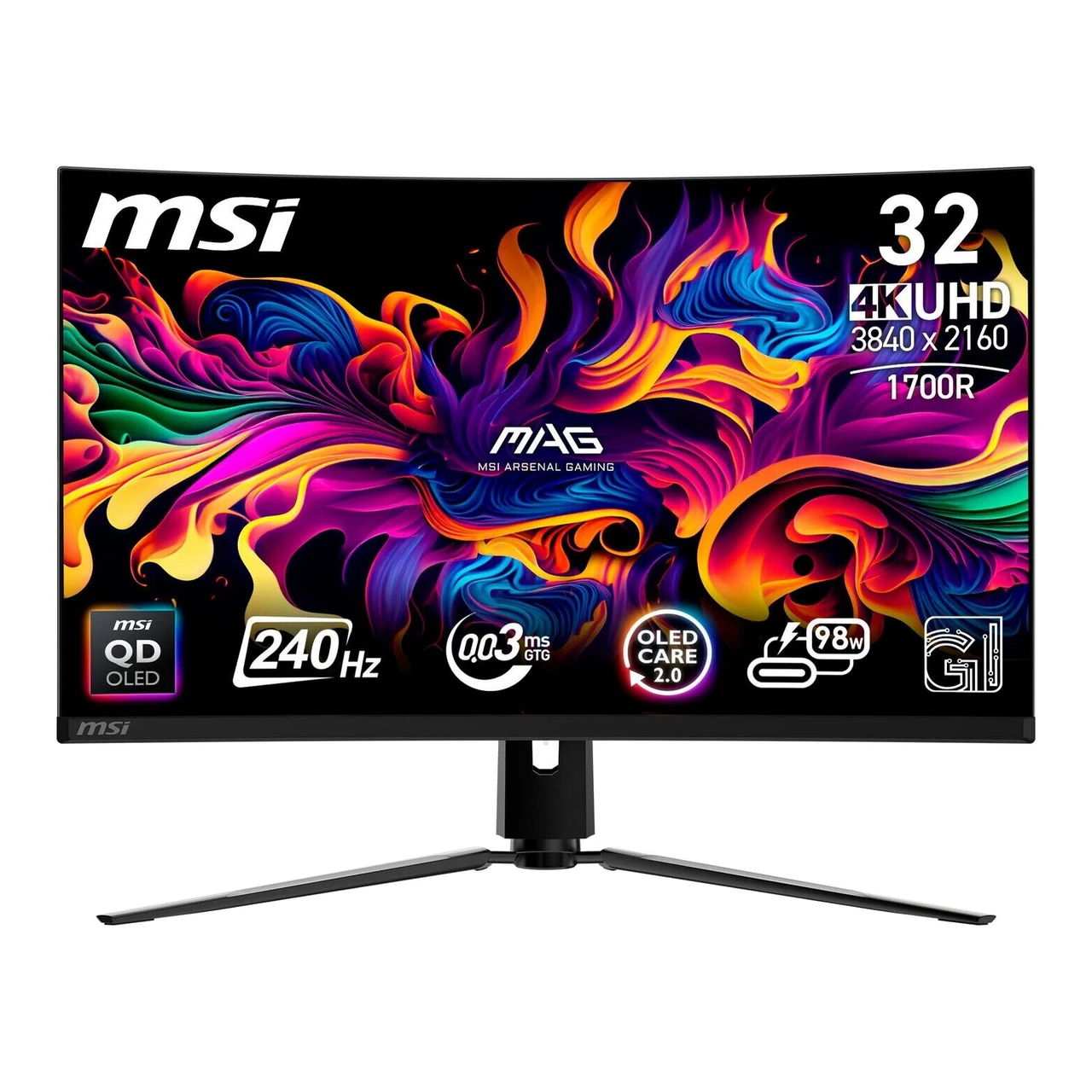
Bring detailed 4K visuals and responsive gaming to your setup with the MSI MPG 321CURXDE. Its curved 31.5-inch QD-OLED screen combines a 240Hz refresh rate with a 0.03ms response time for fast-moving games.
AMD FreeSync Premium Pro helps reduce screen tearing, while HDR support and VESA ClearMR 13000 certification support vivid images with reduced motion blur. HDMI 2.1 supports up to 120Hz, VRR and ALLM with compatible consoles; USB-C power delivery, a USB hub and KVM function help streamline multi-device setups. A good fit for PC and console gamers who want a high-spec display with an adjustable stand and OLED Care 2.0.
How to Choose the Right Gaming Monitor
Start with the games you play, your desk space and the graphics card or console you use. The right gaming monitor balances image clarity, smooth motion and practical compatibility rather than relying on one headline specification.
Key Features to Consider
Compare these essentials before choosing a screen size or model:
- Screen size, resolution and panel: Choose a size and resolution that suit your viewing distance and GPU; 4K offers finer detail, but needs more graphics power than 1440p. Compare IPS, VA and OLED image characteristics, and consider whether a curved screen suits your desk and seating position.
- Refresh rate, response and variable refresh rate: A higher refresh rate, such as 144 Hz or 240 Hz, can make motion smoother, but your PC or console must be able to deliver enough frames to benefit. Check response-time specifications and support for AMD FreeSync or NVIDIA G-SYNC to help reduce tearing and stutter.
- Connections, adjustment and setup: Check that the monitor has the right DisplayPort or HDMI connection for your device and supports the resolution and refresh rate you want; HDMI 2.1 can be important for high-refresh-rate 4K console gaming. Confirm the stand’s height and tilt adjustments, VESA mounting compatibility and available desk space, and consider OLED care guidance if you often display static interface elements.
Make Every Frame Count: Immersive QD-OLED Gaming
4K QD-OLED Detail with Vivid HDR
Step into richly detailed worlds with the 4K UHD QD-OLED display, where deep contrast and vibrant colour bring games, films and creative projects to life. The curved screen creates an engaging view that draws you into the action, while HDR support adds expressive highlights and image depth. For fast-moving scenes, VESA ClearMR 13000 certification supports crisp motion clarity, helping every visual moment look polished and immersive. It is a compelling display for players who want cinematic detail alongside the immediacy of a high-performance gaming screen.
Responsive Motion for PC and Console Play
Enjoy a quick, fluid feel in competitive matches with a 240Hz refresh rate and an exceptionally swift 0.03ms response time. These performance features help action appear smooth and responsive, so rapid turns and precise movements feel natural on screen. AMD FreeSync Premium Pro supports synchronised gameplay for compatible systems, while HDMI 2.1 brings console-friendly features including up to 120Hz, variable refresh rate (VRR) and Auto Low Latency Mode (ALLM). Together, they make this monitor a versatile choice for high-speed PC gaming and compatible console sessions.
A Streamlined Setup with Thoughtful OLED Care
Bring your gaming and work setup together with the monitor’s built-in USB hub and convenient KVM function, which make it easier to manage connected devices from one screen. USB-C power delivery up to 98W can power a compatible laptop through a single connection, helping keep your desk organised. The adjustable stand lets you tailor the screen position to suit your preferred setup, while OLED Care 2.0 provides helpful panel-care features designed for long-term OLED use. It is a considered combination of flexibility, everyday convenience and display care.
Who This 4K Curved Gaming Monitor Suits
PC Players Who Want Fast, Clear Motion
When you play fast-moving PC games, the 240Hz refresh rate and
0.03ms response time keep motion responsive, while AMD
FreeSync Premium Pro helps reduce screen tearing and VESA
ClearMR 13000 supports reduced motion blur. You can follow
quick action with fewer visual distractions.
Console Gamers Seeking Smooth Play
When a compatible console is your main gaming system, HDMI 2.1
supports up to 120Hz for smoother motion, while VRR helps
reduce tearing and ALLM switches the display to a low-latency
mode. You get more fluid, responsive-feeling console play.
Desk Setups With Multiple Computers
If you switch between a gaming PC and a laptop at your desk,
the KVM lets you share peripherals between devices, the USB
hub keeps accessories connected, and USB-C power delivery up
to 98W can power your laptop through the monitor. Switching
setups becomes simpler, with fewer cables and peripherals to
manage.
Story-Led Gamers Who Put Image Detail First
When you choose games for their worlds and visual detail, the
curved 4K UHD QD-OLED display gives you detailed imagery and
HDR supports vivid scenes. OLED Care 2.0 helps reduce the risk
of burn-in, while the adjustable stand lets you set a
comfortable viewing position. You can settle into visually
rich gaming with a screen position that suits you.
Frequently Asked Questions
Does the MSI MPG 321CURXDE support 4K at 240Hz?
The MSI MPG 321CURXDE has a 31.5-inch curved QD-OLED screen with 3840 × 2160 4K resolution and a 240Hz refresh rate. That gives you detailed images and smooth motion on compatible gaming hardware; AMD FreeSync Premium Pro also helps reduce screen tearing. Its 16:9 display suits gaming and everyday desktop use.
Can I connect my laptop to this MSI monitor with USB-C?
Yes, the monitor’s USB-C connection can deliver up to 98W to a compatible laptop, while its built-in USB hub and KVM function help manage peripherals and switch control between connected devices. This makes it easier to use one desk setup with a laptop and another computer; make sure your laptop supports USB-C charging.
How should I clean the MSI QD-OLED screen?
Clean the MSI’s QD-OLED screen with a soft, dry, lint-free cloth, and unplug the monitor before cleaning. Do not use liquid cleaners, sprays or abrasive sponges, and avoid pressing hard on the panel, as these can damage its surface. Gentle dry cleaning helps keep the display clear while protecting the OLED panel.
Don't just buy, Joybuy
Discover more of your favourite brands on Joybuy with great deals.