
Lieferung heute & morgen

Qualitätsgarantie

Willkommens-Angebote freischalten: KOSTENLOSE Lieferung | Bis zu 80 % RABATT | Kostenlose 30-Tage-JoyPlus-Testphase
App herunterladen
The ability to create complex objects in multiple colors directly from a single device opens up new dimensions of creativity and prototyping for hobbyists and professionals alike. However, the market for multi-color 3D printers is filled with marketing promises that don't always hold up to reality. Before you make a decision, it's crucial to understand the most common pitfalls that can lead to frustration and unnecessary costs.
This guide focuses on the objective criteria that truly matter, helping you make the right choice for your needs.
The 2 most common pitfalls when buying a multi-color 3D printer:
To make an informed decision, you should focus on three core technical areas. These determine your printer's performance, efficiency, and versatility.
Not all multi-color systems are created equal. The technology behind them directly impacts material consumption and print time.
A true high-speed 3D printer is distinguished not just by a high maximum speed, but by its ability to translate that speed into high-quality prints. Look for the following features:
The ability to process a variety of materials significantly expands your printer's applications.
Based on the objective criteria above, we have identified several models that represent a considered choice for specific user profiles.
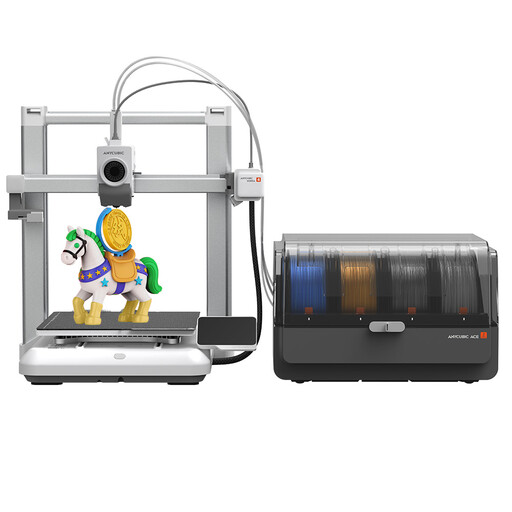
Why This Fits Their Persona: Offers an integrated and user-friendly 4-color system without the complexity of separate add-ons. Ideal for hobbyists who want to print colorful models with high speed and reliability, without getting lost in technical details.
The integrated design reduces complexity and potential points of failure compared to retrofitted color changers. The auto-leveling (LeviQ 3.0) minimizes the risk of failed prints caused by an uneven first layer.
Integrated 4-color printing system with a recommended speed of 300 mm/s and intelligent AI detection to reduce print errors.
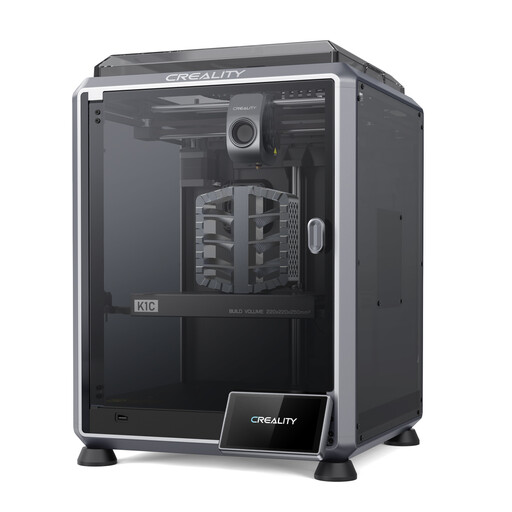
Why This Fits Their Persona: Specifically designed for technical applications where material strength and speed are critical. The enclosed build chamber and high-temperature hotend enable the printing of demanding carbon fiber filaments for functional prototypes.
Bypasses the limitation of many printers to standard materials. The hardened "Unicorn" nozzle and 300°C hotend are designed for abrasive filaments like PLA-CF and PA-CF, making the printer future-proof.
CoreXY structure for speeds up to 600 mm/s and direct support for carbon fiber filaments. Includes an AI camera for remote monitoring.
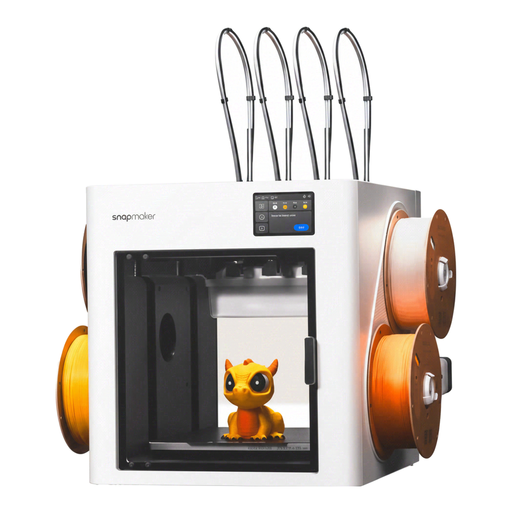
Why This Fits Their Persona: Perfect for users who need maximum material flexibility and want to minimize filament waste. Ideal for complex models with support structures made of soluble material or for combining different material types in a single print.
Completely solves the "purge tower" problem. Thanks to the four independent print heads (IDEX), material changes at a single nozzle are eliminated, which, according to the manufacturer, saves up to 80% of material waste and reduces print time.
4 independent print heads (SnapSwap technology) for waste-free multi-color and multi-material printing. High precision with an alignment accuracy of under 0.04 mm.
We have compiled a complete, real-time updated list of products that fully meet these strict selection criteria and comply with German safety regulations.
The amount of waste heavily depends on the technology used. Systems with a single nozzle and a material changer create a "purge tower," the size of which depends on the number of color changes. For small objects with many colors, the weight of the waste can exceed the weight of the model. In contrast, IDEX systems with independent print heads generate almost no purge waste, as each print head retains its own color.
Not necessarily for standard materials like PLA. However, high-speed printers benefit from special "high-speed" filaments, as they are optimized for a higher flow rate, ensuring smooth extrusion even at a fast pace. For engineering materials like ABS or carbon fiber, the printer's capabilities (enclosed build chamber, high nozzle temperature, hardened nozzle) are more crucial than a special "high-speed" label on the filament.
Auto-leveling is a process where the printer uses a sensor to precisely measure the distance to the print bed at multiple points. From this data, it creates a digital map of the surface and adjusts the nozzle's height in real-time during the first layer print. This compensates for the slightest unevenness in the print bed and ensures perfect first-layer adhesion—the most critical requirement for a successful print.