
Lieferung heute & morgen

Qualitätsgarantie

Willkommens-Angebote freischalten: KOSTENLOSE Lieferung | Bis zu 80 % RABATT | Kostenlose 30-Tage-JoyPlus-Testphase
App herunterladen
Upgrading to a multi-color 3D printer unlocks new possibilities for prototypes, small-batch production, and creative projects. However, the market is filled with technical promises that don't always hold up in practice. Before you invest, it's crucial to separate the high-performers from the hype. As your Joybuy Product Recommendation Officer, I'll help you identify the common pitfalls and make an informed decision based on verifiable facts.
Many advanced users invest in a new machine, only to find it doesn't meet their expectations. Pay close attention to these three points:
To avoid these problems, base your purchasing decision on objective technical data. Focus on these three core areas:
A high-performance printer is defined not just by its top speed, but also by high acceleration (up to 20,000 mm/s?) and a stable motion system. A CoreXY structure combined with linear rails on the X and Y axes provides the necessary stability for precise movements at high speeds. Features like vibration compensation are essential to maintain print quality during rapid directional changes.
A multi-material 3D printer must be able to handle more than just PLA. Look for a nozzle temperature of at least 300°C and a heated print bed of up to 100°C or more. This enables the processing of engineering filaments like ABS, PETG, or carbon fiber-reinforced materials (PLA-CF). A direct drive extruder ensures more reliable filament feeding, especially with flexible materials and fast retractions during color changes.
Long, multi-color prints are a significant investment of time and material. Intelligent features minimize the risk of print failures. An integrated AI camera for detecting 'spaghetti' failures or foreign objects is a valuable feature. Equally important is fully automatic bed leveling that measures not only the height but also the tilt at multiple points to ensure a perfect first layer.
Here are some models tailored to the needs of different user profiles that meet the criteria mentioned above.
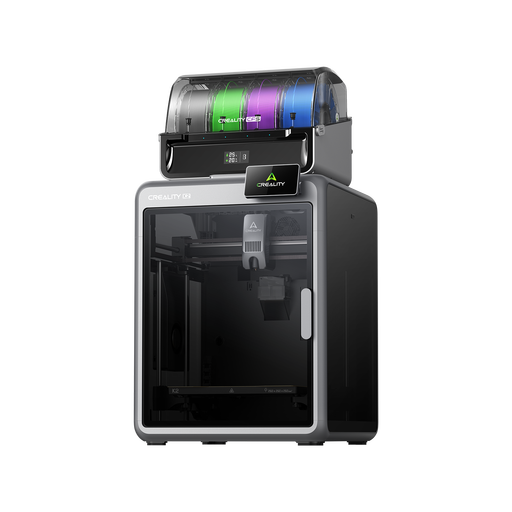
Why This Fits Their Persona: Ideal for users who need to produce functional prototypes and small-batch runs with high precision and reliability. The system is designed for efficiency and low failure rates.
The robust frame and three stepper servo motors ensure high precision even at speeds up to 600 mm/s. The AI camera actively monitors the print to prevent material waste from failed prints.
The CFS (Color Filament System) is modularly expandable to up to 16 colors. The intelligent, zone-based leveling speeds up print preparation.
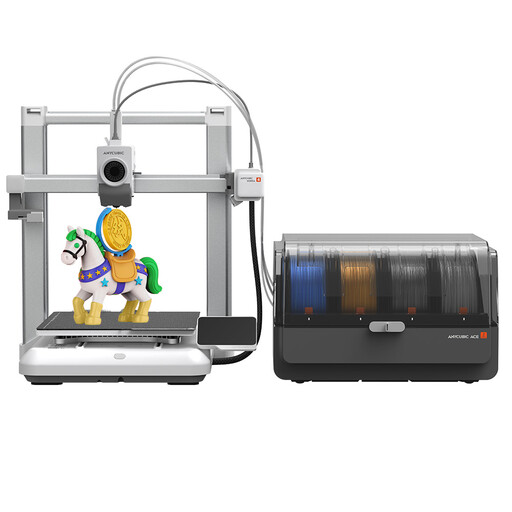
Why This Fits Their Persona: Perfect for hobbyists and artists who want to create detailed, colorful models and value an integrated, user-friendly ecosystem.
The system offers integrated flow dynamics control and vibration compensation to ensure high print quality and minimize artifacts, even at the recommended speed of 300 mm/s.
Designed for 4 colors by default, but expandable to 8. The active chamber heating up to 65°C and the 300°C nozzle support a wide range of materials.
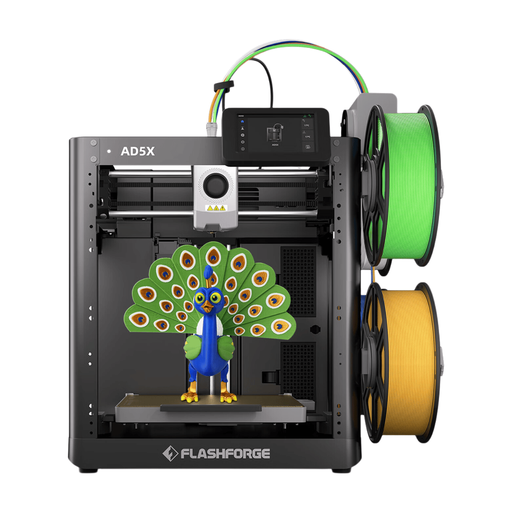
Why This Fits Their Persona: A solid choice for advanced hobbyists looking to get into multi-color printing without sacrificing high speed and essential convenience features.
The system focuses on core features: a stable CoreXY structure for high speeds and a straightforward 4-color system. The 1-click auto-leveling avoids manual calibration errors.
Delivers high printing performance with speeds up to 600 mm/s and 20,000 mm/s? acceleration. The 300°C direct drive extruder and interchangeable nozzles allow for material versatility.
We have compiled a complete, up-to-date list of products that fully meet these strict selection criteria and rigorous safety standards.
Maintenance is slightly more intensive than with a single-color printer. Regular tasks include cleaning the nozzle of material residue, checking the material system's PTFE tubes for wear, and ensuring the filament changer's mechanics are free of dust and debris. However, most modern systems are designed for easy maintenance.
The models featured here are generally not locked into proprietary filaments. You can use standard 1.75 mm filaments from various manufacturers. However, it is advisable to avoid cardboard spools or to print an adapter, as they can sometimes cause friction issues in automatic feeding systems.
Vibration compensation (also known as Input Shaping) is a software feature that uses sensors to measure the printer's natural vibrations during fast movements. The printer then proactively adjusts its movements to cancel out these vibrations. This is crucial for a fast 3D printer to prevent "ringing" or "ghosting" (visible wave patterns on the print's surface) and achieve a smooth surface finish.