
Lieferung heute & morgen

Qualitätsgarantie

Willkommens-Angebote freischalten: KOSTENLOSE Lieferung | Bis zu 80 % RABATT | Kostenlose 30-Tage-JoyPlus-Testphase
App herunterladen
The ability to get complex, multi-coloured models straight off the print bed opens up new dimensions for hobbyists, prosumers, and small businesses. However, the market for multi-colour 3D printers is filled with marketing promises that don't always hold up in practice. Before you buy a 3D printer, it's crucial to understand the technical realities behind the advertising slogans to avoid a costly bad investment. This guide highlights the critical aspects and helps you select a suitable device.
The decision for a new 3D printer is often influenced by impressive on-paper specs. In practice, however, three specific pitfalls frequently lead to disappointment and unexpected costs.
To avoid the pitfalls mentioned above, you should base your purchasing decision on objective technical parameters. Three factors are particularly relevant for reliable and efficient multi-colour 3D printing.
The mechanical design of the printer has a direct impact on speed and precision.
A large build volume is tempting but places high demands on the machine's stability. Look for features like dual Z-axes, additional support struts, and a solid metal frame. These design features minimise torsion and vibrations, ensuring that even tall objects are printed dimensionally accurate and free of visible layer artifacts.
Long print jobs, common in multi-colour printing, require a high degree of reliability. Features like a 3D printer with auto-levelling are indispensable here. Modern systems like Anycubic's LeviQ 3.0 measure the print bed at dozens of points and automatically compensate for unevenness to ensure a perfect first layer. Equally important are filament run-out sensors that detect a lack of material and smart features like active filament drying, which maintains material quality throughout the entire printing process.
Based on the criteria above, we have compiled a selection of devices suitable for different requirement profiles.
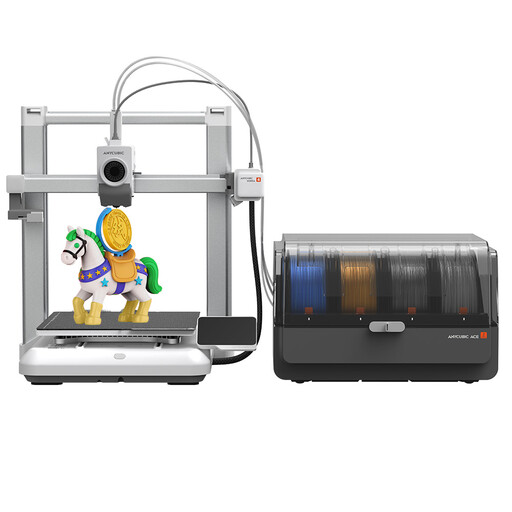
Why This Fits Their Persona: Ideal for users seeking a straightforward entry into high-speed, multi-colour printing. The device combines high speed with user-friendly automatic functions in a cohesive, all-in-one package.
As a "Combo," it delivers an integrated 4-colour system that is perfectly matched to the printer. This avoids compatibility issues. The AI-powered error detection and advanced auto-levelling minimise print failures.
Integrated system with intelligent features like flow dynamics control and vibration compensation for high reliability and print quality, even at speeds up to 600 mm/s.
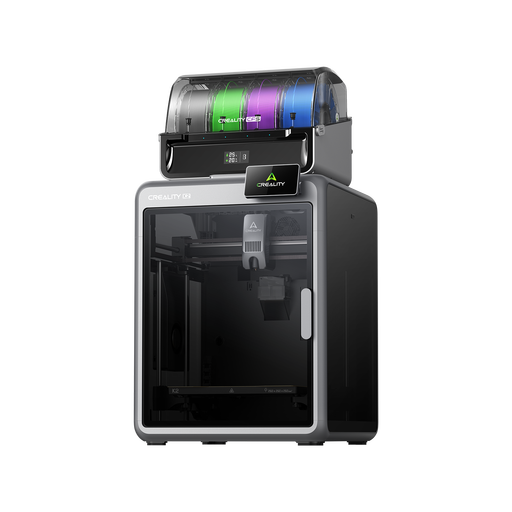
Why This Fits Their Persona: Designed for users who need maximum performance, material versatility, and scalability for rapid prototyping or small-batch production.
The modular CFS system is expandable to up to 16 colours, and the nozzle is heat-resistant up to 300°C. This ensures clear compatibility with engineering filaments like PLA-CF and ABS, bypassing the trap of vague material promises.
The robust frame construction, combined with three stepper servo motors, ensures high precision and smooth operation. The AI camera enables reliable real-time monitoring to reduce print failures.
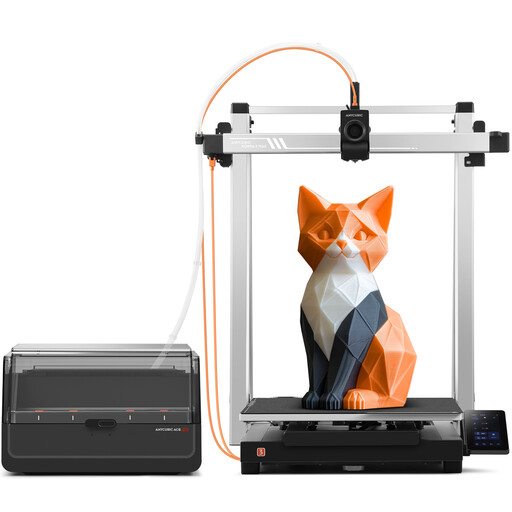
Why This Fits Their Persona: Perfect for producing very large single objects, architectural models, or the serial production of components where both volume and colour variety are required.
This model combines a huge build volume with a powerful 8-colour system (ACE Pro). The reinforced gantry structure and precise LeviQ 3.0 auto-levelling ensure stable and reliable print quality, even across the large surface area.
A unique combination of an extremely large build volume of 420 × 420 × 500 mm and an advanced multi-colour system. The integrated drying box ensures optimal filament conditions during long print jobs.
We have compiled a complete, continuously updated list of products that fully meet these strict selection criteria and local safety regulations.
The amount of material waste depends on the number of colour changes per layer. With each change, a purge tower is printed to clean the nozzle. Modern slicer programs offer options to minimise the size of this block or to use the purged material as infill for the actual model to reduce waste. The efficiency varies depending on the printer model and software.
Previously, CoreXY printers were considered complex to set up. However, modern devices come largely pre-assembled and feature advanced automation functions like auto-levelling and guided calibration processes. This makes them accessible today even for ambitious 3D printers for beginners who want to benefit from high speed and precision.
Yes, for the reliable printing of abrasive materials like carbon or glass fibre-reinforced filaments, certain features are required. A hardened steel nozzle is essential, as standard brass nozzles would wear out very quickly. Additionally, an enclosed build chamber is recommended for many of these engineering filaments (e.g., ABS-CF, PA-CF) to maintain a constant ambient temperature and prevent warping.