
Lieferung heute & morgen

Qualitätsgarantie

Willkommens-Angebote freischalten: KOSTENLOSE Lieferung | Bis zu 80 % RABATT | Kostenlose 30-Tage-JoyPlus-Testphase
App herunterladen
For many makers and prosumers, the desire to print complex models or functional prototypes directly in multiple colours is the next logical step. Modern FDM printers promise just that, combined with high speeds and simple operation. However, the market is saturated with marketing claims that often fail to deliver in practice. Before you make an investment, it's crucial to understand the common pitfalls that can lead to frustration and unnecessary expenses.
This guide will help you understand the critical technical features and find a printer that truly fits your requirements.
Manufacturers' promotional materials often highlight impressive numbers, but the reality in a home workshop frequently looks different. Pay close attention to these three points to avoid disappointment:
To separate the wheat from the chaff, you should focus on the technical fundamentals that define a high-performance printer.
Maximum print speed is only half the story. The key to a truly fast 3D printer is the combination of a stable design and high acceleration values.
A genuine multi-colour 3D printer should have a fully automatic filament management system. These external units store multiple filament spools and change the material independently as needed. Look for the following features:
Modern printers relieve the user of many tedious calibration steps. Features like a 3D printer with AI detection are not just gimmicks; they save time and material.
Instead of making a one-size-fits-all recommendation, we have selected models tailored to specific needs and use cases.
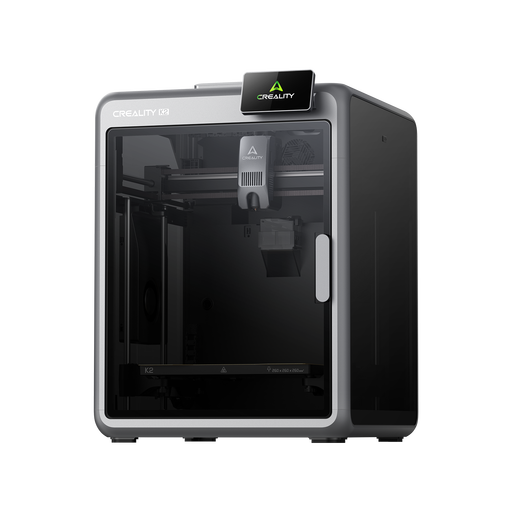
Why This Fits Their Persona: Ideal for users who need to efficiently produce complex prototypes and small-batch runs. The combination of high speed, an enclosed build chamber, and a system expandable to 16 colours (CFS) maximises productivity and material versatility.
The fully automatic levelling and AI monitoring minimise the risk of failed prints. The CFS system is a mature multi-colour solution that goes beyond simple pausing and swapping.
Enclosed Build Chamber: Allows for printing with more demanding materials like ABS. Expandability: Up to 4 CFS units for 16-colour printing.
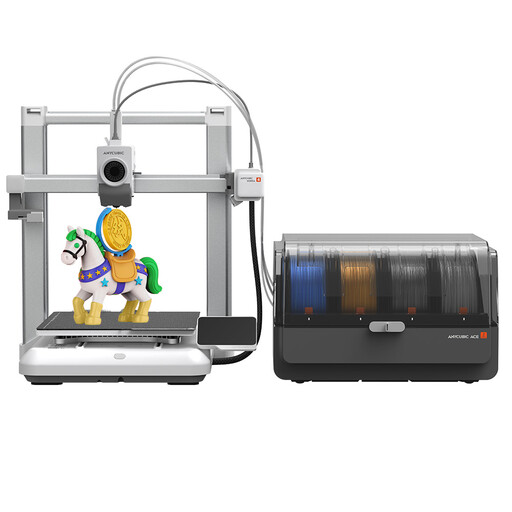
Why This Fits Their Persona: Perfect for creatives who want to print colourful models without a steep learning curve. The "Combo" package offers an integrated system designed for user-friendliness, avoiding a difficult learning process thanks to its automation features.
The LeviQ 3.0 Auto-Leveling with 49-point measurement reliably ensures a perfect first layer. The AI detection prevents material waste from failed prints, a common problem for beginners.
Integrated System: The printer and multi-colour unit are perfectly matched. Active Drying: The multi-colour unit can actively dry filaments, which improves print quality.
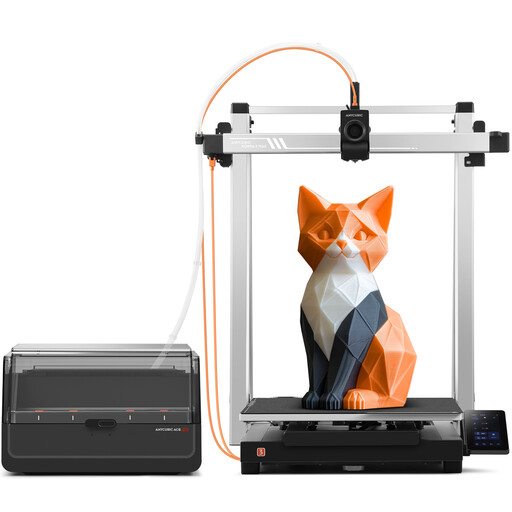
Why This Fits Their Persona: For users whose projects push the boundaries of conventional printers. Ideal for cosplay parts, large architectural models, or batch-producing smaller objects in a single print run, all in up to 8 colours.
Despite its size, speed is maintained by a stable gantry structure and acceleration values of up to 10,000 mm/s?. The LeviQ 3.0 levelling is crucial for ensuring a reliable first layer on such a large surface.
Enormous Build Volume: 420 × 420 × 500 mm (88 litres) for maximum creative freedom. 8-Colour Printing: The ACE Pro system enables complex, multi-colour prints even at this large scale.
We have compiled a complete, real-time list of products that fully satisfy these strict selection criteria and UK safety regulations.
The amount of waste material heavily depends on the system. With each colour change, the extruder must purge the old material from the nozzle to ensure clean colours. This is usually done by printing a separate "purge tower" next to the actual model. Modern slicer software and printer systems optimise this process, for example, by printing infill with the purged material. Nevertheless, you should expect increased filament consumption for projects with very frequent colour changes per layer.
Yes, in practice, CoreXY 3D printers often allow for higher usable speed while maintaining quality. The reason lies in the reduced moving mass. Since the heavy stepper motors for the X and Y axes are mounted on the fixed frame, the print head itself has less weight to move. This allows for faster directional changes and higher accelerations with fewer vibrations, resulting in sharper details and smoother surfaces, even when pushing a fast 3D printer to its limits.
You don't need entirely new software, but your slicer software must support multi-colour printing. Modern slicers like Creality Print, Anycubic Slicer, or PrusaSlicer have integrated functions that allow you to assign different filaments (colours) to a 3D model. The software then generates the corresponding G-code that tells the printer when to change the filament. Printer manufacturers usually provide optimised profiles for their slicers, which makes getting started easier.