
Lieferung heute & morgen

Qualitätsgarantie

Willkommens-Angebote freischalten: KOSTENLOSE Lieferung | Bis zu 80 % RABATT | Kostenlose 30-Tage-JoyPlus-Testphase
App herunterladen
Working across multiple devices—from a desktop PC in the office to a laptop at home and a tablet on the go—has become the new normal for many professionals and creatives. A multi-device mouse promises to make switching between these devices seamless and keep your workspace clutter-free. However, not every model that advertises this feature delivers on its promise in practice.
Many users invest in a new mouse only to find, with frustration, that the connection drops, the ergonomics leave much to be desired, or advertised features are a hindrance in daily use. This guide highlights the most common pitfalls and explains which technical features truly matter, helping you make an informed decision.
Before making a decision, you should be aware of the three most common issues found in lower-quality models that can severely disrupt your workflow:
To avoid the issues mentioned above, you should focus on three core features during your selection. These define the quality and real-world usability of a modern productivity mouse.
The type of connection is crucial for stability and compatibility.
For long workdays, the shape of the mouse is critical. Look for a natural hand posture, supported by a slight tilt in the mouse's design. Another key feature for productivity is a mouse with a thumb wheel. This allows for horizontal scrolling in large spreadsheets or on timelines in video editing software, without having to awkwardly hunt for the on-screen scrollbar. Programmable buttons that can be customized via software can further accelerate your workflow.
A high-quality sensor is the foundation for precise work. Sensors with a high DPI (Dots Per Inch) count allow for accurate control, even on high-resolution monitors. Some models even work on difficult surfaces like glass. For open-plan offices or the home office, a quiet mouse is a blessing. Models with "Quiet Clicks" reduce click noise by up to 90%, according to manufacturers, which helps maintain focus and avoids disturbing colleagues or family members.
Based on the criteria above, we have identified a few models that are particularly well-suited for different user profiles.
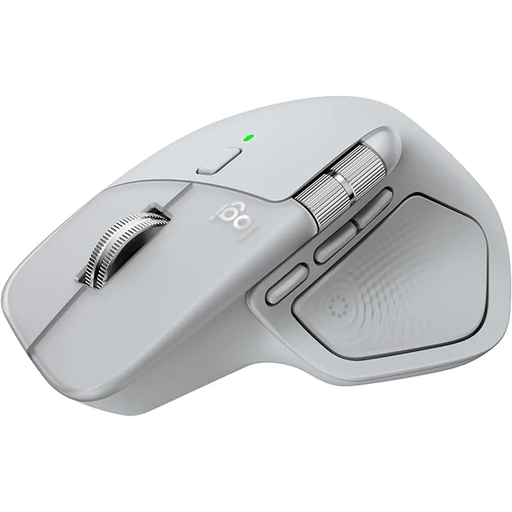
Why This Fits Their Persona: Ideal for users who spend many hours at the computer daily and require maximum efficiency and comfort. Developers, designers, and analysts will benefit from its advanced features.
Its highly contoured shape is designed for long workdays and prevents fatigue. Switching between devices is fast and reliable thanks to Easy-Switch technology. According to Logitech, the battery lasts up to 70 days and is charged via USB-C.
The electromagnetic MagSpeed scroll wheel and the additional thumb wheel for horizontal scrolling significantly boost productivity. The 8K DPI sensor even works on glass.
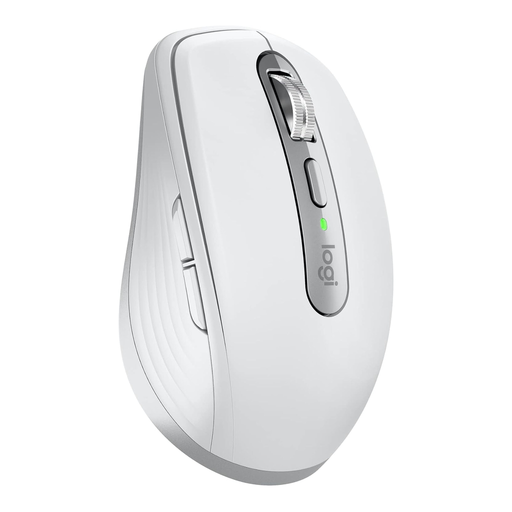
Why This Fits Their Persona: Perfect for anyone who frequently works on the go and needs a compact yet powerful mouse that fits into any laptop bag and works on any surface.
Despite its compact size, it offers a stable connection via Bluetooth or the secure Logi Bolt USB receiver. The Darkfield sensor makes a mouse pad unnecessary, as it tracks precisely even on glass surfaces.
Combines MagSpeed scrolling technology and quiet clicks in a very compact form factor. The battery life of up to 70 days and the USB-C fast-charging feature are ideal for mobile use.
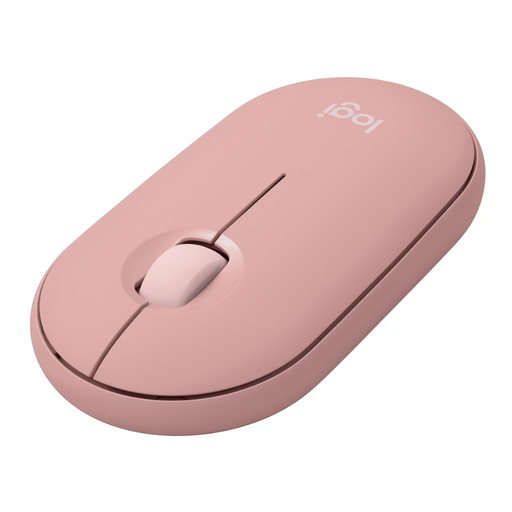
Why This Fits Their Persona: Suitable for students and users looking for a simple, reliable, and quiet mouse for daily use, who also value a minimalist design and portability.
Despite its affordable price, it offers a stable multi-device connection for up to three devices. The Silent Touch technology prevents distracting click noises, and the battery life of up to 24 months avoids frequent replacements.
Extremely quiet clicks and a slim, flat design make it highly portable and unobtrusive. Its simple operation and long battery life provide a worry-free user experience.
We have compiled a complete, real-time updated list of products that fully meet these strict selection criteria and all relevant safety standards.
Typically, these mice have a dedicated button (often called "Easy-Switch") on the bottom or top. To pair a new device, press and hold this button until an LED starts blinking rapidly. Then, select the mouse in the Bluetooth settings of your computer or tablet. To switch between already paired devices, just give the same button a short press.
Bluetooth is a universal standard built into most modern devices, and it doesn't require a USB port. A 2.4 GHz receiver is a small USB dongle that establishes a direct wireless connection to the mouse. This connection is often more stable and has lower latency, making it advantageous for demanding tasks or in environments with a lot of wireless interference.
Battery life varies greatly depending on the model and usage. High-end productivity mice, like the Logitech MX series, often offer up to 70 days of use on a full charge. Many models also feature a quick-charge function, where just a few minutes of charging provide several hours of use. Models with replaceable AA batteries can last for up to two years.