For project files shared across multiple floors, first decide how your Wi-Fi access points will connect to one another. If you have, or can install, cabling between floors, wired access points may be suitable. Without cabling, a wireless mesh system could work, but you’ll need to check where the units can be placed in your building. Plan your file storage separately from your Wi-Fi coverage: according to the manufacturer, the FRITZ!Box 7690 can share a USB storage device across your home network, while other solutions may require a separate storage device. You’ll also need a separate backup for important files.
Which solution should you consider?
Teams without cabling between floors
If you need Wi-Fi access points on multiple floors but don’t have a LAN connection between them, check possible locations and the wireless connection throughout your building. TP-Link notes that floors and ceilings can make it harder for Wi-Fi signals to travel.
Teams with LAN between floors
If there are network cables between floors, check whether you can connect your Wi-Fi access points via LAN. The key factors are the system’s backhaul support and your existing network topology; TP-Link describes Ethernet backhaul for Deco systems.
Teams sharing a file folder
If several people need to access project files, you’ll need to plan your storage location, access permissions and backups. FRITZ! describes USB storage sharing for the FRITZ!Box 7690, while the German Federal Office for Information Security recommends regular data backups.
What should you look for when buying?
First decide how the connection between floors should work, then choose storage, access permissions and connections to suit your workflow.
| Buying priority |
What to look for |
Who will find this especially important? |
| Connection between floors |
Check for existing LAN cabling, suitable ports and possible locations for Wi-Fi access points. |
If I work across multiple floors, the connection between my Wi-Fi access points needs to be right. For around 36% of consumers, this connection between floors is their top buying priority. |
| Shared file folder |
Consider storage, the user permissions you need, a USB connection and a separate backup. |
If my team needs to work on the same project files, I need a storage location with the right access permissions. Around 29% of consumers prioritise a shared file folder. |
| Access control |
Check firmware updates, administrator access, sharing permissions and, if needed, separate networks. |
If different people or devices need different levels of access, I look for sharing permissions and network separation. Around 21% of consumers prioritise controlling access to their router and files. |
| Connection and overall setup |
Check compatibility with your DSL, cable or fibre connection, existing modem, and the nodes and storage you need. |
If I want to keep using my existing internet connection, my router and any extra components need to be compatible. Around 14% of consumers prioritise compatibility with their connection and overall costs. |
Common misconceptions
-
Assuming Wi-Fi headline speeds equal file-copy speeds
Transfer speeds depend on the entire connection between your device and storage. FRITZ! lists a USB 2.0 port for the FRITZ!Box 7690, so a headline Wi-Fi speed doesn’t tell you how quickly project files will be saved.
Check the connection from your device through the Wi-Fi access point and router to the storage, based on the workflow you have in mind.
-
Confusing a mesh kit with shared file storage
A mesh system extends Wi-Fi coverage, but that doesn’t automatically give you a shared project folder. In this selection, USB storage sharing is documented for the FRITZ!Box 7690.
Make Wi-Fi coverage and storage two separate buying decisions.
Depending on how you plan to share files, you may be able to keep using existing storage or need to set up a separate storage device.
-
Treating a shared project folder as a backup
Sharing access to files doesn’t protect important documents from being lost. The German Federal Office for Information Security recommends regular backups and points out that you also need to be able to restore your files.
Plan a separate backup method and regularly check that you can restore your files.
Key brands at a glance
FRITZ!
The FRITZ!Box 7690 combines a DSL modem with LAN mesh support and USB file sharing documented by the manufacturer. It’s worth considering if you’re looking for a way to share files locally.
- FRITZ! lists two 2.5-Gbit/s connection options, as well as USB storage sharing with user permissions.
- This model has a USB 2.0 port. The connection and headline Wi-Fi speeds don’t tell you how quickly files will actually transfer.
TP-Link
The Deco XE75 Pro is a multi-unit mesh system worth considering if you need Wi-Fi access points across multiple floors.
- TP-Link describes Ethernet backhaul support for Deco systems.
- The manufacturer notes that floors and ceilings can make it harder for Wi-Fi signals to travel. Coverage and speed figures aren’t measurements for a specific building. You’ll need to plan shared file storage separately.
Synology
The RT6600ax is a router option for buyers planning separate networks for different users or devices, alongside dedicated network storage.
- According to Synology, the model offers network segmentation and a 2.5-GbE port that can be configured as WAN or LAN.
- How well it works depends on your configuration and the rest of your infrastructure; you can’t use this information to determine a specific transfer speed for project files.
ASUS
The RT-AX88U Pro is a router with AiMesh mode and USB, worth considering if you have or are planning a multi-point network.
- The German ASUS datasheet lists a 2.5-Gbit/s WAN port, a 2.5-Gbit/s LAN port and USB 3.2 Gen 1.
- For multiple floors, you’ll need to check that you have suitable additional nodes and consider the actual storage connection separately.
NETGEAR
The Orbi 770 Series is another mesh option for spreading Wi-Fi access points around your home. Make sure the kit size and connection between satellites suit your plans for each floor.
- NETGEAR lists wireless and wired backhaul options for the series.
- Advertised coverage and speed figures are manufacturer claims, not measurements for a specific building or its file transfers.
Joybuy routers and mesh products
The Joybuy products below include routers and mesh systems you can compare based on the connection between floors, your existing internet connection and your storage solution.
 No image available
TP-Link Deco BE22, 2-pack
If you’re planning to use multiple Wi-Fi access points, check whether this two-unit kit suits the locations you need and your network setup.
Wi-Fi 7; dual-band; Gigabit Ethernet; 2-pack.
View at Joybuy
 No image available
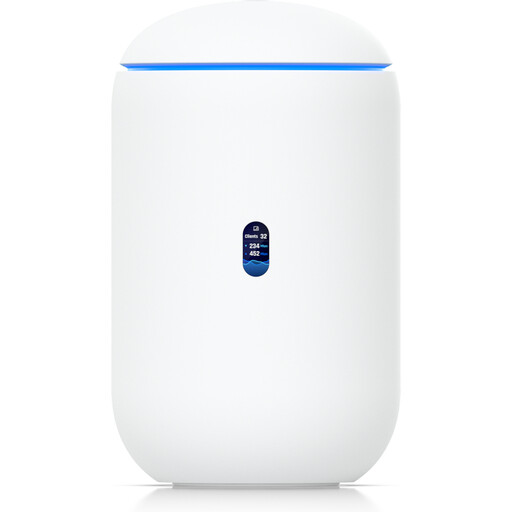
Ubiquiti UniFi Dream Router 7
If you’re considering a gateway with built-in Wi-Fi and wired ports, check that it fits your existing network setup.
Wi-Fi 7; 10G SFP+; 2.5 GbE PoE; 64GB microSD.
View at Joybuy
 No image available
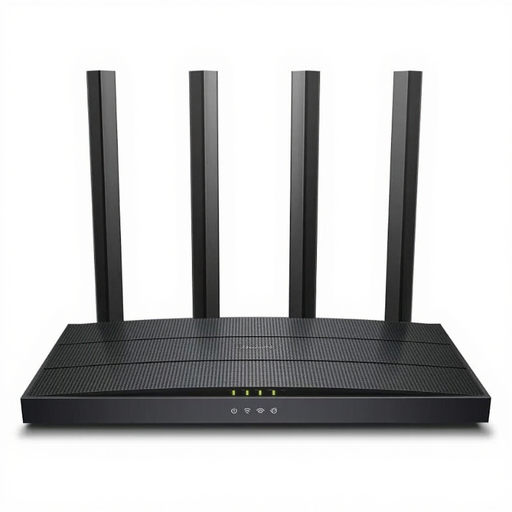
TP-LINK Archer C6 V3.2
If you’re considering a wireless router with a 4-port switch, check that the model suits your internet connection and your plans for Wi-Fi coverage across floors.
Wireless router; 4-port switch.
View at Joybuy
 No image available
FRITZ!Box 7530 AX
If you’re considering a DSL router with mesh functionality, check that it suits your connection and your plans to expand your network with FRITZ! devices.
Wi-Fi 6; VDSL Supervectoring 35b up to 300 Mbps; dual-band; mesh; VPN; 4× Gigabit LAN.
View at Joybuy
 No image available
FRITZ!Box 7590 AX
If you’re planning to expand your mesh network and use network storage, check the NAS features listed and make sure the storage connection will work for your team.
Wi-Fi 6; VDSL Supervectoring 35b; FRITZ!Mesh; 2× USB 3.0; 4× Gigabit LAN; DECT base station; VoIP telephony.
View at Joybuy
Frequently asked questions
Is one router enough for multiple floors?
You can’t tell from a headline Wi-Fi speed alone. TP-Link notes that floors and ceilings can make it harder for wireless signals to travel, so check where people work and where access points could be placed in your building. If you have LAN between floors, wired Wi-Fi access points or Ethernet backhaul may be suitable.
How do you set up shared file access on the FRITZ!Box 7690?
FRITZ! explains how to access a connected USB storage device through a browser or SMB, using an authorised FRITZ!Box user account. First, check which file systems are supported and how much power your storage device needs. Only grant the read or write permissions that are required.
Are files on shared USB storage backed up automatically?
No. Being able to access files together isn’t a substitute for backing them up. The German Federal Office for Information Security recommends regularly backing up important files you’ve created and stresses that you need to be able to restore them, too.
What extra components should you plan for before buying?
Check whether you’ll need additional Wi-Fi nodes, cabling between floors, separate file storage or a backup drive. This depends on your existing cabling, type of internet connection and how you want to access your files. Also check the update and support information for the specific model. The German Federal Office for Information Security recommends keeping your router’s firmware up to date.


