Joybuy products for mesh Wi-Fi across multiple floors
This selection includes mesh kits and individual devices for setting up or expanding a mesh network. A standalone mesh master or access point isn’t necessarily a multi-node kit.
 No image available
TP-Link Deco BE22 (2-Pack), Wi-Fi 7
This 2-node mesh kit is an option if you’re planning to use two nodes to provide coverage across floors.
The product name specifies dual-band and Gigabit Ethernet.
Joybuy
 No image available
MERCUSYS Halo H25BE (2-Pack), Wi-Fi 7 BE3600
This 2-node kit is worth considering if you’re planning to use two mesh nodes to connect your work areas.
The product name lists dual-band, three Gigabit ports per unit, MU-MIMO, WPA3 and parental controls.
Joybuy
 No image available
Ubiquiti U7 Mesh, 5000 Mbit/s, Power over Ethernet
This standalone mesh-enabled access point is an option if you want to add a device to an existing or planned mesh setup.
Remember to plan for Power over Ethernet to supply power.
Joybuy
 No image available
FRITZ!Box 7590 AX, Wi-Fi 6 DSL router
This router can work as a mesh master in an existing FRITZ! mesh setup; you’ll need to add compatible FRITZ!Repeaters to provide coverage across multiple floors.
The product name lists VDSL Supervectoring 35b and FRITZ!Mesh.
Joybuy
 No image available
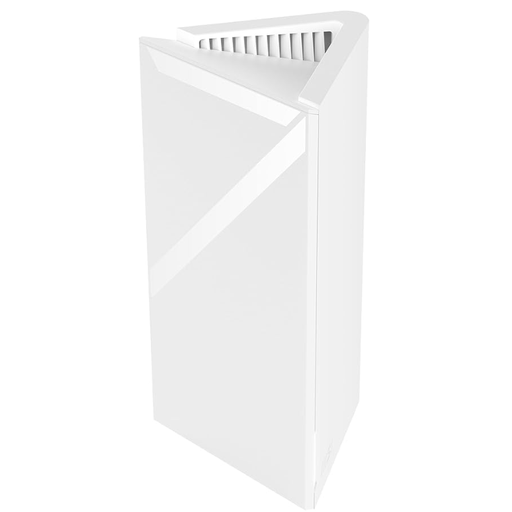
MSI Roamii BE Lite, 1-pack, MRBE50
This standalone device is a starting point if you want to expand your mesh network gradually; you’ll need additional units to create a multi-node setup.
The product name identifies it as a mesh system.
Joybuy
Frequently asked questions
Should I use Deco behind my existing router as an access point?
This can work if you want your existing router to keep assigning IP addresses and managing the network. According to TP-Link, Deco doesn’t create its own subnet in access point mode, and some gateway features in the Deco app aren’t available. Check the features available with your specific model and firmware version.
Once everything is set up, how can I check that a node on another floor is actually connected by cable?
According to TP-Link, you can check a satellite’s connection type in the network overview in the Deco app. As cabling requirements vary between router and access point modes, set up the nodes according to the instructions for your mode, then check the backhaul shown in the app.
Why can’t a guest device access the project files?
This may be because the guest Wi-Fi is designed to be separate from the internal network. Connect devices that need access to project files to the designated internal network, and check their sharing permissions separately from their Wi-Fi signal.
Are additional security services or a manufacturer’s guarantee the same as your statutory rights?
No. The eero product description lists eero Plus as an optional subscription. Statutory rights generally apply against the seller; a manufacturer’s guarantee is a separate voluntary promise with its own terms. Check those terms and the details of your specific purchase.
Can I use 6 GHz mesh Wi-Fi in Germany without an individual frequency assignment?
In Germany, Wi-Fi in the 5945–6425 MHz range is covered by a general assignment under the Bundesnetzagentur’s listed ruling 76/2025. This doesn’t apply automatically to every device or operating mode: you must comply with the ruling’s conditions of use and use a device configuration intended for Germany. A 6 GHz band isn’t necessary for sharing project files across multiple floors.


