Related products at Joybuy
This selection includes mesh systems and routers that may suit extending Wi-Fi coverage or connecting to an existing home network.
 No image available
TP-Link Deco BE22 mesh system, 2-pack
An option if you’re looking for a two-unit mesh system for your home network.
Wi-Fi 7, dual-band and Gigabit Ethernet.
View at Joybuy
 No image available
TP-Link Deco M4 AC1200 mesh system, 3-pack
An option if you’re looking for a three-unit mesh set with Gigabit ports.
Dual-band Wi-Fi and seamless roaming are listed in the product name.
View at Joybuy
 No image available
FRITZ!Box 7590 AX Wi-Fi 6 DSL router
An option if you’re looking for a DSL router with mesh functionality. Check that the connection type is suitable and your devices are compatible.
VDSL Supervectoring 35b, two USB 3.0 ports and four Gigabit LAN ports are listed in the product name.
View at Joybuy
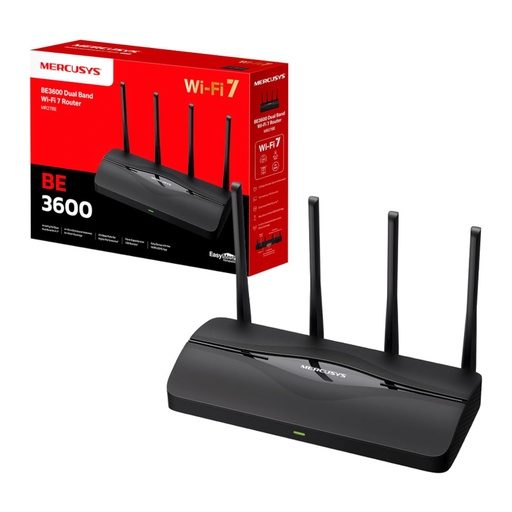 No image available
MERCUSYS MR27BE Wi-Fi 7 dual-band router
An option if you’re looking for an EasyMesh-compatible router to build an expandable home network.
BE3600, two 2.5 Gbit/s ports and two Gigabit ports are listed in the product name. Compatible additional devices are required to expand the EasyMesh network.
View at Joybuy
 No image available
MERCUSYS Halo H25BE mesh Wi-Fi set, 2-pack
An option if you’re looking for a two-unit mesh set to extend your home network.
Wi-Fi 7 BE3600, router and repeater functionality, and three Gigabit ports per unit are listed in the product name.
View at Joybuy
Frequently asked questions
Does my router need to store my music files itself?
No. Your local music library could be stored on a computer or NAS on your home network, for example. If you’d rather use a router with USB storage and a media server, your playback devices need to support its playback method.
How can I check whether a mesh satellite is connected via LAN?
On the EasyMesh devices described by TP-Link, the main router’s EasyMesh page shows how the satellite is connected; an Ethernet icon indicates a wired backhaul. The display and steps may differ on other systems.
Why can’t Sonos find my music on the NAS?
NAS music in the current Sonos app requires SMBv2 or SMBv3. Also check the network path and sharing permissions; older Sonos S1 systems have separate requirements.
What additional devices might I need alongside a router?
Depending on your home network, you may need additional mesh nodes, LAN cabling, a separate modem or a NAS. What you actually need depends on your existing connection and the storage solution you want.
What frequency and compliance information should I check when buying?
The Bundesnetzagentur lists frequency bands generally allocated for wireless network access under the relevant conditions of use, including 2.4 GHz and 5 GHz. According to the Bundesnetzagentur, products subject to the applicable EU harmonisation legislation and placed on the EU market must carry the required CE marking. The requirements for the specific device apply.


