Presenters working across multiple floors
You want to connect to a presentation room on another floor and need to check whether there’s still a usable connection to the router at a possible midway point.


A wireless repeater can provide coverage on another floor if it still has a usable connection to the router where you place it. If the wireless signal is already weak there, an access point connected via existing LAN cabling is an option worth considering. Powerline may be suitable if you can’t use LAN and the connection works from the sockets you plan to use. Mesh features need to be compatible with your existing router.
You want to connect to a presentation room on another floor and need to check whether there’s still a usable connection to the router at a possible midway point.
You can use an existing network cable on the destination floor for a Wi-Fi access point, rather than bridging the connection between floors wirelessly.
You want to extend your existing router system and need to check which mesh features work with your specific router and repeater.
The right connection depends on whether the router’s Wi-Fi reaches the midway point, and whether LAN or a suitable power socket is available.
Suitable if: There’s a spot between the router and presentation room where the router’s signal is still usable.
Bear in mind: The connection to the router still relies on Wi-Fi. A repeater extends a signal it receives; it can’t create a signal where none reaches.
Suitable if: There’s a usable network cable running to the floor in question, and the device supports access point or LAN bridge mode.
Bear in mind: You’ll need a LAN connection and a suitable Wi-Fi device at the destination.
Suitable if: Wi-Fi isn’t suitable as an uplink, LAN isn’t a practical option and a test using the sockets you plan to use is successful.
Bear in mind: A basic Powerline network needs at least two devices. Electrical interference can affect the connection.
| What you need | What to check before buying | Who it matters most to |
|---|---|---|
| Connection across ceilings and floors | Check the signal at a midway point. If the Wi-Fi is weak, test LAN or Powerline using the connections you plan to use. | If I need to reach a presentation room on another floor, the key question for me is whether the router’s Wi-Fi still reaches a midway point. Around 36% of consumers prioritise coverage between floors. |
| Stability during a presentation | Test the connection in the conditions you’ll actually be using it in. If LAN is available, check whether access point mode is suitable as an uplink. | When I’m sharing my screen, I want to avoid connection drops during the presentation. Around 29% of consumers place the greatest emphasis on connection stability. |
| Compatibility with the router | Check the router model, firmware and mesh combinations explicitly supported. TP-Link requires an EasyMesh-compatible router for EasyMesh with the RE705X; Deutsche Telekom lists the supported Speedport models. | If I want to extend my existing router or mesh system, I need to be sure the specific devices will work together. Around 21% of consumers prioritise system compatibility. |
| Setup and extra devices | Check whether LAN and suitable power sockets are available. TP-Link recommends at least two devices for a basic Powerline network. | If I want to keep setup as straightforward as possible, I first check which cables and connections are already available. Around 14% of consumers prioritise ease of installation. |
A wireless repeater extends a network it can receive. It won’t connect well to the router if the signal is weak where you place it.
First, find a suitable midway point, then test whether the connection reaches the presentation room.
Mesh integration depends on the specific system. For EasyMesh with the RE705X, TP-Link specifies a compatible router. For Speed Home WLAN, Deutsche Telekom distinguishes between a repeater connection and Telekom Mesh.
Before buying, check which router models and mesh systems are supported, as well as any required firmware versions.
Depending on the system, you may need additional mesh hardware.
Powerline uses your existing electrical wiring. Electrical interference can affect data transmission.
Test the connection using the exact sockets you plan to use during the presentation.
FRITZ! describes the Repeater 2700 as offering Wi-Fi 7 and a 2.5 Gigabit LAN port. The 6000 has three wireless units and two LAN ports, according to FRITZ!
According to TP-Link, the RE705X can work as a wireless repeater or an access point. TP-Link also sells separate Powerline products.
devolo describes the WiFi 6 Repeater 3000 and 5400 as suitable for wireless or access point use, and also offers separate Powerline solutions.
Speed Home WLAN is designed to extend compatible Speedport routers. For Speedport models without mesh support, Deutsche Telekom describes using a Speed Home WLAN unit connected via LAN as the mesh base.
This selection includes wireless repeaters for locations where the router’s Wi-Fi is still within reach, as well as an access point for a floor with existing LAN cabling.
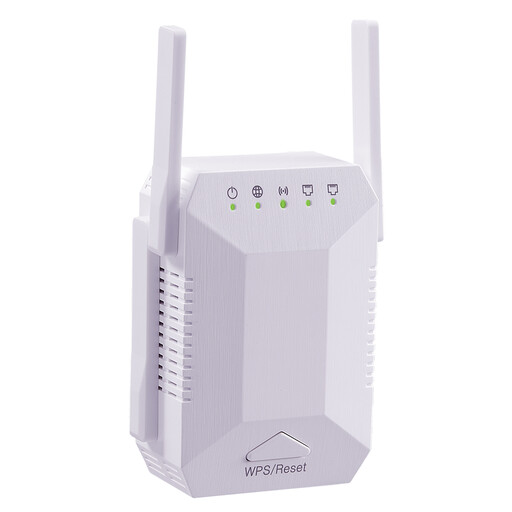 No image available
Designed for a midway point where the router is still within Wi-Fi range.
The product description lists two 10/100 Mbit/s LAN ports.
 No image available
For a floor with existing network cabling; connect the access point to the network via Ethernet.
The product description lists Gigabit Ethernet and PoE in accordance with 802.3af. You’ll need a compatible switch or PoE injector to use it.
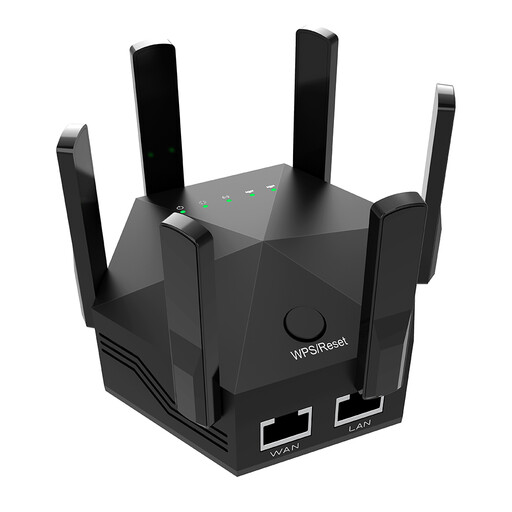 No image available
Described as a wireless repeater for a location within range of the router’s Wi-Fi.
The product description lists two LAN ports.
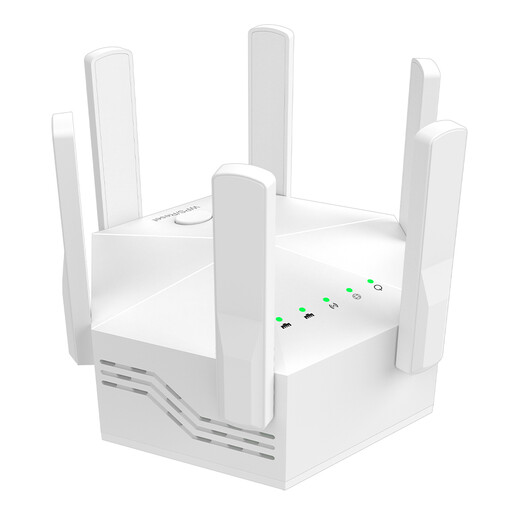 No image available
Designed to extend an existing Wi-Fi network; the product description lists WPS for connecting to the router.
It features six adjustable antennas and two 10/100 Mbit/s LAN ports.
 No image available
Designed to extend an existing Wi-Fi signal; the product description calls it compact and lists a plug-and-play setup.
Place it at a midway point where it can still get a good connection to the router. Then check whether the Wi-Fi reaches the presentation room.
Choose a device that explicitly supports access point or LAN bridge mode, then connect it to the router via the network cable. TP-Link lists this mode for the RE705X; devolo describes it for the WiFi 6 Repeater 3000 and 5400.
A basic Powerline network needs at least two devices, one of which connects to the router by cable. Test the sockets you plan to use in real-world conditions. devolo notes that power supplies and dimmer switches, for example, can affect transmission over the power lines.
Check your router model and firmware against the mesh combinations explicitly supported by the manufacturer. For EasyMesh with the RE705X, TP-Link requires an EasyMesh-compatible router. With Speed Home WLAN, integration with Telekom Mesh depends on the supported Speedport model.