
Lieferung heute & morgen

Qualitätsgarantie

Willkommens-Angebote freischalten: KOSTENLOSE Lieferung | Bis zu 80 % RABATT | Kostenlose 30-Tage-JoyPlus-Testphase
App herunterladen
Multicoloured figures, functional components and rapid prototypes can be produced directly at home, in the workshop or in a small business with a modern multicolour 3D printer. However, product specifications vary considerably. A maximum print speed of 600 mm/s does not automatically reflect real-world speed, and a system for four colours will not necessarily work in the same way as a 16-colour model.
As Joybuy Product Recommendation Officer, I filter the most important specifications and assess them according to their actual intended use. This makes it easier to distinguish marketing claims from technically relevant data.
Specifications such as 3D printer 600 mm/s generally refer to a technical maximum under certain conditions. For dimensionally accurate components, tall layers or complex models, a lower speed may be more suitable. Acceleration, motion profiles, part cooling and filament type also affect the result.
You should therefore also check the recommended print speed. Several available models, for example, have a recommended speed of around 300 mm/s, while 600 mm/s is stated as the maximum.
A multicolour 3D printer may require additional filament feeds, changeover processes and so-called purge or wipe towers, depending on the system. Frequent colour changes can therefore result in higher material consumption and longer print times.
It is therefore important to distinguish between:
An AI-camera 3D printer can detect certain faults, such as spaghetti filament or idle printing. However, the camera cannot prevent a blocked nozzle, damp filament or an incorrect slicer setting in every situation.
A 3D printer with automatic levelling also requires a clean print bed, correctly installed components and a suitable temperature. Automation reduces the amount of adjustment work, but it does not eliminate every possible source of error.
A 3D printer with a large build volume is beneficial for larger models or printing several components in one go. Typical devices in this selection offer, for example:
The build volume is not the same as the printer’s external dimensions. You should also allow space for filament reels, CFS or multicolour modules, cables and adequate ventilation.
For PLA and PETG, standard equipment is sufficient for many applications. ABS, ASA and fibre-reinforced filaments place higher demands on temperature control, adhesion and enclosure design.
In particular, compare:
An FDM 3D printer with a nozzle temperature of 300 °C or more offers greater material flexibility, but it is not automatically fully suitable for every filament. The slicer profiles and recommendations provided by the relevant manufacturer remain decisive.
A system with automatic filament detection, drying or airtight storage can simplify your workflow. If you use the printer frequently, it is also worth checking for filament run-out detection, tangle detection and print resumption after a power cut.
For schools and 3D printers for beginners, clear touchscreens, pre-installed profiles and minimal assembly requirements are important. Makers and developers, on the other hand, often place greater emphasis on open slicer support, interchangeable nozzles and compatible filaments.
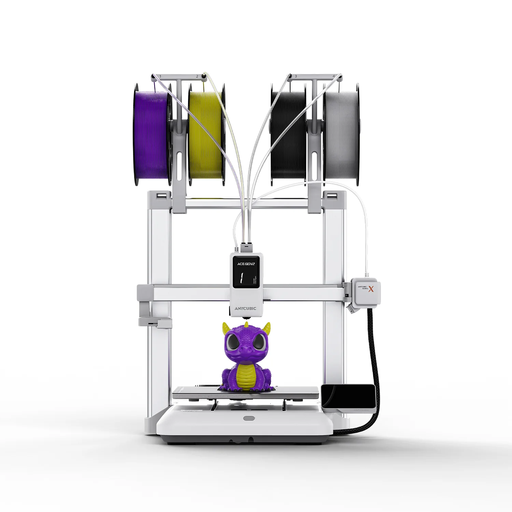
Why this product suits this profile: This open FDM 3D printer offers a build volume of 260 × 260 × 260 mm, integrated four-colour printing and a stated maximum speed of 600 mm/s.
Automatic LeviQ-3.0 levelling reduces the need for manual adjustments. AI functions can detect spaghetti filament and tangles, among other issues.
Supports PLA, PETG, TPU, PVA, PLA-CF, PETG-CF and ASA; standard camera with 720P support.
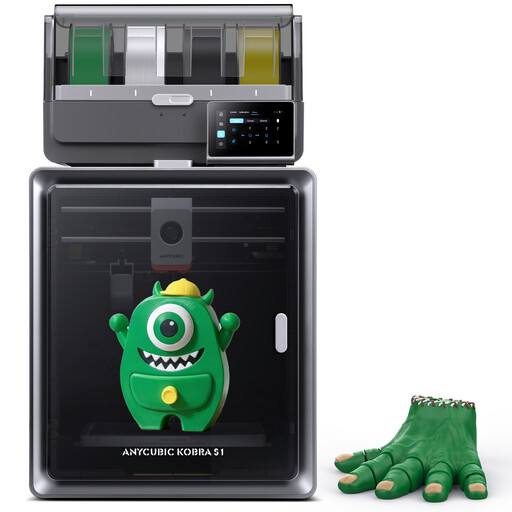
Why this product suits this profile: The CoreXY design, enclosed construction and ACE Pro system are aimed at users who want to combine multicolour printing with organised material management.
The specifications distinguish between a recommended speed of 300 mm/s and a maximum of 600 mm/s. Automatic calibration, filament monitoring and power-loss recovery help to prevent common print interruptions.
Four- or eight-colour printing, 320-°C nozzle, PEI print bed and AI spaghetti detection; the noise level is stated as up to 46 dB.
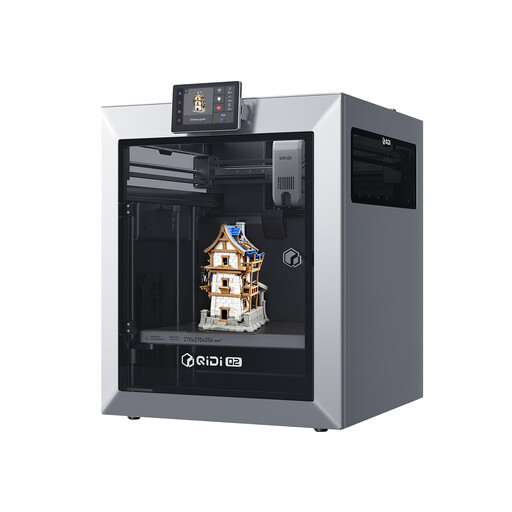
Why this product suits this profile: The Q2 is designed for different materials, enclosed operation and longer print jobs. An optional QIDI-BOX system expands the material options for multicolour applications.
The stated 65-°C chamber and 370-°C metal nozzle provide the technical conditions needed for more demanding filaments. The AI camera, filament detection and air filtration are integrated features.
Build volume of 270 × 270 × 256 mm, speeds of up to 600 mm/s, 3-in-1 air filtration and automatic levelling via the nozzle sensor.
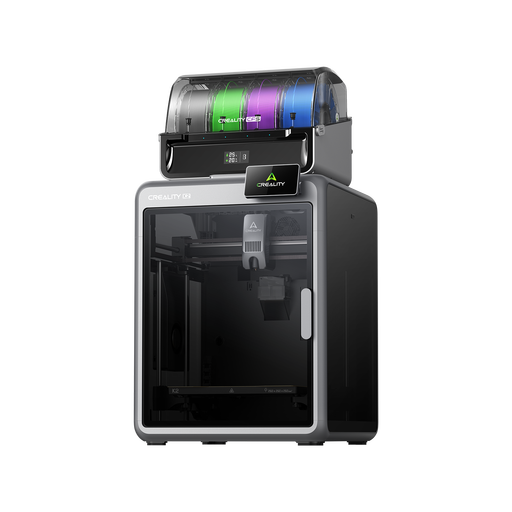
Why this product suits this profile: The enclosed system combines automatic levelling, an AI camera and a CFS module. This makes it suitable for coloured models, repeat tasks and prototype components.
The CFS system can be expanded to up to four units and 16 colours. The AI camera monitors the print, while automatic levelling reduces the number of manual corrections required.
260 × 260 × 260 mm build volume, speeds of up to 600 mm/s, enclosed housing, support for PLA/PETG/PET/ABS/PLA-CF and a 4-inch touchscreen.
In addition to the purchase price, you should consider filament consumption, purge material during colour changes, nozzle wear and electricity usage. With a fast 3D printer, print times may be reduced, while material consumption can increase because of colour changes. For prototypes, you should therefore calculate in advance how many colour changes each model will require.
Store filaments in a dry, dust-free environment. Clean the print bed and nozzle regularly, and check the belts, guides and filament paths. With ABS, ASA and fibre-reinforced materials, the manufacturer’s guidance on ventilation, enclosure requirements and temperature is particularly important.
Yes, provided it has automatic levelling, easy-to-understand slicer profiles and a clear user interface. PLA is recommended for beginners because this filament can generally be processed at moderate temperatures. Multicolour printing also requires the filament channels to be set up and the amount of purge material to be assessed realistically.
Its service life depends on print volume, maintenance, material selection and the availability of replacement parts. Abrasive filaments can put greater strain on standard nozzles. Regular cleaning, dry filament storage and replacing wear parts help ensure reliable operation, but they do not guarantee a fixed service life.
Ongoing costs include filament, electricity, nozzles, print beds and, where applicable, purge material. With multicolour models, colour changes and failed prints can have a particularly significant impact on costs. For an accurate estimate, you should take into account the material weight, print duration and the prices of compatible filaments.