
Lieferung heute & morgen

Qualitätsgarantie

Willkommens-Angebote freischalten: KOSTENLOSE Lieferung | Bis zu 80 % RABATT | Kostenlose 30-Tage-JoyPlus-Testphase
App herunterladen
A multifunction printer should reliably handle several tasks: printing, scanning and copying. Even so, searching for the right model often leads to costly mistakes. A low purchase price says little about the actual running costs, while a high number of pages per minute is not automatically important for a private household.
Before buying, you should check three common pitfalls:
An inkjet printer is often suitable for colour documents, images and occasional printing tasks. These devices are usually compact and can handle a range of media. However, if you leave the printer unused for longer periods, follow the manufacturer’s guidance on storage and cleaning, as ink in the printing system cannot remain trouble-free indefinitely.
A laser printer uses toner and is particularly suitable for printing large numbers of text pages. A monochrome laser printer produces documents exclusively in black and may be sufficient for invoices, worksheets or business documents. A colour laser printer is designed for colour presentations and graphics, but its purchase price and consumables are often in a different price bracket.
Check the following before buying:
Print speed is usually specified in pages per minute (ppm). This figure generally refers to standardised conditions and may vary depending on the document, resolution and connection. For occasional printing, the start-up time is often more important than a difference of a few pages per minute.
Monthly print volume helps you assess whether a printer is suitable for your needs. According to the product specifications, the HP DeskJet 2920 is designed for up to three users and a volume of up to 100 pages per month. The PANTUM BM2300AW specifies a recommended monthly volume of 250 to 2,000 pages and a maximum workload of 10,000 pages per month. These figures are not a guarantee of a particular service life. They are intended as a guide to the printer’s recommended use.
A duplex printer can print on both sides of the paper. With automatic duplex printing, the device turns the pages itself. This reduces manual work and can lower paper consumption when printing longer documents. Read the product description carefully: depending on the model, “duplex supported” may also refer to a manual function.
A printer with a scanner and copier should suit the documents you plan to scan. A flatbed scanner is sufficient for individual pages, identity cards or photos. For multi-page documents, an automatic document feeder, or ADF, is more practical. The PANTUM BM2300AW features an A4 flatbed scanner and an ADF. Its optical scanning resolution is specified as 1,200 × 1,200 dpi.
For mobile use, Wi-Fi printers, AirPrint printers and Bluetooth printers are not the same:
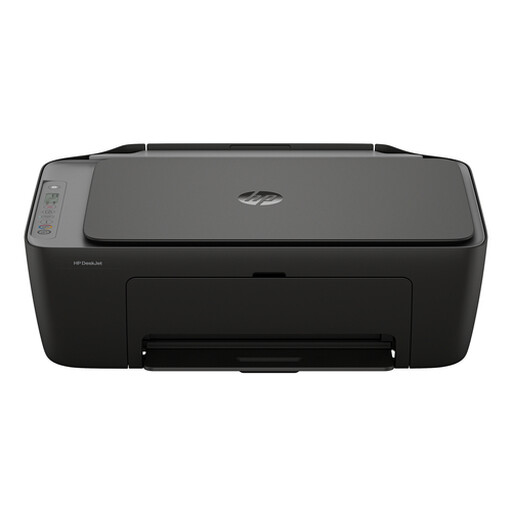
Why this product suits this profile: This compact inkjet printer combines printing, copying and scanning. It is designed for smaller households and occasional colour printing.
The information about the recommended number of users and print volume helps prevent you from planning to use the device for a heavier office workload.
Wi-Fi connectivity, printing from a smartphone or tablet, and up to 7.5 pages per minute in black and 5.5 pages per minute in colour.
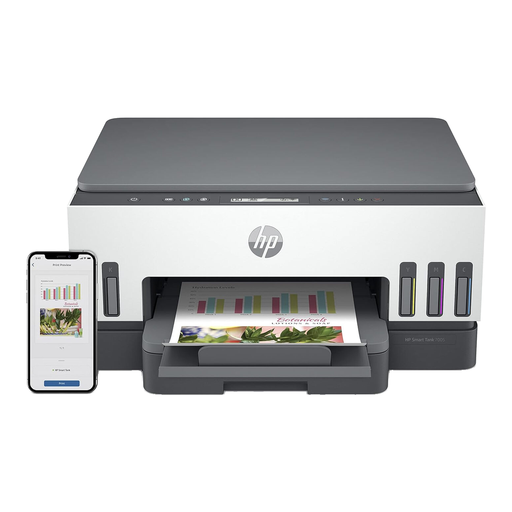
Why this product suits this profile: The refillable tank system, Wi-Fi and automatic duplex printing are well suited to families and home-office users who print colour documents regularly.
The ink tanks make consumption more visible than traditional cartridges. Even so, you should check the availability and prices of refill ink before buying.
Automatic double-sided printing, a 250-sheet input tray and, according to the product specifications, up to 12,000 black-and-white or 8,000 colour pages.
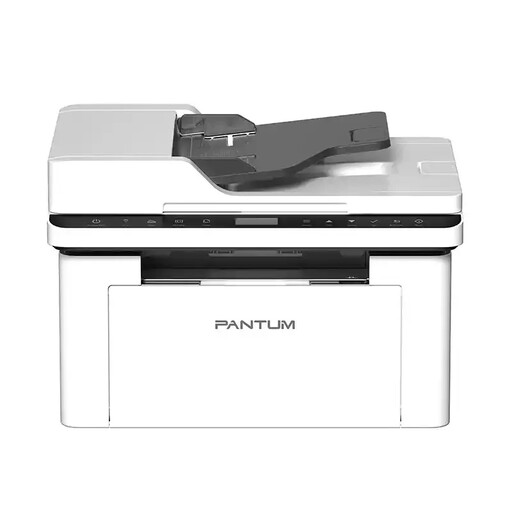
Why this product suits this profile: This monochrome laser printer is aimed at users who print text regularly and need scanning, copying and mobile connectivity in one device.
The specific figures of 22 pages per minute, an input capacity of 150 sheets and the recommended print volume make it easier to plan for a small office.
ADF, 1,200 × 1,200 dpi optical scanning resolution, plus AirPrint, Mopria, Wi-Fi Direct, Bluetooth and the Pantum App.
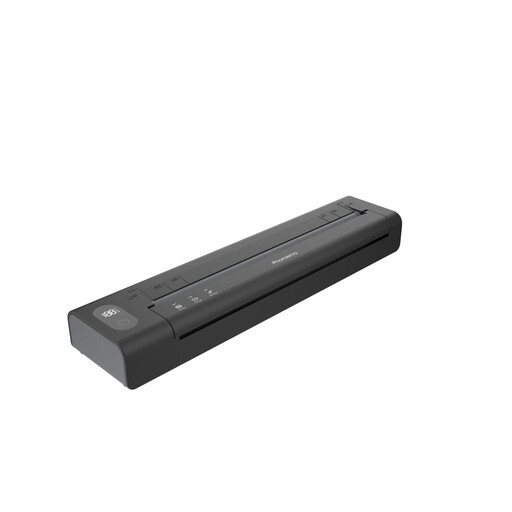
Why this product suits this profile: Weighing 600 g, this compact device is designed for use on the go, while travelling and for printing short documents from a smartphone.
Its clear focus on mobile use prevents you from confusing a portable device with a full-featured multifunction printer for the office.
Inkless technology, Bluetooth connectivity via the Phomemo app and a battery that, according to the product specifications, can print up to 150 sheets per charge.
We have put together a complete, regularly updated list of products that fully meet these strict selection criteria and the safety regulations applicable in the EU.
In addition to the purchase price, you need to consider ink or toner, paper, electricity consumption and any servicing costs. Divide the price of a cartridge or toner cartridge by its stated page yield to calculate the approximate consumable cost per page. Inkjet printers may also involve subscriptions such as HP Instant Ink. Before choosing a subscription model, check the terms, minimum contract periods and how much you are likely to use it.
There is no reliable way to give a general service-life estimate. It depends on the print volume, maintenance, paper quality and the device category for which the printer is designed. Use the recommended monthly print volume as a guide, and place the device somewhere dry, relatively dust-free and well ventilated. Consumables should be suitable for the particular model.
First install the manufacturer’s app or the appropriate driver, then connect the printer to your Wi-Fi network. Your smartphone and printer usually need to be connected to the same network. If you experience connection problems, restart the router and printer and check the Wi-Fi band. Depending on the model, Bluetooth or Wi-Fi Direct may be available for direct mobile connections.