
Lieferung heute & morgen

Qualitätsgarantie

Willkommens-Angebote freischalten: KOSTENLOSE Lieferung | Bis zu 80 % RABATT | Kostenlose 30-Tage-JoyPlus-Testphase
App herunterladen
A multifunction printer with Wi‑Fi should do more than just print documents. For many households, students, freelancers and small offices, scanning, copying, mobile printing and straightforward network setup are part of everyday life. At the same time, low purchase prices, cheap ink offers or high page yields in product descriptions can hide important ongoing costs and limitations.
This buying guide shows you which technical specifications really matter and which printer concepts suit different usage profiles.
A cheap printer can be fine if you print infrequently. But if you print regularly, toner or ink costs, page yield and paper consumption matter far more than the purchase price. With inkjet printers, check whether original cartridges, refill bottles or an optional subscription are intended. A laser printer with Wi‑Fi uses toner and is often a good choice for lots of text pages, while a colour multifunction printer can also handle photos and colour graphics.
The term duplex printer is used in different ways. Some models turn the paper automatically, others need you to do it manually. So look for the exact phrase “automatic duplex printing” or “manual duplex printing”. This applies not only to printing, but also to copying and scanning.
A device may support Wi‑Fi, Wi‑Fi Direct, Bluetooth, AirPrint or Mopria, yet still require different setup steps depending on your operating system. Before you buy, check whether Windows, macOS, Linux, Android and iOS are supported in the versions you need. If several people in your household will use the printer, it’s also important to check whether it’s compatible with your existing 2.4 GHz or 5 GHz network.
A mono laser printer is designed for text documents. The Pantum BM2300AW and BM2300NW models deliver up to 22 pages per minute on A4 according to the product data. That can be suitable for invoices, worksheets, contracts and shipping documents. These devices do not print in colour.
An inkjet model like the HP DeskJet 2920 prints in black and white and in colour, but according to the product description it reaches up to 7.5 pages per minute in black and white and 5.5 pages per minute in colour. That’s fine for occasional school materials, graphics or personal documents. If you regularly process several hundred pages, you should calculate page yield and refill costs particularly carefully.
An A4 multifunction printer combines three functions in one unit:
An automatic document feeder (ADF) makes it easier to scan multiple pages. The Pantum BM2300AW has an ADF indicated in its product name. The technical data also mention a flatbed scanner with 1,200 × 1,200 dpi optical resolution. The model supports scanning to PC, email, FTP and SMB.
Alongside page speed, paper capacity and recommended monthly volume are important. The Pantum BM2300AW and Pantum BM2300NW have a paper tray for 150 sheets. That can be enough for a home office, while a small office with several users could benefit from a larger supply or additional paper trays.
Also compare the recommended print volume with your actual needs. A maximum monthly duty cycle is not a sustainable target. For a choice that works long term, you should base your decision on the recommended range.
For mobile printing, AirPrint for Apple devices, Mopria for compatible Android devices, Wi‑Fi Direct and a manufacturer’s app are all practical. USB remains useful as a direct connection if the Wi‑Fi goes down. An Ethernet port can be important for a fixed office printer. With the Pantum BM2300NW, note that the provided product data mention USB, Wi‑Fi and Bluetooth, but no Ethernet LAN port.
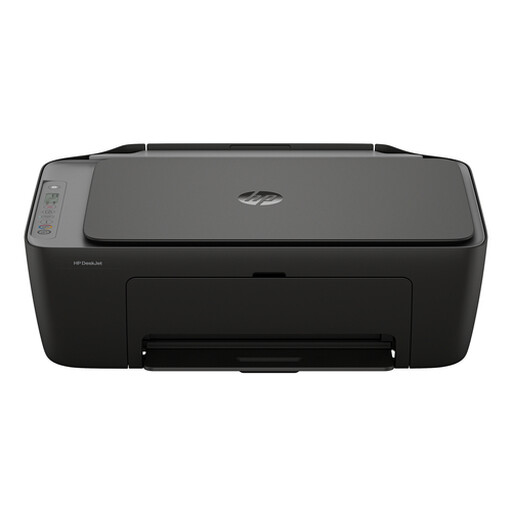
Why this product fits the profile: This compact inkjet device is designed for colour printing, copying and scanning, and according to the product description supports up to three users and a monthly volume of up to 100 pages.
The stated target volume makes it clear that this device is intended for occasional printing. This helps you avoid overestimating the workload it can handle.
Colour and black‑and‑white printing, copying, scanning, plus wireless printing from your smartphone or tablet.
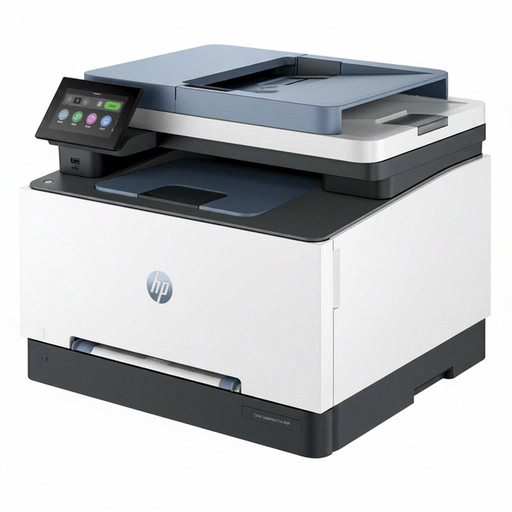
Why this product fits the profile: This colour laser multifunction device combines printing, scanning and copying with Wi‑Fi, Ethernet, USB, a touchscreen and automatic duplex printing.
The wide range of connections reduces reliance on a single link. Automatic duplex printing means you don’t have to manually turn pages for two‑sided jobs.
Colour laser printing, automatic duplex output, 350‑sheet tray according to the product description, and network connections.
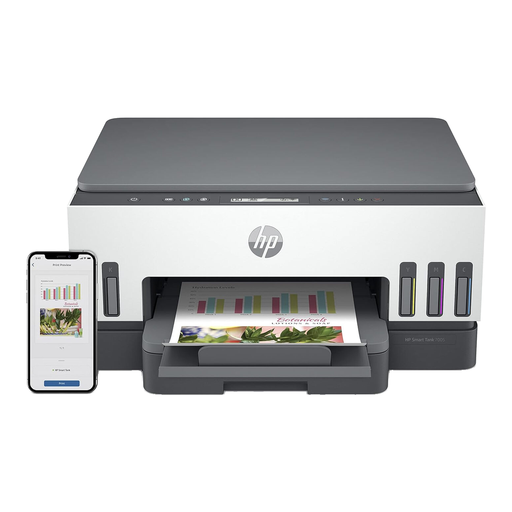
Why this product fits the profile: The refillable ink tank system is designed for larger print volumes, according to the product description, and includes printing, scanning and copying with Wi‑Fi.
The stated ink yield and refill technology make it clear that you should consider not just the device price but also the running costs.
Automatic duplex printing, dual‑band Wi‑Fi, 250‑sheet paper tray and refillable ink tanks.
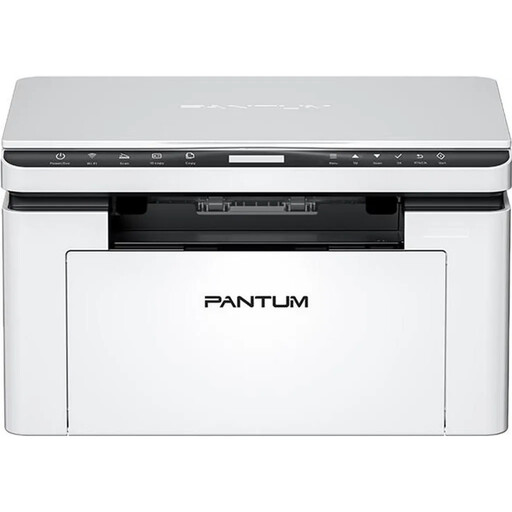
Why this product fits the profile: This compact mono laser printer combines printing, copying and scanning with 22 pages per minute, dual‑band Wi‑Fi, Bluetooth and mobile printing services.
The technical data explicitly mention manual duplex printing. This lets buyers plan realistically whether turning pages manually is acceptable in their workflow.
22 pages per minute, 150‑sheet tray, 1,200 × 1,200 dpi optical scan resolution, plus AirPrint, Mopria and Wi‑Fi Direct.
We’ve put together a full, regularly updated list of products that meet these strict selection criteria and fully comply with EU safety regulations.
Turn the device on, select your home Wi‑Fi network on the control panel or in the manufacturer’s app, and enter the network password. Then install the appropriate driver or use a supported automatic setup. For smartphones, you can use AirPrint, Mopria, Wi‑Fi Direct or the relevant manufacturer’s app. If you have connection problems, check that the router and printer are on the same network.
The lifespan depends on print volume, maintenance, paper quality and consumables. A device should not be run permanently above its recommended monthly volume. With laser printers, toner and the imaging drum are important consumable components; with inkjet printers, infrequent use and dried‑out ink can be an issue. Good ventilation and safe handling of toner or ink are also important.
First work out your monthly page count, then divide the price of a consumable by its stated page yield. Also factor in colour pages, duplex printing, paper and any subscription costs. For mostly black‑and‑white documents, a laser printer with Wi‑Fi can be easier to budget for. For regular colour printing, refillable tanks can be an alternative to traditional cartridges.