
Lieferung heute & morgen

Qualitätsgarantie

Willkommens-Angebote freischalten: KOSTENLOSE Lieferung | Bis zu 80 % RABATT | Kostenlose 30-Tage-JoyPlus-Testphase
App herunterladen
A multifunction printer is designed to replace several devices in everyday use: it prints documents, scans paperwork and makes copies. For families, students, self-employed professionals and home-office users, that sounds straightforward at first. In practice, however, unclear running costs, missing connections or misunderstood duplex functions often lead to the wrong purchase.
This guide explains which technical specifications are important before buying an A4 printer, and which device concept best suits each usage profile.
An inexpensive printer can become costly over time because of expensive cartridges or toner cartridges. The following factors are therefore crucial:
A black-and-white laser printer is often suitable for users who mainly print text and forms. If you regularly print colour documents, photos or presentations, you should consider a colour printer or a model with separate colour tanks.
Depending on the product description, the term duplex printer can refer to different functions. Check whether the printer automatically prints on both sides of the paper or whether the sheet must be turned manually. The same applies to duplex scanning and double-sided copying.
The technical specifications for the Pantum BM2300AW and BM2300NW indicate manual duplex printing. These devices can support double-sided workflows, but they do not turn the paper over completely automatically.
A Wi-Fi multifunction printer should be compatible with your existing network. Before buying, check:
A wireless printer reduces the number of cables around your workspace. For a stable connection, however, an Ethernet port can still be useful, particularly when several workstations are involved.
A multifunction laser printer uses toner and is particularly suitable for frequent text printing. These devices generally produce sharp text and are less likely to be affected by dried-up ink after extended periods of inactivity. A black-and-white laser printer cannot, however, print colour documents.
Inkjet printers offer greater flexibility for colour printing and photos. If you print infrequently, you should pay attention to storage and regular use. A printer with an ink tank can be an attractive option for high-volume colour printing, as ink is supplied from refillable reservoirs. Yield should not be assessed in isolation, however: the purchase price, refill system and actual consumption are also important.
The “pages per minute” figure usually refers to standardised conditions. First-page-out time, complex graphics, double-sided printing and warm-up time can all affect the actual speed.
For choosing the right printer, the monthly volume is more important:
For example, the technical specifications for the Pantum BM2300AW state a speed of up to 22 pages per minute and a recommended print volume of 250 to 2,000 pages per month. The maximum print volume of 10,000 pages is not a daily target, but a technical load specification.
A printer, scanner and copier is particularly convenient when you need to digitise identity documents, invoices or multi-page paperwork. A flatbed scanner is suitable for individual sheets, books and delicate originals. An ADF, or automatic document feeder, makes scanning multi-page documents easier.
You should also check:
The following selection matches specific models to clear, practical requirements. Details of speed, features and yield are based on the respective product information.
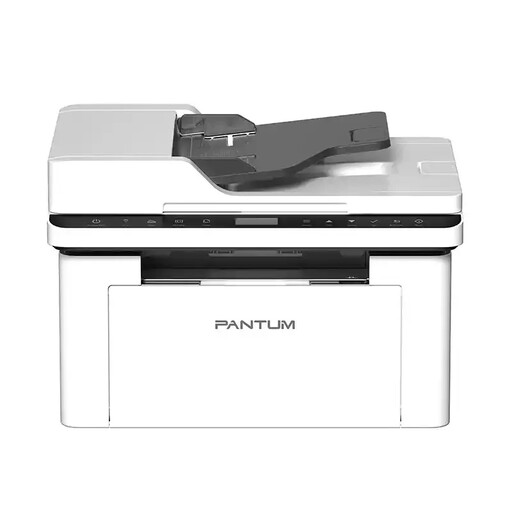
Why this product suits this profile: This compact 3-in-1 device is designed for households and small workspaces where most printing is in black and white. Wi-Fi, Bluetooth, AirPrint, Mopria and Wi-Fi Direct enable mobile printing without additional network cabling.
The product details explicitly state manual duplex printing rather than automatic page turning. This allows you to plan your paper savings realistically, without assuming an automatic function that is not available.
According to Pantum product information: 22 pages per minute, 1200 × 1200 dpi optical scan resolution and a 150-sheet paper supply.
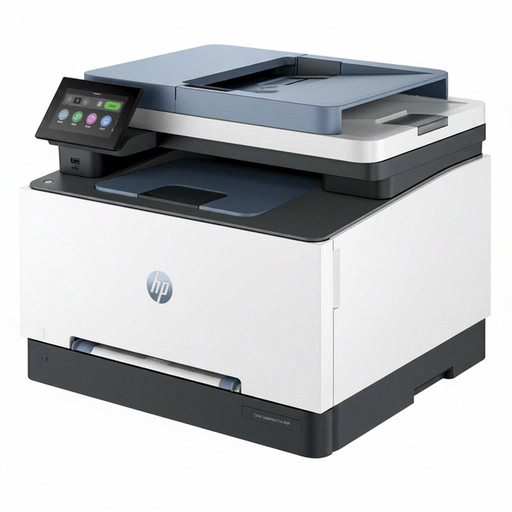
Why this product suits this profile: Ideal for home offices or small teams that need to print colour and black-and-white documents and value networking options and device management.
The features include Wi-Fi, Ethernet and USB. This means a wired alternative remains available if the Wi-Fi connection at your workplace is unstable.
According to HP product information: up to 25 pages per minute in colour and black and white, automatic duplex printing and a 350-sheet paper tray.
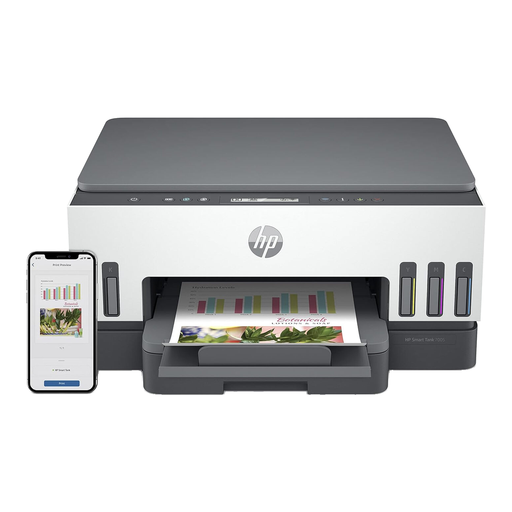
Why this product suits this profile: The ink tank system is designed for regular colour and document printing. It combines printing, scanning and copying with Wi-Fi and automatic duplex printing.
Before buying, you should check your actual print volumes and the price of refill ink. This prevents you from assuming that a high stated yield automatically means low overall costs.
According to HP product information: refillable ink tanks, automatic double-sided printing, a 250-sheet paper supply and dual-band Wi-Fi.
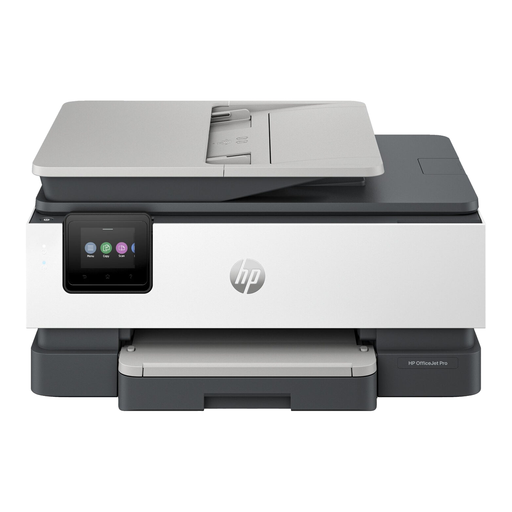
Why this product suits this profile: This device is designed for connected workflows and supports printing and scanning with cloud services, as well as management via mobile devices.
Before ordering, you should check which HP+ functions, accounts or services you actually intend to use. This prevents optional networking and cloud features from being confused with essential basic functions.
According to HP product information: HP Wolf Pro Security, mobile cloud connectivity and network management for connected workspaces.
We have put together a complete, regularly updated list of products that fully meet these strict selection criteria and the safety regulations applicable in the EU.
First, switch on the device and load paper. Then connect it via the control panel, the manufacturer’s app or the installation software. On mobile devices, AirPrint, Mopria or Wi-Fi Direct can make setup easier. For Windows and macOS, check which operating system versions are supported.
Its service life depends on print volume, maintenance, paper quality and consumables. Keeping your monthly print volume within the manufacturer’s recommendation reduces mechanical strain. Printers should be placed in a dry, well-ventilated area away from direct heat. Toner, ink and paper should be stored according to the manufacturer’s instructions.
Running costs consist of consumables, paper and electricity. For text printing, the toner cost per page can be significant; for colour printing, the individual colour channels and actual coverage matter. So do not compare only the purchase price—calculate the expected costs for your monthly print volume as well.