
Lieferung heute & morgen

Qualitätsgarantie

Willkommens-Angebote freischalten: KOSTENLOSE Lieferung | Bis zu 80 % RABATT | Kostenlose 30-Tage-JoyPlus-Testphase
App herunterladen
A portable thermal printer lets you print notes, lists, tickets, labels and simple images while you’re out and about, without the need for ink cartridges. For students, mobile professionals, families and people working from home, it sounds like a straightforward choice. In practice, though, satisfaction depends largely on the printing technology, paper and app compatibility.
If you focus only on terms such as “mini”, “wireless” or “photo printer”, it’s easy to overlook important limitations. The points below will help you assess marketing claims objectively and choose the right portable printer for your needs.
A printer that doesn’t use ink needs special thermal paper or, for Zink models, special photo paper. You won’t need to buy cartridges, but you will still have ongoing costs for paper rolls, fanfold paper or adhesive media. Before you buy, check:
Prints from many mini thermal printers are mostly black and white. A Zink photo printer is a different product category, designed for colour instant photos.
A Bluetooth thermal printer can generally connect to a smartphone wirelessly. What matters, however, is which operating systems it supports, which app you need and what features are available. Some devices require an app for layouts, stickers or QR codes. Others also support a USB-C connection.
Before buying, check that the printer works with iOS and Android and that its app is available in the relevant German app store. For a laptop, a USB connection may be more practical than a smartphone-only connection.
A compact printer is easy to carry around, but often prints on narrow media. That’s fine for shopping lists, revision cards and short notes. Multi-page documents, large graphics or regular office tasks, on the other hand, call for a different format and often a conventional inkjet or laser printer.
You should also consider battery life, charging method and paper feed. A USB-C port makes it easier to recharge while you’re out. A device that needs to be plugged into the mains is better suited to a desk.
With direct thermal printing, heat reacts with the coating on the paper. The printer needs no ink and usually no toner either. Prints are suitable for text, symbols, simple graphics and labels. Exposure to high temperatures, moisture or strong sunlight can affect how long they last.
Print resolution is often measured in dpi. A higher figure can allow for finer detail, but it doesn’t guarantee photographic colour reproduction. If you want to print photos, check whether the printer is a black-and-white thermal model or a Zink photo printer that uses colour-activated paper.
A label printer doesn’t necessarily use the same paper as a smartphone photo printer. Common media include roll paper, fanfold paper, adhesive strips and 2×3-inch photo paper. The paper size affects how easy text and images are to read.
If you want to prepare labels for folders, storage containers or parcels, pay particular attention to self-adhesive thermal paper and the supported paper width. A starter pack is useful, but it doesn’t tell you whether more rolls will be available long term or how much they will cost.
For mobile use, Bluetooth, an easy-to-understand app and a reliable paper feed are essential. Features such as OCR, templates, QR codes and image cropping can make printing easier. At the same time, check whether any features require an internet connection.
A wired USB-C mode is useful if Bluetooth isn’t available or you want to connect a laptop. With a wireless printer, relevant product details also include charging time, battery capacity and whether you can use it while it’s charging.
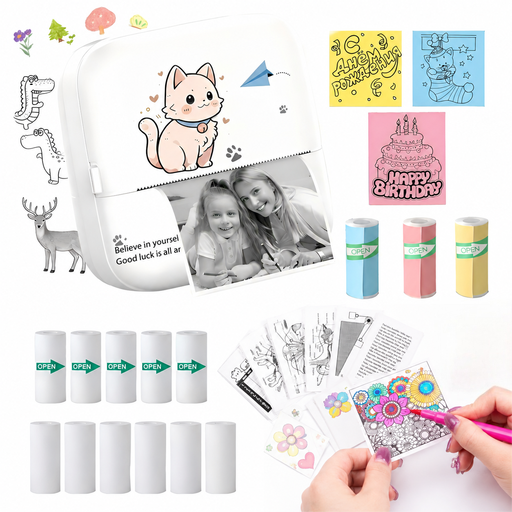
Why this product suits this user: This compact model is designed for people who want to print notes, stickers, simple images and labels from their smartphone.
The product description specifically mentions iOS and Android compatibility, as well as the use of special thermal media. This means you can plan for the required supplies before buying.
Bluetooth connectivity, app-based printing and support for photos, notes, stickers and labels.
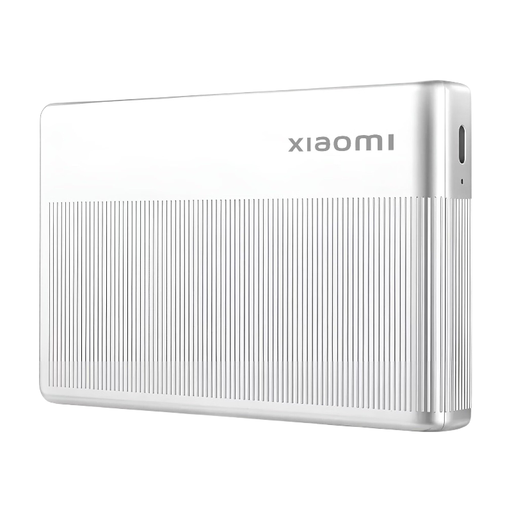
Why this product suits this user: This model is designed for small instant photos, making it a good fit for families, creative users and mobile photography projects.
The product details specify the 2×3-inch format, Zink technology and Xiaomi Home app. This makes it clear that you’ll need special photo paper rather than standard thermal paper.
Weighs 180 g, supports Bluetooth connections for multiple users and uses self-adhesive 2×3-inch photo media.
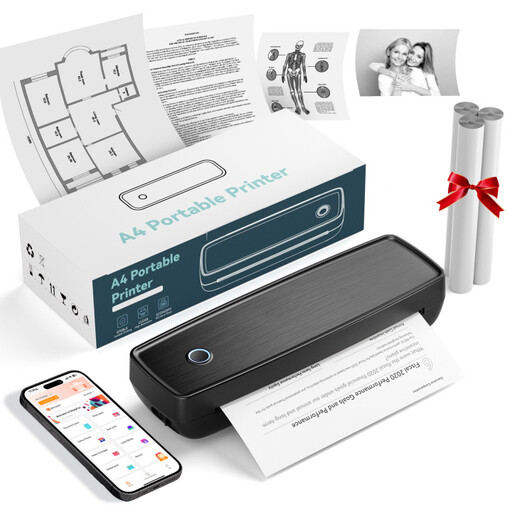
Why this product suits this user: Business travellers, people working from home and students get Bluetooth for their smartphone, plus USB-C for a wired connection to a laptop.
Having both Bluetooth and USB-C means you’re not reliant on just one connection method. It also supports rolls and fanfold media.
Wireless and wired operation, a portable design and support for notes, tickets, labels and simple documents.
We’ve put together a complete, regularly updated list of products that meet these strict selection criteria and fully comply with the safety regulations in force in the EU.
The device heats specific areas of specially coated paper. This creates the printed image without ink or toner. Before use, load the paper, install the app and pair your smartphone via Bluetooth. Compatible models can also connect via USB-C.
How long they last depends on the quality of the paper and how it is stored. Heat, direct sunlight, moisture and friction can affect the print. Important notes or receipts should also be saved digitally. Thermal paper is therefore not always suitable for long-term archiving.
As well as the purchase price, you’ll need to budget for compatible thermal or Zink paper. Roll paper is often intended for short text and labels, while photo paper can cost more per print. Before ordering, compare the price per roll or sheet and check that the format you need will continue to be available.