Group playing a motion-controlled sports game
If you want to play motion-controlled sports together on the same screen, make sure the game, console, sport and Joy-Con setup all match.


Start with the specific game and console generation: Nintendo Switch Sports uses Joy-Con or Joy-Con 2, depending on the sport; a traditional gamepad is only suitable for games that support that type of control. Then check how many people can play at once, which controllers you already own, and whether the connection, cable reach and power supply work for your seating arrangement.
If you want to play motion-controlled sports together on the same screen, make sure the game, console, sport and Joy-Con setup all match.
For a sports game that supports button controls, you could use additional controllers for PS5, Xbox or PC. The key is whether the specific game supports local multiplayer.
If some people are watching while others play, or you’re taking turns, check the player limit for local mode. Not everyone in the room automatically needs their own controller.
A good fit if: You want to play a Nintendo sports game using its intended motion controls.
Consider: The Joy-Con setup you need depends on the sport. If you’re using original Joy-Con individually, remember to use the wrist straps.
A good fit if: You’re playing a supported motion-controlled game on Nintendo Switch 2, such as Nintendo Switch Sports Resort.
Consider: Count the pair of Joy-Con 2 included with the console; the player limit varies by sport.
A good fit if: The specific game supports local play using buttons and sticks, and you’ll mostly be playing seated.
Consider: Platform compatibility alone doesn’t guarantee local multiplayer or support for every game feature. If you choose a wired model, check that the cable will reach.
Before buying, check the game and console generation first, then how many people will play at once, and finally the connection and power supply at your seating area.
| What matters | What to check before buying | Who should pay particular attention |
|---|---|---|
| Game and platform compatibility | Check the full game title, console generation, controller model and the control method required for the sport you want to play. | If you want to make sure the game, console and controls all work together, compatibility is your top priority; around 33% of consumers put it first. |
| Number of people playing at once | Check the offline player limit for the specific mode, the controller setup it allows and which controllers you already own. | If several people want to play at once rather than take turns, the number of compatible inputs matters to you; around 27% of consumers prioritise having more people able to play simultaneously. |
| Motion controls | Check the intended Joy-Con setup and, if using original Joy-Con individually, remember the wrist straps. | If you want to play sports involving swinging or throwing motions, using the intended controls is essential; around 20% of consumers place the greatest importance on motion controls that are both suitable and easy to handle safely. |
| Connection and power supply | Check the exact model’s supported USB or wireless connection, available ports, cable routing and charging options. | If you want to play comfortably from different seats, the connection and power supply are particularly important; around 20% of consumers prioritise a practical connection at their seat. |
A traditional gamepad may be designed for a game with button controls, but it won’t replace the motion controls required by another game. Nintendo specifies Joy-Con for Nintendo Switch Sports, depending on the sport; PowerA explicitly states that the Advantage Wired doesn’t support motion controls or Joy-Con-exclusive games.
Before choosing a controller, check the controls required for the specific game and sport you want to play.
The number of people watching doesn’t tell you how many can play at once. Nintendo lists different offline player limits for Nintendo Switch Sports Resort, depending on the sport.
First count how many people will play at the same time, check the sport and take any controllers you already own into account.
Nintendo says original Joy-Con can be used wirelessly with Switch 2, but can’t be attached directly to the console or charged there.
Check which generation your controllers are and arrange a separate way to charge any original Joy-Con you already own.
You may need to buy extra charging accessories.
Supported connection types can vary by platform. For the 8BitDo Ultimate 2C Wireless, the manufacturer lists 2.4 GHz or wired connections for Windows and Bluetooth for Android.
Check the connection supported by your platform using the full model name. If you choose a wired model, make sure the cable can reach from the screen to your seats.
Joy-Con for Nintendo Switch Sports and Joy-Con 2 for supported motion-controlled games on Switch 2.
DualSense as an additional controller for PS5 sports games with supported local modes, and for compatible PC games.
Xbox Wireless Controller for supported Xbox and Windows sports games.
Ultimate 2C Wireless as a controller option for supported Windows PC games.
Advantage Wired for supported Switch 2 games using traditional gamepad controls in docked mode.
This selection includes Joy-Con 2 for supported motion-controlled games on Switch 2, along with traditional gamepads for compatible local games on the platforms listed for each product.
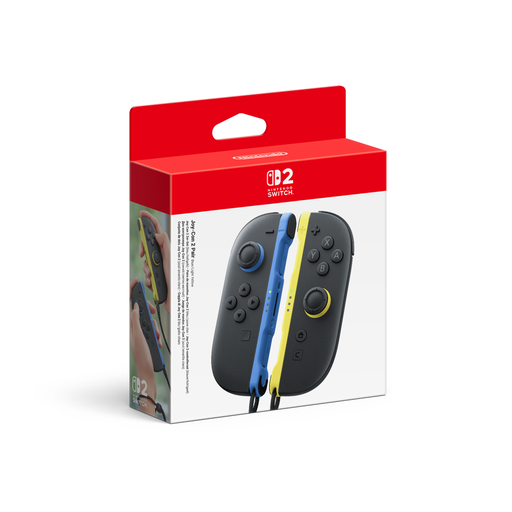 No image available
For compatible local games on Nintendo Switch 2 when you need extra Joy-Con 2.
Set of two Joy-Con 2 and two wrist straps; the product details list motion controls for compatible games.
Nintendo Switch 2 comes with a pair of Joy-Con 2. Before buying extra controllers, check how many inputs you actually need.
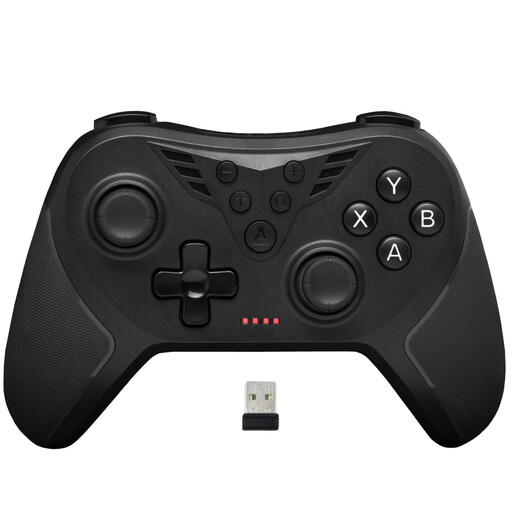 No image available
For compatible games on Windows PC or PS3, if a wireless connection via USB receiver works for your seating arrangement.
The product details list compatibility with Windows 10/11 and PS3, plus a 2.4 GHz connection via USB receiver.
Check whether the specific game supports local gamepad controls.
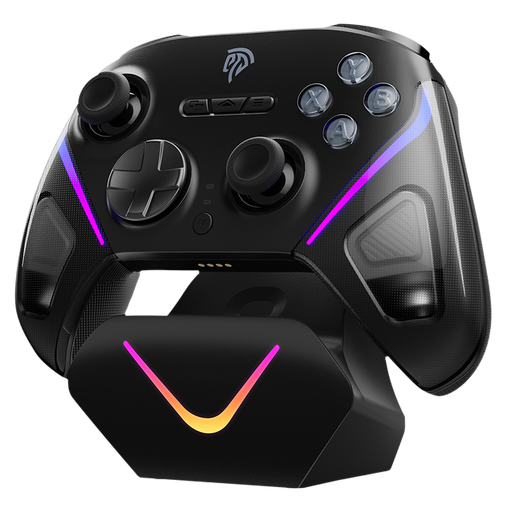 No image available
For compatible games on PC or Nintendo Switch, provided the game and specific console support these controls.
The product details list wireless connectivity, rumble, 16 buttons, and compatibility with PC and Nintendo Switch.
Before playing, check compatibility with the specific game and platform you’re using.
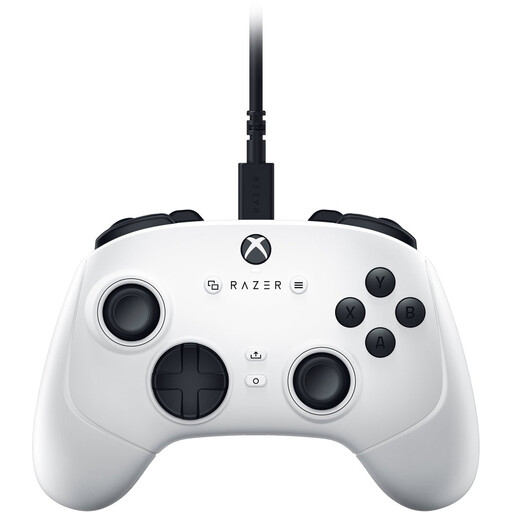 No image available
For compatible games on Xbox Series S, Xbox Series X or PC, if a wired connection at your seat is practical.
The product details list USB-C and a detachable 3 m cable, plus four rear buttons and six remappable buttons.
The cable must reach your chosen seat.
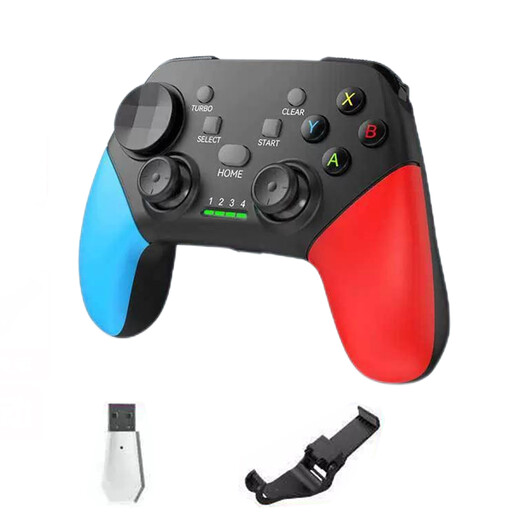 No image available
For compatible games on PC or Nintendo Switch, if the model’s connection options suit your platform.
The product details list Bluetooth 5.2 and a 2.4 GHz connection, plus compatibility with platforms including PC and Switch.
Check compatibility with the specific console and game you want to play.
No. Choose the number of extra controllers based on how many people will play at once and the local mode for your chosen sport. Nintendo lists different offline player limits for Nintendo Switch Sports Resort, depending on the sport.
No. Nintendo states that neither the Switch Pro Controller nor the Switch 2 Pro Controller is compatible with Nintendo Switch Sports. The right Joy-Con setup depends on the sport.
Yes, Nintendo allows them to be used wirelessly with Switch 2. However, they can’t be attached directly to the console or charged there, so make sure you have another way to charge them.
Before you start, check that each controller is paired and charged. Nintendo recommends attaching wrist straps to original Joy-Con when using them individually and wirelessly.
Nintendo recommends switching off the console first, removing any accessories and not applying liquid directly to the product. Let it dry completely before using it again.