
Lieferung heute & morgen

Qualitätsgarantie
App herunterladen
Kategorien
The number of electronic devices we use daily is constantly growing. Smartphones, laptops, tablets, and headphones each require their own power source, often leading to cable clutter and a shortage of wall outlets. A multi-port USB-C charger offers a streamlined solution by powering multiple devices from a single wall plug. However, choosing the right model depends on your specific technical needs. This guide breaks down the key parameters to help you make an informed purchasing decision.
A charger's efficiency is determined by the combination of its total power output, port variety, and underlying technology. Before making a purchase, you should evaluate the following criteria.
The total power output, measured in watts (W), is the primary indicator of a charger's capacity. It determines how many devices can be charged simultaneously and at maximum speed.
A crucial factor is intelligent power distribution. A good multi-port charger dynamically adjusts the power output for each port based on the connected devices, ensuring optimal and safe charging for everything.
Most modern chargers combine USB-C and USB-A ports.
The number of ports should match your personal needs. For travellers or office workers with a laptop, smartphone, and headphones, a model with at least three ports (e.g., 2x USB-C, 1x USB-A) is a practical configuration.
GaN stands for Gallium Nitride, a semiconductor material that is increasingly replacing silicon in modern power adapters. A GaN charger offers significant advantages:
Based on the technical criteria mentioned, we have curated a selection of multi-port chargers that cover different user profiles.
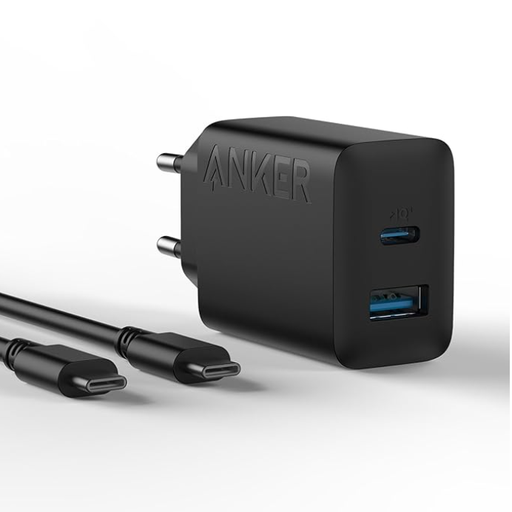
Why We Recommend It This charger from Anker is a compact and straightforward solution for everyday charging needs. With a total output of 20W and two ports (USB-C and USB-A), it focuses on the essentials: fast charging for one or two devices, without the power needed for a laptop. The included USB-C cable adds to its practical value.
Pros
Best For Users who primarily need to charge their smartphone and another small device (e.g., headphones) and are looking for a space-saving, portable solution.
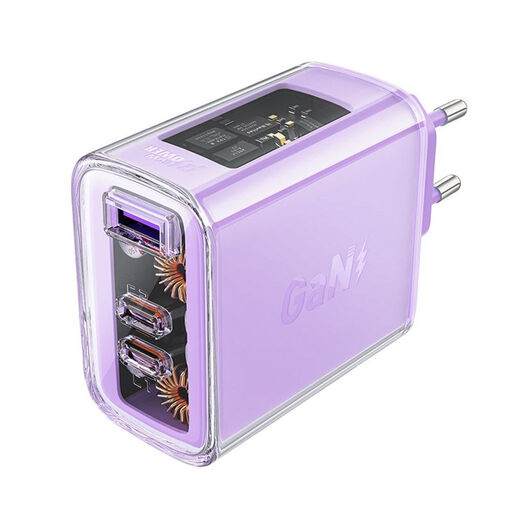
Why We Recommend It The ACEFAST A45 is a GaN charger that combines power and versatility in a compact package. With 65W of total output and three ports (two USB-C, one USB-A), it's capable of charging a smartphone, headphones, and even many laptops simultaneously. The GaN technology ensures high efficiency and low heat generation. Plus, its transparent casing offers a distinctive design feature.
Pros
Best For Tech-savvy users, professionals, and travellers looking for an all-in-one solution for their smartphone, tablet, and a compatible laptop.
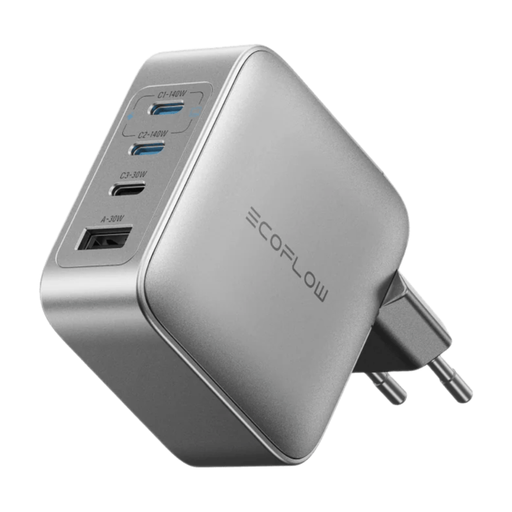
Why We Recommend It The EcoFlow RAPID Pro is designed for users who demand maximum power. With a total output of up to 140W and four ports (three USB-C, one USB-A), this multi-port USB charger can handle even the most demanding device setups. It can charge a high-performance laptop at full speed while simultaneously powering other devices. Intelligent power distribution and integrated safety features, such as temperature regulation, ensure stable operation.
Pros
Best For Power users, creative professionals, and anyone who needs to quickly and simultaneously charge a high-performance laptop (e.g., 16-inch MacBook Pro) along with several other devices.
The models featured here cover common use cases. If your specific requirements for power, port count, or design differ, we recommend exploring the broader selection. There you will find a wide variety of USB-C Port Adapters that include other configurations and power classes.
1. What is a GaN charger and what is its advantage? A GaN charger uses gallium nitride instead of traditional silicon as its semiconductor material. This allows for higher energy efficiency, which results in less heat generation. Consequently, GaN chargers can be built to be significantly smaller and lighter than conventional models while offering the same or even higher power output.
2. How many watts does my laptop need to charge via USB-C? The required wattage depends on the laptop model. Compact ultrabooks (e.g., MacBook Air, Dell XPS 13) are often fine with 45W to 65W. More powerful laptops, especially those with dedicated graphics cards or larger screens (e.g., 15/16-inch MacBook Pro, gaming laptops), require 90W, 100W, or even up to 140W to charge efficiently under load. The exact requirement can be found in the laptop manufacturer's technical specifications or on the original power adapter.