Choose earbuds for downloaded museum audio guides based on whether you want to hear the sounds around you or focus more closely on speech. Open designs such as the Sony LinkBuds Open let in ambient sound (Sony Germany; CHIP); sealed in-ear earbuds with ANC and an ambient mode offer different listening modes, depending on the model (Samsung Germany; soundcore; Apple). Also check the fit, controls and connection to your playback device, and test a recording before your visit.
Who are the different types of earbuds suitable for?
Attentive visitors
If you want to listen to the audio guide while still hearing conversations or announcements in the room, consider an open-earbud design. Test beforehand to make sure the recording is still clear in the surroundings you’ll be listening in.
Visitors who want to focus on speech
If background noise makes spoken explanations hard to hear, sealed in-ear earbuds with ANC and an ambient mode could be a good option. Check that you can switch easily between listening modes and that the fit feels right for you.
Visitors using their own playback device
If you’re playing recordings on your smartphone or another personal device, check before your visit that USB-C audio or Bluetooth works with your earbuds, and find out how to control playback and volume.
What should you look for when buying?
Open Bluetooth earbuds
A good fit if: you want to hear the sounds around you as you explore.
Bear in mind: In noisy areas, the lack of isolation can make speech harder to understand. CHIP also reports mixed reviews of how securely the Sony LinkBuds Open fit during movement.
Sealed Bluetooth in-ear earbuds
A good fit if: you want to focus more on spoken audio when there’s distracting noise and switch between listening modes.
Bear in mind: Fit, controls and battery life vary by model and listening mode. An ambient mode doesn’t replace paying attention to your surroundings.
Wired USB-C in-ear earbuds
A good fit if: your playback device supports USB-C audio and you don’t need a Bluetooth connection.
Bear in mind: The cable may get in the way when walking or using your smartphone. JBL recommends checking that your USB-C device is compatible.
| What matters to you |
What to check when buying |
Who is this important to? |
| Hearing your surroundings |
Open design or an accessible ambient mode; check speech clarity with a recording. |
If I want to hear conversations and announcements in the room, I look for a design that lets ambient sounds through. Around 25% of consumers put awareness of their surroundings first. |
| Understanding speech |
Fit and seal, ANC if needed, and an easy way to switch to ambient mode. |
If background noise drowns out the explanations, I want to hear speech clearly without turning the volume up unnecessarily. Around 25% of consumers prioritise clear spoken audio. |
| Fit and battery life |
Try the earbuds in your own ears; for Bluetooth models, compare battery life per charge in the mode you’ll actually use. |
For a longer visit, I want earbuds that feel comfortable and have enough battery for the listening mode I’ve chosen. Around 19% of consumers prioritise comfort and battery life. |
| Connection and controls |
Play a downloaded recording in advance; test the audio output, pause and volume controls. For USB-C, check device compatibility. |
If I’m using my own smartphone or playback device, I want to connect and control the recording without having to troubleshoot in the museum. Around 19% of consumers put easy connection and controls first. |
| Purchase price |
Check whether you can use earbuds you already own, and only pay for features you need. |
If I mainly listen to spoken audio, I don’t want to pay for features I won’t use. Around 12% of consumers prioritise purchase price and value for money. |
Which assumptions should you avoid?
-
Open doesn’t automatically mean clear speech in every setting
Open earbuds let in ambient sound. This can make it easier to stay aware of your surroundings, but they won’t block out loud environments when you’re listening to spoken audio.
Try a spoken recording at a comfortable volume. If background noise makes it hard to understand, compare sealed models with an ambient mode.
-
Battery life with the charging case isn’t the same as battery life per charge
Figures for total playback time with the charging case aren’t the same as continuous playback time from the earbuds alone. ANC and other settings can also affect battery life.
Compare battery life per charge in the listening mode you expect to use.
-
Not every USB-C port is automatically suitable
To play audio through wired USB-C earbuds, your device must support the right audio output. JBL specifically advises checking that the Tune 310C USB is compatible with your device.
Test the connection and playback controls with your device before your visit.
Which brands are worth considering?
Sony
The LinkBuds Open (WF-L910) are an open Bluetooth option for keeping ambient sounds audible.
- Sony claims up to 8 hours of continuous music playback for this open model.
- In CHIP’s test, outside noise remained audible, while fit during movement received mixed reviews. These findings relate to the LinkBuds Open, not all Sony earbuds.
Samsung
The Galaxy Buds3 Pro (SM-R630) are sealed Bluetooth in-ear earbuds with ANC and an ambient mode.
- Samsung lists both listening modes and states in its model overview that playback lasts up to 6 hours under the conditions specified there.
- The manufacturer’s overview isn’t an independent test of speech clarity. Check the fit and controls with your own device.
soundcore
According to the manufacturer, the Liberty 4 NC offers Normal, ANC and Transparency modes.
- soundcore claims 10 hours per charge in Normal mode and 8 hours each with ANC or Transparency mode.
- These figures come from the manufacturer’s own tests and may vary in everyday use. They don’t guarantee that the earbuds will be suitable for museum recordings.
JBL
The Tune 310C USB is a wired USB-C alternative with a three-button remote.
- JBL lists a USB-C connection and a three-button remote.
- The manufacturer recommends checking USB-C compatibility with your device. Remember to factor in the cable during your visit.
Apple
The AirPods Pro 3 are a Bluetooth option with Transparency mode, ANC and silicone ear tips in several sizes.
- Apple lists five sizes of silicone ear tips and several listening modes.
- Battery life figures apply to different modes and conditions. The product information doesn’t prove an advantage for museum recordings or that the earbuds will work with every playback device.
Earbuds for museum audio guides at Joybuy
The Joybuy products below include wired USB-C in-ear earbuds, as well as open and sealed Bluetooth earbuds for downloaded audio guides.
 No image available
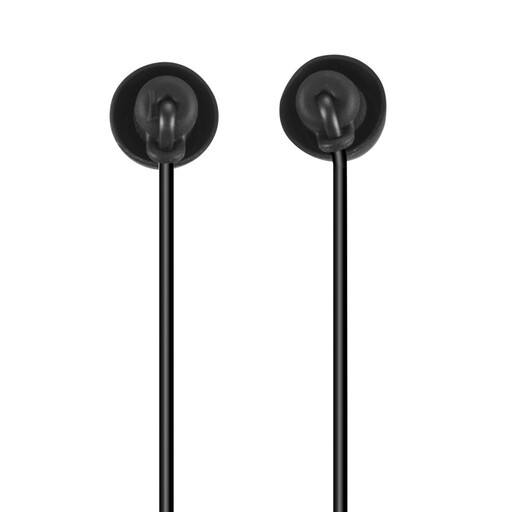
Calm Headphones In-Ear, USB-C, Black
A wired option if your playback device supports USB-C audio and you don’t need a Bluetooth connection.
USB-C connection, remote and microphone. The cable may restrict your freedom of movement during your visit.
View at Joybuy
 No image available
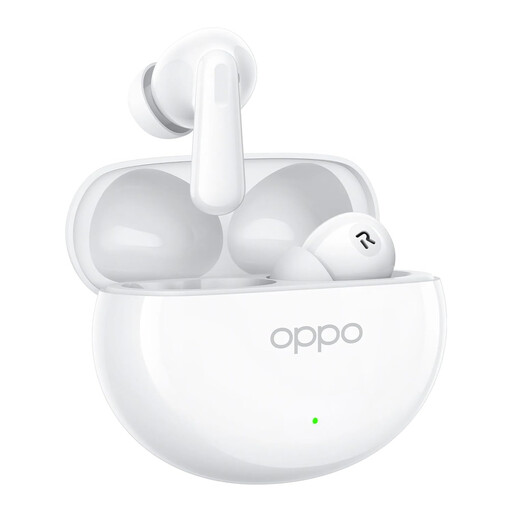
OPPO Enco X4, Glacier White
For listening to downloaded audio from your own device wirelessly, with the option to switch between ANC and Transparency mode.
The product description lists Bluetooth, ANC, Transparency mode and touch controls.
View at Joybuy
 No image available
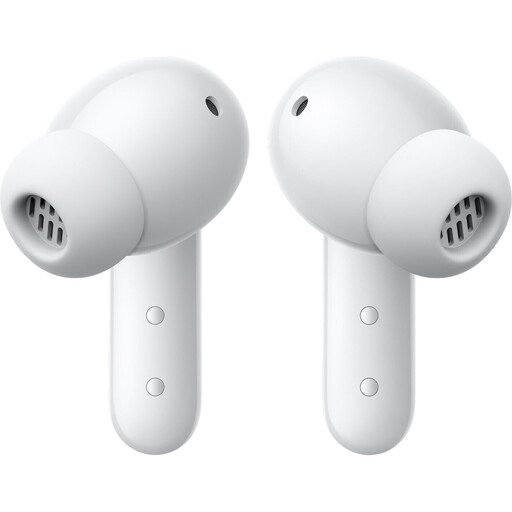
CMF Buds 2 Plus, Light Grey
A Bluetooth option for recordings on your own smartphone, with the option to switch between ANC and Transparency mode.
The product description lists Bluetooth 5.4, ANC and Transparency mode. Android and iOS devices are listed as compatible connection options.
View at Joybuy
 No image available
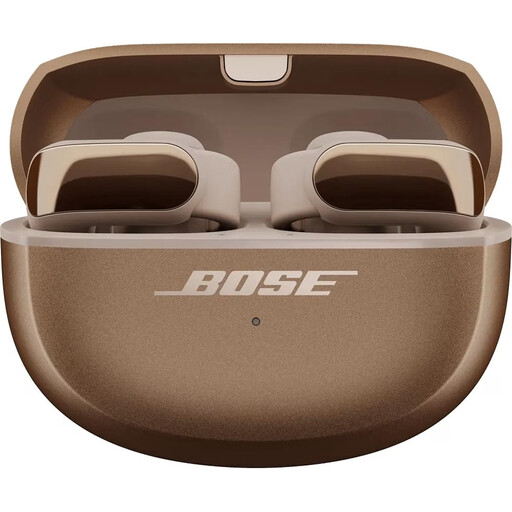
Bose Ultra Open Earbuds, Driftwood Sand, Limited Edition
An open Bluetooth option if you want to keep hearing the sounds around you while listening.
The product description lists an open clip-on design and touch controls. This model doesn’t isolate noise, so background sounds may make speech harder to understand.
View at Joybuy
 No image available
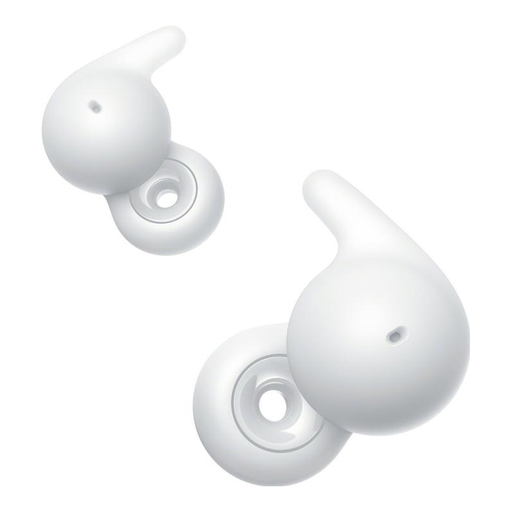
Sony LinkBuds Open, White
Open Bluetooth earbuds for visits where you want to stay aware of the sounds around you.
The product description lists an open ring design, Bluetooth and touch controls. In noisy areas, the lack of isolation may make speech harder to understand.
View at Joybuy
Frequently asked questions
Do the recordings need to be stored on the earbuds?
No. If you play the audio on your smartphone or another playback device, the earbuds connect to that device. Check that the specific museum tour can be downloaded and played offline. As museum.de explains, audio guide services may offer smartphone downloads or access via a QR code.
How should I prepare my earbuds for a museum visit?
Download the recordings you need and test one without an internet connection. Also check the connection, pause and volume controls. For Bluetooth earbuds, check the battery level; for USB-C models, check your device’s audio output. These are preparation steps, not a guarantee that every museum app will work offline.
How loud should I listen to spoken recordings?
Start at a low volume and turn it up only as much as you need to understand the recording. As a guide, the World Health Organization recommends setting your device to no more than 60% of its maximum volume. Actual sound exposure also depends on the volume level and how long you listen for.
What rights do I have if a new purchase is faulty?
For a business-to-consumer purchase in the EU, you have a legal guarantee of at least two years from the date you receive the goods. This applies against the seller and is separate from any additional manufacturer’s warranty.
How should I dispose of old earbuds in Germany?
Waste electrical and electronic equipment must be collected separately and handed over to an authorised collection point, such as a local authority recycling centre or an approved take-back point. It must not go in household waste. The retailer take-back options available depend on the applicable requirements.


