First, check that your playback device has the right audio output, then test the fit and speech clarity using a saved recording. Wired in-ear headphones mean you don’t have to charge them, while wireless models can give you more freedom to move around. Strong noise isolation and ambient modes are no substitute for pausing playback when you need to hear important announcements or conversations around you.
Who are the different types of in-ear headphones suitable for?
Visitors with their own audio files
If you’re playing saved commentary on your own device, its audio connection needs to be compatible. Options vary: for example, the Museum für Naturkunde Berlin provides audio guides on visitors’ own devices through a web portal.
Visitors to busy exhibitions
If conversations in the gallery drown out quieter passages, a good fit and sensible volume are important. The World Health Organization recommends well-fitting headphones so that background noise is less likely to tempt you to turn up the volume.
Visitors on longer tours
For longer listening sessions, a comfortable fit and an easy-to-reach pause control are useful, particularly if you’re switching between commentary, conversations and announcements around you. The Deutsches Museum recommends that visitors bring their own headphones to listen to its audio content.
What should you look for when buying?
Start by checking your device’s audio output. Then compare fit and speech clarity using a familiar recording, and see how quickly you can pause playback.
| What matters |
What to check when buying |
Who is it important to? |
| Connection and playback |
Check whether your device outputs audio through the required headphone socket or USB-C; test your saved recording before your visit. |
If you want to play your own files on your device, its audio output needs to be compatible with your headphones. Around 33% of consumers say connectivity is their main concern. |
| Speech clarity |
Compare the same spoken passage with a good fit and at a moderate volume; treat manufacturers’ noise-isolation claims as specific to each model. |
If you want to understand quiet commentary in a busy exhibition, you need a fit that suits your ears. Around 27% of consumers prioritise speech clarity. |
| Comfort |
Compare the supplied tip sizes and check the fit and cable position for the length of your usual listening sessions. |
For a longer visit, your headphones should feel comfortable and stay securely in place. Comfort is a priority for around 20% of consumers. |
| Awareness of your surroundings |
Check whether you can pause playback quickly or easily switch on an available ambient mode. |
If you want to hear conversations and important announcements during your visit, it should be easy to pause the recording. Around 20% of consumers focus on awareness of their surroundings. |
Which buying mistakes can you avoid?
-
Choosing based on the connector alone
A USB-C connector on your headphones doesn’t guarantee that your playback device outputs audio through it. The FiiO JD1 and JD1 TC are also different variants.
Check your device’s audio output and test a saved recording using the full model variant you’re considering.
-
Assuming strong noise isolation means you’ll stay fully aware
A snug fit can reduce distracting noise, but it can also make conversations and announcements around you harder to hear.
Choose tips that let you understand speech at a moderate volume, and pause playback for important announcements.
-
Taking a sound description as proof of speech clarity
Descriptions such as ‘balanced’ or a vocal preset don’t tell you how a particular museum recording will sound to you.
Compare the same spoken passage with a good fit and at the same moderate volume.
Key brands to consider
Shure
The wired SE215 is an in-ear monitor with replaceable ear tips and a detachable 3.5 mm cable.
- Shure quotes passive noise isolation of up to 37 dB for the SE215.
- This is a manufacturer’s figure for this model, not a guarantee of fit or noise isolation for every ear. Strong noise isolation can make announcements around you harder to hear.
Sennheiser
The IE 200 has a 3.5 mm connection, replaceable ear tips and adjustable ear hooks.
- Sennheiser describes the sound tuning as balanced.
- A description of the tuning doesn’t prove that you’ll find a particular spoken recording clear. Also check whether using the headphones without an in-line remote suits the way you listen.
FiiO
With the JD1 family, the exact connection variant matters: FiiO distinguishes between the JD1 and JD1 TC.
- FiiO lists in-line controls and a detachable 0.78 mm 2-pin cable among the features of the supplied cable.
- According to FiiO, the cable’s volume control works with Android, but not iOS. Don’t assume the JD1 and JD1 TC have the same specifications.
Sony
The WF-C710N are a wireless in-ear alternative with switchable listening modes.
- Sony lists noise cancelling and Ambient Sound for this model.
- You’ll need to pair the headphones via Bluetooth and keep them charged. An ambient mode doesn’t guarantee that you’ll hear every announcement clearly.
JBL
The Tune 310C USB is a wired USB-C in-ear headphone, not the same type of model as the stage IEMs mentioned above.
- JBL lists three EQ presets, including Vocal, as well as an in-line remote.
- JBL recommends checking USB-C compatibility with your device. A Vocal preset alone doesn’t prove that speech will be clearer.
Joybuy products for museum recordings
The products below include wired in-ear headphones with different connections, as well as wireless Bluetooth models for listening to saved audio guides.
 No image available
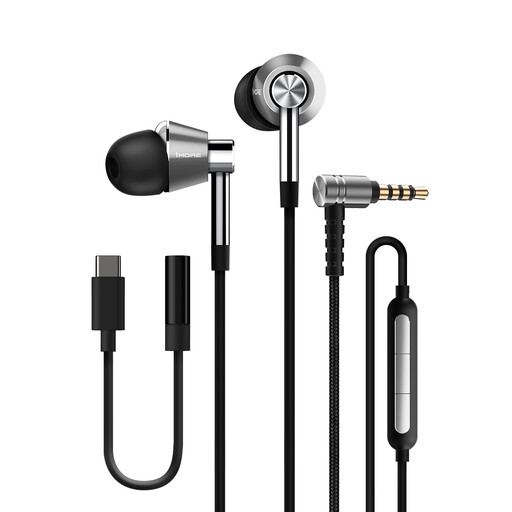
1MORE E1001 Triple Driver in-ear headphones
A wired option for saved recordings; check that the connection is compatible with your playback device before buying.
The product name specifies an integrated microphone.
Make sure the ear tips fit properly so the headphones stay comfortable during longer listening sessions.
View at Joybuy
 No image available
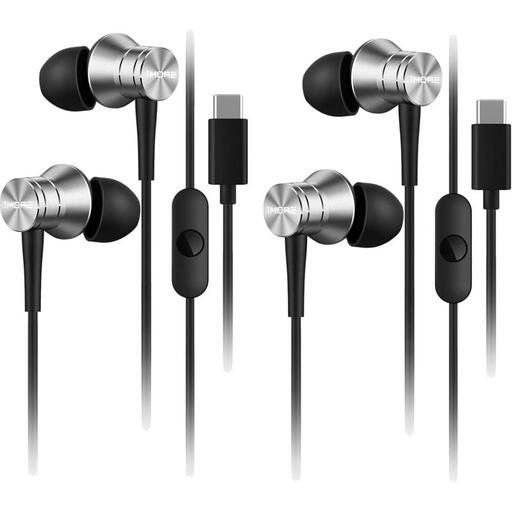
1MORE P10 Piston Type-C, Silver
This wired Type-C model is worth considering if your device outputs audio via USB-C.
A USB-C connection alone doesn’t confirm audio compatibility; test it with your device before your visit.
View at Joybuy
 No image available
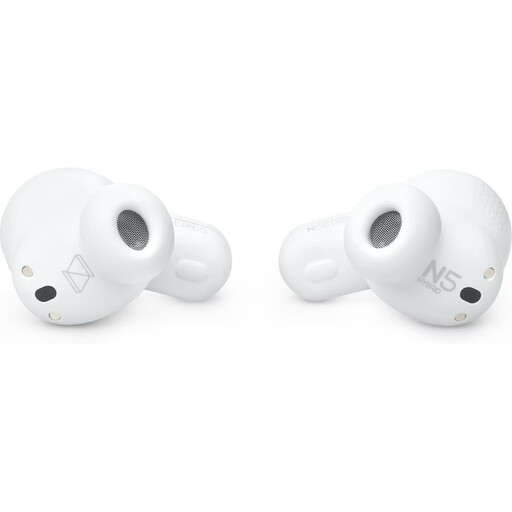
AKG N5 Hybrid True Wireless Earbuds, White
A wireless option if freedom to move is important and your playback device supports the connection.
The product name specifies Bluetooth 5.3 and a USB-C dongle. The headphones need to be charged and connected for wireless listening.
Check how to pause playback and adjust ambient sound transparency.
View at Joybuy
 No image available
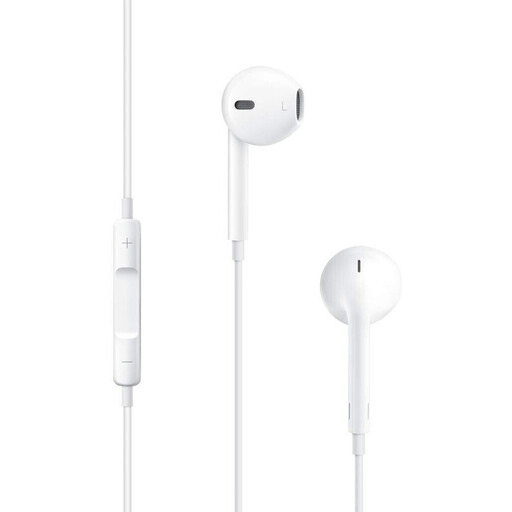
Apple EarPods with 3.5 mm headphone plug
This wired version is suitable for saved recordings if your device has a compatible 3.5 mm headphone socket.
Check the connection and test in advance that playback works as you’d like with your device.
View at Joybuy
 No image available
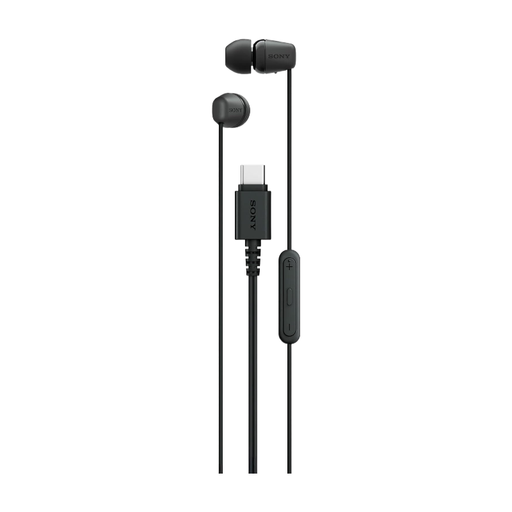
Sony IER-EX15C USB-C, Black
This wired USB-C model may be suitable for a device with USB-C audio output.
Check compatibility with your device before relying on it for playback.
View at Joybuy
Frequently asked questions
Will a downloaded audio guide always work offline?
No, it depends on the museum and the service it offers. The Museum für Naturkunde Berlin describes an audio guide accessed through a web portal without downloading an app; the Deutsches Museum offers an app and on-site Wi-Fi. Check with the museum whether you can save the recordings you want in advance and play them later without an internet connection.
How can I check whether in-ear headphones are compatible with my playback device?
Compare the headphones’ connection with your device’s actual audio output, then test a saved recording. For USB-C, your device must support audio through that connection; a matching plug alone isn’t enough to confirm compatibility.
How should I prepare my headphones for a visit?
Test your saved spoken recording, the connection and the right tip size beforehand. Start at a low volume. The World Health Organization recommends well-fitting headphones to reduce the temptation to turn up the volume in noisy surroundings, as well as taking regular listening breaks.
How do I clean and care for an in-ear monitor?
Follow the instructions for your particular model and the material of its ear tips. There isn’t one cleaning method that suits every material; only remove or replace parts as directed in the manufacturer’s instructions.


