Measure the distance to the back row and check whether important on-screen text is readable and dialogue is clear from there, using an original film. A large TV may be suitable for screenings with limited running times; for regular, long hours of use, displays with a specified operating time are an alternative. The lighting, side-on viewing angles, playback and mounting all need to suit the room.
Who should look out for what?
Screening team with viewers in the back row
Choose a screen size that suits the furthest viewing distance, then check the smallest important on-screen text using the original film. Samsung Germany notes that the right viewing distance also depends on the content.
Team working in bright exhibition spaces
Check for reflections at the intended location and visibility from seats to the side. Technical specifications alone won’t tell you how clearly the film can be seen in that room.
Team with regular screenings
Compare the stated operating time of the specific model with your planned use, and check that its playback and content management features suit your screenings.
Key buying considerations
Large LCD or Mini LED TV
A good fit if: Films are shown for limited periods and the screen size works for the back row.
Consider: For long daily running times, check the permitted usage and service terms for the specific model.
Large OLED TV
A good fit if: You mainly show moving film content and film contrast is a priority.
Consider: LG notes that displaying static images for extended periods may cause image retention; check the terms for your intended use.
Professional signage display
A good fit if: The screen runs for many hours regularly, or you need scheduling and content management.
Consider: A stated operating time won’t tell you whether subtitles are readable or dialogue is clear in the room.
| Consideration |
What to check when buying |
Who it matters most to |
| Visibility from a distance |
Measure the distance and watch an original film from the back row, including the smallest important text. |
If I need to make out small on-screen text from the back, I’ll assess the screen size and original content together; around 33% of consumers prioritise visibility from a distance. |
| Visibility in room lighting and from the side |
Check the screen under typical lighting, from both the middle and side seats. |
If light sources or side-on seating could affect visibility, I want to assess the screen at its planned location; around 27% of consumers prioritise lighting and viewing conditions. |
| Planned operating time |
Decide on the daily running time and the proportion of still images; compare these with the specific model’s operating time and usage and service terms. |
If the screen runs for long periods each day, I want to know whether the model is rated for this use; around 20% of consumers prioritise long operating times. |
| Film playback and clear dialogue |
Test the original file, soundtrack and subtitles using the intended source; check the specific model’s connections and supported formats. |
If existing films need to play reliably and dialogue must be clear at the back, I’ll test playback in the room; around 20% of consumers prioritise film playback and speech clarity. |
Common buying mistakes
-
Assuming the screen size guarantees readable on-screen text
Manufacturers’ viewing-distance guidance relates to specific viewing aims and content. It doesn’t guarantee that the smallest text in an existing film will be readable from the back row.
Check the original film, including the smallest relevant text, from the furthest seat.
-
Assuming a TV and a signage display are interchangeable because they’re a similar size
The stated 24/7 operating time applies to the signage models specified, not automatically to a TV of a similar size.
Compare your planned daily running time and any control features you need with the usage terms and specifications for the specific model.
-
Overlooking long periods of still images on an OLED display
LG notes that displaying static images for extended periods may cause image retention.
Check how much of your films consists of still images, as well as the terms for the specific display.
-
Assuming that buying a screen gives you the right to show films publicly
In Germany, public screenings of films require the rights holder’s consent under § 52 para. 3 UrhG.
Check the rights for the specific films before screening them.
Brands to consider
Sony
Sony TVs may be one option for film screenings with limited running times. Sony Germany lists the K-85XR95M2 as an 85-inch model.
- Sony Germany lists 4K resolution and USB and HDMI connections for the K-85XR95M2.
- The connections don’t prove that every museum file is supported or that the model is suitable for continuous operation.
LG
LG’s OLED83G67LW is an 83-inch OLED model that may suit moving film content.
- LG lists a 4K OLED display and an integrated wall mount for this model.
- LG notes that displaying static images for extended periods may cause image retention. Check the usage terms for your planned use.
TCL
The TCL 85X11L is a Mini LED TV model documented for the German market.
- TCL lists local dimming and HDR specifications for this model.
- The manufacturer’s specifications don’t show how clearly the picture will be visible at the intended location or how long the device can run there.
Samsung
Samsung offers both large TVs and signage displays. Check the individual model to see whether it’s suitable for long running times.
- Samsung Business Germany lists the 85-inch QM85C signage model as having a 24/7 operating time.
- This specification applies to the stated display and shouldn’t be assumed to apply to Samsung TVs in general.
Philips
The Philips Signage Solutions 86BDL5050D/00 is a professional 86-inch display for longer running times or scheduled playback.
- Philips lists 24/7 operation and playlist management for this model.
- The manufacturer’s specifications aren’t an independent assessment of film or sound quality in a museum space.
Joybuy product selection
A Joybuy TV option for film screenings. Whether it’s suitable depends on the distance to the back row.
 No image available
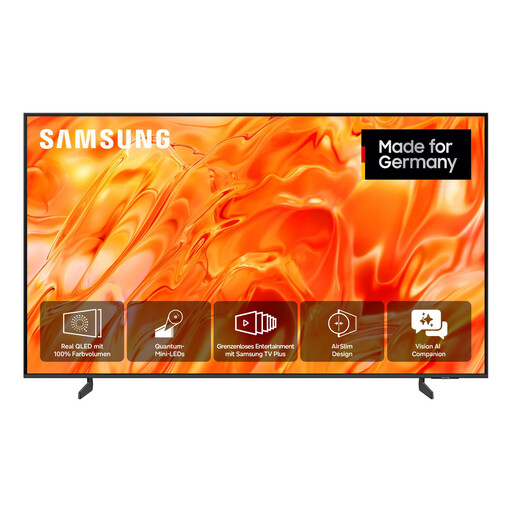
Samsung GQ65QN70H Neo QLED QN70H 4K Smart TV, 65 inches (163 cm)
This model may be suitable if 65 inches is large enough for films and on-screen text to be seen from the back row. Check this on site using the original content. The product name specifies Neo QLED, 4K, Smart TV and 65 inches (163 cm).
View at Joybuy
Frequently asked questions
Is a recommended screen size enough for the back row?
No. A screen-size recommendation doesn’t guarantee that on-screen text in a particular film will be readable. Samsung Germany’s guidance takes viewing distance and content into account, so check the original film, including its text, from the back row.
How can I test film playback before installation?
Play an original file using the intended source and soundtrack, with subtitles if needed. Sony Germany lists specific USB formats and codecs for the K-85XR95M2. Compare these with your files rather than assuming they apply to other models or files.
When should I consider a signage display instead of a TV?
A signage display is worth considering if the screen runs for many hours regularly, or if you need scheduling and playlists. Samsung Business Germany lists the QM85C, and Philips lists the 86BDL5050D/00, as having 24/7 operation. Also check playback, sound and legibility at the intended location.
Can films be shown in a museum without screening rights if admission is free?
Free admission doesn’t replace the consent required for a public screening of a film. Under § 52 para. 3 UrhG, the rights holder’s consent is required in Germany; check the rights for the specific films. Whether an event exclusively for an internal audience counts as public depends on the circumstances.


