When choosing a monitor for a shared editing workstation, start with the museum films’ delivery format and workflow. For colour assessment, a suitable colour mode and a well-maintained calibration routine matter more than a wide-gamut specification alone. For rough cuts, resolution, legible tools and adjustability may be more important; a KVM switch is mainly relevant when several computers share the same input devices. The device features mentioned are based on manufacturers’ specifications and do not prove the colour accuracy of any individual unit purchased.
Who uses the editing workstation?
Those responsible for film colour
You assess the look of the finished films and need a repeatable colour workflow suited to the delivery format – not simply the widest possible colour gamut. EIZO describes regular calibration as part of colour management.
Co-ordinators of a shared editing workstation
You set up the workstation for different users. Ease of use and an adjustable set-up matter; if the computers also change, a KVM switch may be useful too. BenQ lists KVM for the PD2732U, while PRAD’s buying guide describes KVM as a way to share input devices.
Volunteers working on rough cuts
You want to see the preview, timeline and tools clearly at the same time. Alongside resolution, you should consider scaling that everyone can read and a suitable desk layout.
What should you look for when buying?
Colour workflow
A good fit if: several people assess the colour and brightness of finished films, and you need to agree on a shared workflow.
Consider: A suitable mode alone cannot replace calibration or alignment with the delivery format. EIZO describes hardware calibration for the CS2740.
Editing workspace
A good fit if: you want the preview, timeline and tool windows visible at the same time. ASUS lists 27 inches and 3840 × 2160 pixels for the PA279CRV, as does EIZO for the CS2740.
Consider: The pixel count does not tell you whether menus and tools will be easy for everyone to read; check the scaling at the intended workstation.
Switching between computers
A good fit if: several computers at the editing workstation need to share the same keyboard and mouse. BenQ lists a KVM switch for the PD2732U; PRAD’s buying guide also covers KVM as a consideration for sharing input devices.
Consider: If it’s only the people who change, not the computers, KVM is not essential. USB-C power delivery alone does not prove that a monitor has KVM functionality.
| Buying criterion |
What to check before buying |
Who it matters most to |
| Colour assessment |
Decide on the delivery format and a suitable colour mode; check whether the specific model can be calibrated and what accessories are needed. |
If I want to assess the colours of finished films reliably, I need an agreed mode and a clear process. Around 31% of consumers put the colour workflow first. |
| Timeline and preview |
Test the preview, timeline and tools at the intended scaling; check the space required, including the stand. |
If I want to see several editing windows at once and read the controls, I look at the usable workspace. Around 25% of consumers prioritise editing space and legibility. |
| Shared workstation |
Check whether the users or the computers will change; consider adjustability, connections and, if needed, an explicitly stated KVM switch. |
If different users need to adjust the workstation, or several computers need to share input devices, ergonomics and suitable connections matter. Around 25% of consumers put shared-workstation use first. |
| Purchase and running costs |
Check what is included and the service terms for the specific offer; compare the models’ energy labels and product information sheets. |
If I need to factor in set-up and ongoing running costs as well as the purchase price, I check these points in advance. Around 19% of consumers focus mainly on the overall cost. |
The European Commission explains that eligible monitors carry an EU energy label with information on energy efficiency and HDR operation. To compare costs for a particular museum, you’ll also need to take usage and the electricity tariff into account.
Common buying mistakes
-
Confusing wide colour-gamut coverage with a complete colour workflow
Colour-gamut specifications, colour modes and calibration are different factors in assessing an image. A wide-gamut figure does not tell you whether the preview matches the delivery format.
Decide on the delivery format before you buy, and agree who will be responsible for monitor settings and calibration at the editing workstation.
-
Assuming a USB-C hub is automatically a KVM switch
A video or charging connection does not automatically let you switch a keyboard and mouse between two computers.
If several computers need to share the same input devices, check that the specific model has KVM functionality and confirm the full connection set-up.
-
Choosing 4K resolution without checking legibility
How well the timeline and tools fit on screen also depends on scaling. High resolution alone does not tell you whether the controls will be easy to read at a shared workstation.
Test your planned window layout at a scaling level that everyone can read.
Brands to consider
ASUS
ProArt models offer options for an editing workstation where 27-inch 4K resolution and a selectable colour mode are important.
- ASUS lists 96 W USB-C Power Delivery and a height-adjustable stand for the PA279CRV.
- USB-C power delivery does not prove that a monitor has KVM functionality. CHIP lists the lack of KVM on the PA279CRV as a drawback.
BenQ
According to BenQ, the PD2732U combines 4K with colour modes and a KVM switch; the SW270C is a differently specified option.
- BenQ lists Rec.709, KVM and Thunderbolt 4 for the PD2732U. For the SW270C, the manufacturer describes hardware calibration.
- According to BenQ, the SW270C offers 2560 × 1440 rather than 4K. The features of the two models are not interchangeable.
EIZO
The ColorEdge CS2740 is a 27-inch 4K option for an editing workstation with an organised calibration routine.
- EIZO describes hardware calibration with ColorNavigator and a USB-C connection.
- The manufacturer’s calibration specifications are no substitute for a workflow set up for the relevant delivery format.
Dell
The UltraSharp U2725QE is a 27-inch 4K option with a Thunderbolt hub focus, making it worth considering if connectivity is important when setting up.
- Dell lists a height-adjustable stand and an integrated USB hub.
- A USB hub alone does not prove that a colour workflow suited to your film project has been set up.
LG
The UltraFine 27UP850K-W is a documented 27-inch 4K IPS option with USB-C and an adjustable stand.
- LG lists 95% DCI-P3 as a typical value and VESA DisplayHDR 400.
- These specifications alone do not prove that it has a suitable SDR preview mode or is suitable for HDR grading.
Joybuy products
The Joybuy models below offer 4K workspaces for previews and editing tools; switching between computers is also a consideration for some of the devices. Check the colour mode and calibration routine separately to make sure they suit your delivery format.
 No image available
MSI PRO MP273UPDE E6 27″ 4K UHD IPS 60 Hz
The stated 4K resolution is relevant for previews and editing windows; check that the scaling is easy to read at a shared workstation.
27 inches, IPS, 3840 × 2160 pixels, 60 Hz and HDR Ready according to the product name.
The product name lists a height-adjustable stand, as well as tilt, swivel and pivot adjustment.
View at Joybuy
 No image available
INNOCN CB27U1 27-inch 4K UHD IPS 120 Hz
For a shared editing workspace, 4K resolution and the picture modes listed in the product name may be useful when arranging windows.
The product name lists 27 inches, 3840 × 2160 pixels, 120 Hz, as well as PIP and PBP.
If several computers need to share a keyboard and mouse, note that the product description does not list KVM for this model.
View at Joybuy
 No image available
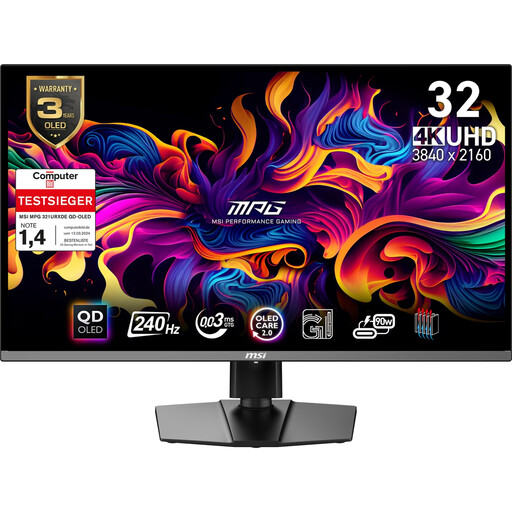
MSI MPG 321URX QD-OLED 31.5 inches 4K UHD
If several computers at the editing workstation need to share input devices, check whether the listed KVM functionality and connections suit your workflow.
The product specifications list 31.5 inches, QD-OLED and 3840 × 2160 pixels. KVM and a USB hub are also listed.
View at Joybuy
 No image available
KTC M27P6 27-inch 4K MiniLED, 4K 160 Hz/FHD 320 Hz
The listed KVM functionality may be useful when switching between computers; check that the connections work with your existing devices.
The product name lists 27 inches, MiniLED and the 4K 160 Hz/FHD 320 Hz modes. The product specifications also list KVM and USB-C with 65 W Power Delivery.
View at Joybuy
 No image available
ASUS ROG Swift OLED PG32UCDMR 32-inch 4K UHD
If several computers need to share input devices, check whether the listed KVM functionality suits your planned connection set-up.
The product name lists 32 inches, OLED and 3840 × 2160 pixels. The product specifications list KVM, a USB hub and USB-C with 90 W Power Delivery.
View at Joybuy
Frequently asked questions
Is high DCI-P3 or Adobe RGB coverage enough for colour approval?
No. First decide on the delivery format and the preview and colour mode to match it. Manufacturers list colour-gamut coverage and modes as separate features; EIZO also describes calibration as part of a colour workflow.
Does a shared editing workstation need a KVM switch?
A KVM switch is mainly worth considering if several computers need to use the same keyboard and mouse at the workstation. If different volunteers use the same computer, focus instead on ease of use and adjustability.
How can you keep colour assessment consistent when users change?
Record the delivery format, monitor mode and agreed calibration routine for the editing workstation. Check whether the selected model and planned workflow require any additional calibration accessories.
Which details help you compare power consumption?
Compare the EU energy label and product information sheet for the specific monitors. The European Commission notes that the label also includes information for HDR; to calculate a cost in euros, you’ll also need to know how the monitor will be used and the electricity tariff.
Does buying a monitor for a museum come with the same consumer rights as a private purchase?
You can’t assume that they’re the same: the consumer rights described by the European Commission apply to contracts between a seller and a consumer. Check who will be party to the contract and review the applicable purchase and warranty terms; a voluntary guarantee is different from statutory rights.


