Who is this selection for?

Screenings for audiences seated further away

If visitors will be sitting or standing some distance away, plan the screen size around the furthest viewing position. Epson Germany recommends a viewing distance of up to eight times the image height as a guide for passive video content.

Screenings in ambient light

If the exhibition space cannot be fully darkened, consider the screen, the available light and the projector together. Manufacturer specifications for individual models are no substitute for testing under typical lighting conditions.

Rooms with limited space for the projector

If the projector needs to be close to the screen, or you want to avoid a beam crossing the visitor area, the available positioning options are an important factor in your choice. BenQ Germany and Optoma Germany list short-throw models as examples of this type of setup.

What should you look for when buying?

What matters What to look for when buying Who should pay particular attention?
Visibility from the furthest seat Measure the distance to the furthest seat and the available image height; check the image size with the actual film, including subtitles and fine details. If I want visitors to be able to make out the film from the back of the room, I plan the image height before choosing a model. Around 36% of consumers prioritise visibility from the furthest seat.
Image quality in ambient light Assess the screen and lighting during a typical screening, taking into account any direct light falling on the screen. If the exhibition space cannot be fully darkened, what matters to me is how the image looks in those conditions. Around 29% of consumers prioritise image clarity in ambient light.
Finding the right position for the projector Compare the available distance between the lens and the screen with the throw ratio and zoom range of the specific model; plan for the beam path through the visitor area. If the projector can only go in a particular spot, I want to know whether it can produce the planned image width from there. Around 21% of consumers prioritise finding the right position.
Reliable operation and sound Check the screening hours, playback device and connections; make sure the film’s audio is clear from the furthest seat and determine whether separate speakers are needed. If films are screened regularly, I want to plan playback and sound for the whole room. Around 14% of consumers prioritise reliable screenings and clear audio.

Common planning mistakes

  • Assuming a high lumen rating guarantees a clear image

    A manufacturer’s stated figure alone does not tell you how clearly details will show on the screen in its actual lighting conditions.

    First decide where the furthest viewer will be and how large the image needs to be. Then test it under the lighting conditions you expect during a screening.

  • Confusing viewing distance with projection distance

    Short throw describes the distance from the projector to the screen, not the distance between visitors and the screen.

    Measure the two distances separately, then check the planned image width against the throw ratio of the specific model.

  • Assuming 4K compatibility means native 4K projection

    According to Panasonic Connect, the Panasonic PT-VMZ72 converts supported 4K/30p input signals to 1920 × 1200 pixels.

    Check native resolution and input compatibility separately, especially if the film includes subtitles or fine image details.

Brands to consider

Epson

The EB-L690U is an example of a bright laser installation projector. Epson Germany also offers guidance on planning image size based on viewing distance.

  • Epson lists 6,500 lumens, WUXGA, a 1.6x zoom and manual lens shift for the EB-L690U.
  • These manufacturer specifications do not establish how clearly the model will perform in a particular museum space.

ViewSonic

The LS740HD is a standard-throw option for spaces where there is room between the projector and the screen.

  • ViewSonic lists 5,000 lumens and a 1.3x optical zoom; its specifications give a throw ratio of 1.13–1.47:1 and native resolution of 1920 × 1080 pixels.
  • Whether the image width and projection distance work in your room depends on the projector’s exact position.

Panasonic Connect

The PT-VMZ72 is an LCD installation option to consider for larger images and rooms with ambient light.

  • Panasonic Connect gives a brightness of 7,300 ANSI lumens for the PT-VMZ72 under certain picture settings.
  • According to Panasonic Connect, supported 4K/30p input signals are converted to 1920 × 1200 pixels; the brightness figure alone does not determine the contrast on screen.

BenQ

The LU935ST illustrates the short-throw option when the projector needs to be close to the screen.

  • BenQ’s German datasheet lists a throw ratio of 0.81–0.89:1, 5,500 ANSI lumens and manual lens shift.
  • A short throw does not remove the need to plan a screen large enough for viewers sitting further away.

Optoma

The ZU507TST is another short-throw installation option for restricted spaces and regular screenings.

  • Optoma lists 5,000 lumens, HDBaseT and a light source rated for up to 30,000 hours for this model.
  • Optoma qualifies its claims about image performance in ambient light, excluding direct sunlight or light directed at the screen.

Projectors for film playback

The following Joybuy options are projectors for film playback. Before using one in a museum, check the image size, lighting conditions and available projection distance in particular.
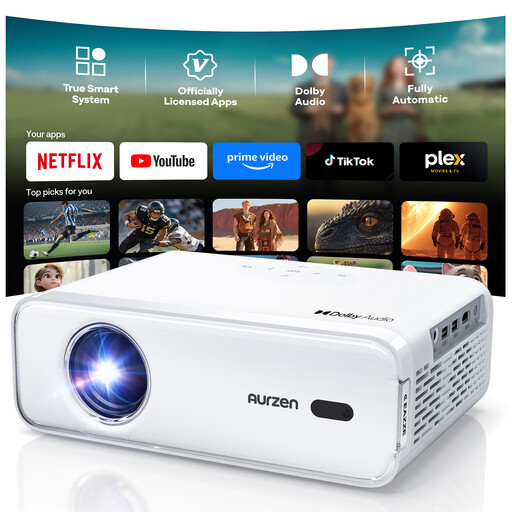
Aurzen Smart Projector

Aurzen Smart Projector

For film playback using an HDMI playback device. Check that the image size and sound are suitable for the museum space from the intended position.

Native 1080p resolution and an HDMI connection. The product listing specifies autofocus, ±15° keystone correction and two 8-W speakers.

View at Joybuy
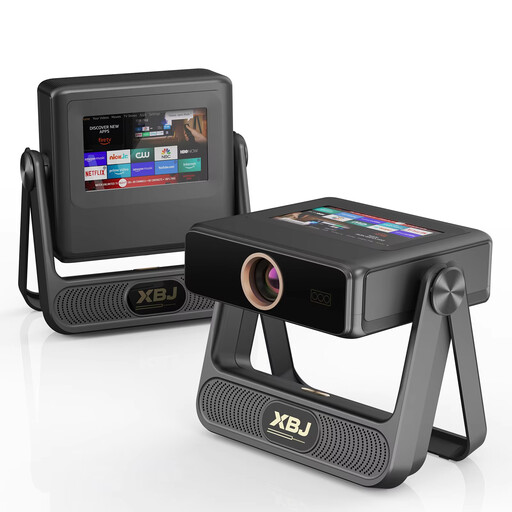
XBJ A5Pro, grey

XBJ A5Pro, grey

The stated maximum image size can be used as a planning guide, but does not confirm that the picture will be clear from the furthest seat or in ambient light.

Native 1080p resolution, 900 ANSI lumens and a stated image size of up to 300 inches. The product listing specifies autofocus and automatic keystone correction.

View at Joybuy

Projector with digital zoom and 180° rotation

Projector with digital zoom and 180° rotation

The stated image size range can be factored into your room plan; you’ll also need to check the projection distance and picture quality for the intended position.

Stated image size of 50 to 200 inches, 50–100% digital zoom and 180° rotation. HDMI and USB devices are listed as compatible playback options.

View at Joybuy
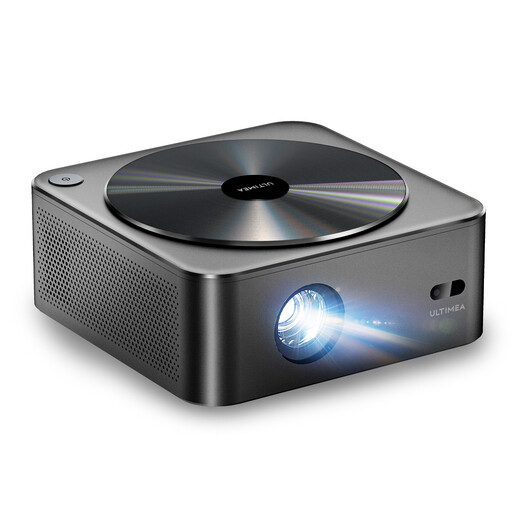
ULTIMEA Apollo P40

ULTIMEA Apollo P40

The stated throw ratio is a useful guide when planning the setup. Suitability for a large, illuminated museum screen needs to be assessed separately.

Native 1080p resolution, 700 ANSI lumens and a throw ratio of 1.4:1. The recommended image size is stated as 35 to 150 inches.

View at Joybuy
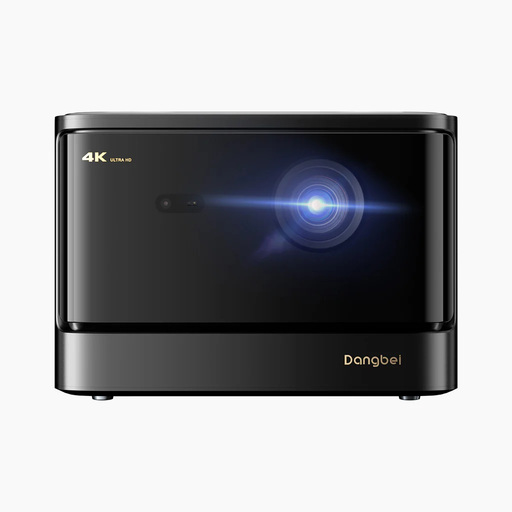
Dangbei DBOX02 4K laser projector

Dangbei DBOX02 4K laser projector

The stated image size is a starting point for planning, not a guarantee of visibility in ambient light or from seats further away.

The product listing specifies 2,450 ISO lumens, an image size of up to 200 inches and two 12-W speakers. ISO lumens are not equivalent to ANSI lumens.

View at Joybuy

Frequently asked questions

Is the distance to the furthest viewer the same as the projection distance?

No. First plan the image height based on viewing distance; Epson Germany recommends up to eight times the image height as a guide for passive video content. Then check separately whether the lens can produce the desired image width from its intended position.

How can I position the projector without obstructing visitor access?

Before installation, measure the image width and the possible distance between the lens and the screen, then check that the beam path remains clear. A short-throw model may be worth considering if space is tight. Lens shift can help when the projector is off-centre, but it does not replace calculating the distance.

What should the museum plan for regular use?

Plan the screen, mount, playback equipment and, if needed, separate speakers together. Check the warranty and service terms for the specific offer. A manufacturer claim such as ‘up to 30,000 hours’ describes a light source under certain operating conditions; it does not guarantee maintenance-free operation in a museum.

Can films made by volunteers be shown publicly in a museum without further checks?

No. The fact that volunteers made the films does not, by itself, settle the usage rights. Under § 15 UrhG, showing a film to a group of members of the public may constitute a public performance; that right belongs to the rights holders. Check the rights for the specific films and any included contributions, as well as any exceptions that may apply to the event.