For a seated museum recording, a wired headset is often a sensible place to start. The key is making sure it works with your recording device. Make a test recording from the actual seat; if you can hear background noise in the room, a directional microphone may be worth considering, while an omnidirectional microphone is more likely to suit a quiet room. Wireless is mainly useful when you need to move around.
Which option is right for you?
Museum team recording on a computer
If you want to record a seated voice directly on a computer, with the headphones and microphone combined in one device, check that the connection and any required adapters are compatible. Audio-Technica lists USB-C and USB-A adapters for the ATH-M20xSTS.
Team recording in a noisy room
If you can hear ventilation or other background noise in the room, microphone placement and polar pattern are important factors to consider. Shure explains that omnidirectional microphones pick up sound equally from all directions.
Presenter who would rather not wear headphones
If you’re recording for a longer period and don’t want to wear headphones, a separate head-worn microphone may be worth considering, provided you’re speaking in as quiet a room as possible. RØDE describes the HS2 as having an adjustable boom; you’ll need a separate way to monitor the audio.
What should you look for when buying?
First check the entire recording setup and the noise levels where you’ll be sitting. Then consider comfort and whether you need to monitor the audio. If you’ll be sitting in one place, wireless is only relevant if the speaker actually needs to move around.
| What to consider |
What to check before buying |
Who it matters most to |
| Voice clarity despite room noise |
Check the polar pattern and microphone position, and make a test recording from the actual seat. Shure describes omnidirectional microphones as being equally sensitive to sound from all directions. |
If I can’t switch off the ventilation or other noise, I want to hear how it comes through in the recording. This is a key concern for around 38% of consumers who are worried about room noise. |
| The right connection |
Check the exact model, microphone input, power supply and any adapters you may need. Manufacturers list different connection options, including USB adapters, XLR, TRS with plug-in power and connections for bodypack transmitters. |
If connecting to my existing recording equipment is my main priority, I check the entire signal chain. Around 31% of consumers put the right connection first. |
| Comfort and monitoring |
Check whether headphones are built in, and whether the headband, ear cushions, weight and cable arrangement will suit your planned session. A separate head-worn microphone such as the RØDE HS2 does not include monitoring headphones. |
If I’m recording for a long time, I want to know in advance whether I’ll be wearing headphones or prefer to keep my ears free. Around 23% of consumers who prioritise comfort say it is their main concern. |
| Freedom to move |
Only consider a complete, compatible wireless system if you actually need to move around. According to the manufacturer, the Sennheiser ME 3 is designed for certain EW-D and XSW systems. |
If I need to move away from my seat while recording, I check a complete wireless system rather than just the microphone. Around 8% of consumers put freedom of movement first. |
Common buying mistakes
-
Assuming a 3.5 mm plug guarantees compatibility
TRRS, TRS with plug-in power and connections for bodypack transmitters are used in different recording setups. The plug alone won’t tell you whether the microphone, power supply and recording device will work together.
Before connecting the headset, check the exact model, microphone input and power supply required.
Depending on your recording setup, you may need a compatible adapter, input or additional recording device.
-
Choosing an omnidirectional microphone based on its polar pattern alone
An omnidirectional microphone picks up sound from all directions. That can work well in a quiet room, but it doesn’t mean background noise won’t matter.
If you can hear ventilation or audience noise, assess the microphone position and room with a test recording from the intended seat.
Unwanted room noise may mean extra editing or having to record again.
-
Choosing wireless too quickly for a fixed seat
A wireless headset microphone on its own isn’t a complete recording setup. Depending on the system, you’ll need compatible transmitters and receivers. You should also check the relevant frequency and operating requirements for wireless microphones.
Choose wireless only if you actually need to move around, and check that the specific system works with your existing equipment.
Extra system components and the need to plan wireless operation can make your setup more complicated.
Key brands at a glance
Audio-Technica
The ATH-M20xSTS and ATH-M50xSTS offer different connection options for computers or separate microphone and headphone connections.
- Audio-Technica lists USB-C and USB-A adapters for the ATH-M20xSTS. The ATH-M50xSTS has separate microphone and headphone connections.
- Check the exact version: the ATH-M50xSTS with an XLR microphone output is not the USB version. Manufacturer specifications are no substitute for a test recording in the museum space.
Shure
The WH20 dynamic head-worn microphone is available in different versions for different connection types.
- Shure lists the WH20XLR, WH20QTR and WH20TQG, among other versions, each with different connections.
- The different models aren’t interchangeable without checking compatibility. Shure states that the dynamic capsule does not require phantom power.
RØDE
The HS2 is a separate head-worn microphone with an omnidirectional polar pattern, designed for a compatible microphone input.
- RØDE lists an adjustable microphone boom and a 3.5 mm TRS output.
- According to RØDE, the HS2 needs plug-in power from the input. Its omnidirectional polar pattern picks up sound from different directions, and it doesn’t include monitoring headphones.
Sennheiser
According to the manufacturer, the ME 3 is a headset microphone with a cardioid polar pattern for certain wireless systems.
- Sennheiser lists it as compatible with EW-D and XSW systems.
- The ME 3 alone does not replace a transmitter or receiver. Check the exact wireless version and your existing recording setup.
beyerdynamic
The MMX 300 PRO is a complete wired headset, and its jack connections need to be compatible with your existing recording setup.
- beyerdynamic lists a condenser microphone with a cardioid polar pattern, as well as replaceable cushions and cables.
- The manufacturer describes it as tuned for gaming; this does not establish that it has been tested or is better suited to museum narration.
Joybuy products for seated voice recordings
The following Joybuy products are headphone headsets with microphones, some wired and some wireless. Before recording in a museum, check that the specific connection works with your recording device and test the voice recording from your seat.
 No image available
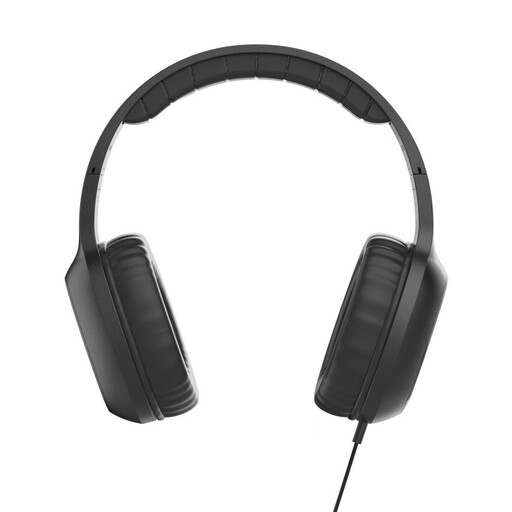
Fun C on-ear headset with microphone, USB-C, black
Could be worth considering if you want to monitor audio through an on-ear headset while seated and have a compatible USB-C audio connection.
The product name lists a built-in microphone, a 1.2 m cable and a single-sided cable. Check compatibility with your specific recording device.
Joybuy
 No image available
JBL LIVE 770NC
Could be suitable if you want to use an over-ear headset with a microphone for a seated recording; you’ll need to check that it works with your specific recording setup.
The product name describes a wireless over-ear headset with a microphone and noise cancelling. These details alone don’t confirm how well it will record in a museum space.
Joybuy
 No image available
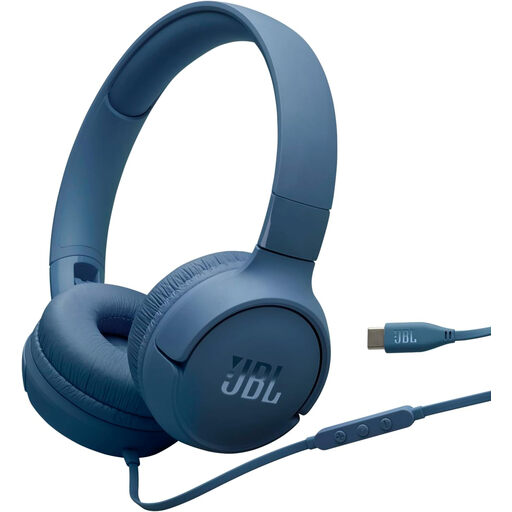
JBL Tune 520C
Worth considering if you’re looking for a wired on-ear headset with a microphone for monitoring audio while seated.
The product details list USB-C, a built-in microphone and an in-line remote. Check that your recording device’s USB-C connection works with the headset.
Joybuy
 No image available
ONIKUMA GT889
Could be suitable for a seated recording with audio monitoring if one of the listed connections works with your recording device.
The product details list a detachable microphone, as well as 2.4 GHz, Bluetooth and wired connections. Check the connection you plan to use and test the voice recording before your session.
Joybuy
 No image available
Razer Barracuda
Could be worth considering if you want to use a wireless over-ear headset with built-in microphones for a seated recording.
The product details list SmartSwitch Dual Wireless and USB-C. Check that your chosen connection works with the recording device; microphone specifications alone don’t confirm suitability for a particular room’s acoustics.
Joybuy
Frequently asked questions
Can I simply plug a headset with a 3.5 mm connector into any computer or recorder?
No. The models mentioned use different connections, including TRRS, TRS with plug-in power and connections for specific wireless systems. Check the complete model details against your microphone input, power supply and recording device.
What should I test before recording the narration?
Make a test recording from the intended seat, using the actual microphone position and listening for the room noise you can hear there. The polar pattern affects how sound from different directions is picked up.
Does the person speaking while seated have to wear headphones?
Not simply because of the type of microphone. A complete headset includes headphones; the separate RØDE HS2 does not. Decide based on how you want to monitor the audio, and check that the headset is comfortable.
Can a wireless headset be used in Germany without checking its frequency?
There’s no blanket answer. Federal Network Agency directive 37/2026 sets out permitted frequency bands and technical and operating conditions for the wireless microphones it covers. Check whether these apply to the specific wireless version and how you plan to use it.
Can a museum record and publish the narrator’s voice without further checks?
Buying a headset does not establish the right to record or publish someone’s voice. Section 201 of the German Criminal Code concerns the unauthorised recording of speech that is not intended for the public. The Data Protection Conference explains the requirements for valid consent when it is used as the legal basis; the museum should check the requirements for recording and subsequent use in the specific project.


