What to consider when buying
Complete USB headset
A good fit if: you record at a computer while seated and want to connect the microphone and headphones without a separate audio interface.
Trade-off: The cable limits how much you can move around, and marketing claims about calls don’t indicate how well it will handle quiet narration.
Separate XLR headset microphone
A good fit if: you already have a suitable interface or mixer with a microphone input.
Trade-off: The Shure WH20XLR is a microphone, not a complete headphone headset; the connection and level need to suit your existing setup.
Microphone for a wireless system
A good fit if: you need to move around while recording and have, or plan to get, a compatible bodypack transmitter and receiver.
Trade-off: According to the manufacturer, the Sennheiser ME 3 is designed for certain wireless systems. It is not a USB computer headset that you can plug in directly.
For quiet museum recordings, focus on speech intelligibility, the complete signal path and noise at the recording location before you buy.
| Priority |
What to check before buying |
Who is it important to? |
| Recording a quiet voice clearly |
Position the microphone boom and listen to a test recording made at your usual quiet speaking volume; set the level without clipping. |
If I want to record my quiet narration clearly, I pay attention to position and level. Around 42 % of consumers put this consideration first. |
| Connection and signal path |
Check that the USB version or XLR connection is compatible with your recording device and input, and with any interface or transmitter you may need. |
If I want to record on a computer without extra equipment, I check the connection on the complete headset. Around 25 % of consumers prioritise a compatible, straightforward signal path. |
| Room and background noise |
Test it in the place where you plan to record; check the microphone position and direction when listening back. |
If I can hear other sounds at the recording location, I want to know how the voice and room ambience come across in the test recording. Around 17 % of consumers put this concern first. |
| Fit and freedom of movement |
Check the fit and microphone position on the people who will actually be speaking; for mobile recording, make sure the wireless link is compatible. |
If several volunteers will use the same headset, or I’ll be moving while speaking, an adjustable fit and a compatible system matter. Around 16 % of consumers prioritise this need. |
Related products at Joybuy
The following Joybuy products include USB headsets and headphones with built-in microphones. Claims about microphones for phone calls don’t automatically mean they’re suitable for quiet, unprocessed narration; test the actual voice with a sample recording.
 No image available
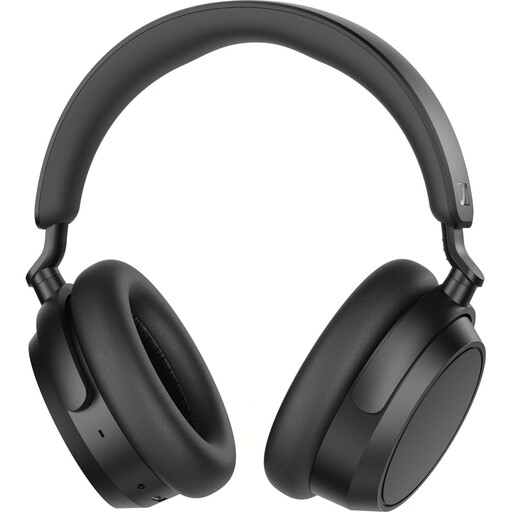
Sennheiser Accentum Plus Wireless over-ear headphones, black
For anyone looking for a built-in microphone for calls; check separately whether it’s suitable for a quiet narration voice.
Bluetooth 5.2 with aptX and multipoint, 50-hour battery life, active noise cancellation and a detachable cable.
View at Joybuy
 No image available
JBL LIVE 770NC Wireless over-ear headphones with microphone, white
For anyone considering wireless headphones with a microphone for hands-free calls; test voice recording in the intended location.
Bluetooth 5.3 and a detachable audio cable. The product description specifies two beamforming microphones for calls.
View at Joybuy
 No image available
Logitech H540 USB stereo headset with microphone
For a permanent computer setup if you’re looking for a USB headset with a microphone and headphones; test your quiet voice before making the actual recording.
USB connection, built-in equaliser and on-ear controls. The product manual describes an adjustable microphone that sits close to the mouth.
View at Joybuy
 No image available
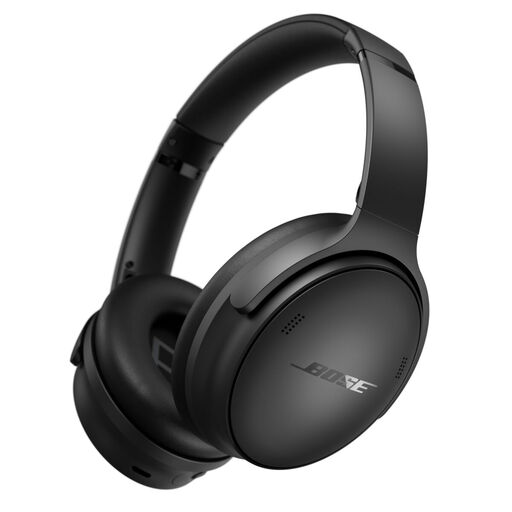
Bose QuietComfort wireless headphones, black
For anyone considering wireless headphones with a built-in microphone for calls; a test recording will show whether they’re suitable for museum recordings.
Bluetooth and an included 3.5-mm audio cable; the product description specifies a built-in microphone for calls.
View at Joybuy
 No image available
Logitech 960 USB stereo headset with microphone
For a computer setup where you need a wired USB headset; marketing claims about noise-cancelling microphones are no substitute for a test recording.
USB connection and 2.4-m cable. The product description specifies an adjustable microphone boom and volume and mute controls.
View at Joybuy
Frequently asked questions
How do I set up a headset for a quiet voice?
Position the microphone boom to suit the person speaking, then make a test recording at their usual speaking volume. Check the level at the loudest points and avoid clipping. Audacity suggests around −6 dB as a guide for peaks; this is a software recommendation, not a legal limit.
Can I connect an XLR or wireless headset microphone directly to my computer’s USB port?
Not simply because it’s a headset microphone: the Shure WH20XLR has an XLR microphone output, while the Sennheiser ME 3 is designed for compatible bodypack transmitters. Before buying, check which interface or transmitter and receiver you need, as well as the connection to your recording device.
What applies in the event of a fault or a voluntary guarantee?
For consumer purchases from a business seller in the EU, the statutory guarantee generally lasts for at least two years from the date you receive the goods. It is the seller who is responsible for this, and it is separate from any voluntary guarantee. If an additional guarantee is offered, check its specific terms and conditions.
Can a museum simply record spoken text and conversations picked up in the background?
A planned recording of a speaker and conversations recorded unintentionally are not legally the same. Section 201 of the German Criminal Code (StGB) covers the unauthorised recording of another person’s non-public spoken words. Processing personal data also requires an appropriate legal basis under Article 6 of the GDPR. Before recording, agree the purpose and intended use with everyone involved, and avoid unauthorised recordings of third parties. Whether a particular recording is lawful depends on the circumstances.


