What should you look for?
First, decide which screen reader you need. Then check that the operating system, development tools and accessories you already have are compatible with the specific configuration.
| What matters to you |
What to check before buying |
Who should pay particular attention |
| Screen reader and operating system |
Check whether you’ll be using NVDA on Windows or VoiceOver on macOS, and which combinations you need to test. Also check the keyboard layout of the specific version. |
If I need NVDA to test the website, my laptop must run Windows; VoiceOver on a Mac won’t replace that test. That’s why choosing the right screen-reader platform comes first for around 36 % of consumers. |
| Local development environment |
Make a list of your CMS, editor, browser and, if needed, database or container. Compare their requirements with the operating system, installed RAM and SSD of the complete product configuration. |
If I use several tools locally, I check the specific configuration against my development stack. A local development environment is the priority for around 29 % of consumers. |
| Keyboard and ports |
If possible, try the keyboard with the commands you use most. Check the ports on the exact version against your headphones and other workstation accessories. |
If I rely heavily on keyboard navigation and want to connect accessories I already own, I check the layout and ports in advance. The keyboard and workstation accessories are a key consideration for around 21 % of consumers. |
| Visually checking images and pages |
Think about whether you’ll be checking images visually yourself or using an external monitor. Compare display size and available ports once you know what you need. |
If I’m checking collection images and page layouts as well as testing with a screen reader, the amount of screen space matters too. This visual checking is a priority for around 14 % of consumers. |
Joybuy laptops for working with NVDA
This selection from Joybuy includes Windows laptops for working with NVDA. The versions vary in areas such as display size, RAM and storage capacity.
 Image unavailable
HP ZBook 8 G1i 14 Ultra 9 285H
The specified Windows 11 Professional configuration is suitable for working with NVDA.
- 14-inch WQXGA display
- 64 GB RAM
- 1 TB SSD
View on Joybuy
 Image unavailable
HP ZBook X G1i 16 Ultra 7 255H
This specified Windows 11 Professional configuration may suit you if you’d like a 16-inch display for working with collection content.
- 16-inch WUXGA display
- 32 GB RAM
- 1 TB SSD
View on Joybuy
 Image unavailable
HP ZBook 8 G1i 16 Ultra 7 265H
This specified Windows 11 Professional configuration combines NVDA use with a 16-inch display for viewing pages visually.
- 16-inch WUXGA display
- 64 GB RAM
- 2 TB SSD
View on Joybuy
 Image unavailable
Microsoft Surface Laptop 7 Snapdragon X Plus
This specified Windows 11 Professional configuration is suitable for NVDA; its stated weight may also be a factor if you work in different locations.
- 13.8-inch touchscreen
- 16 GB RAM
- 512 GB SSD
- Stated weight: 1.34 kg
- Colour: Black
View on Joybuy
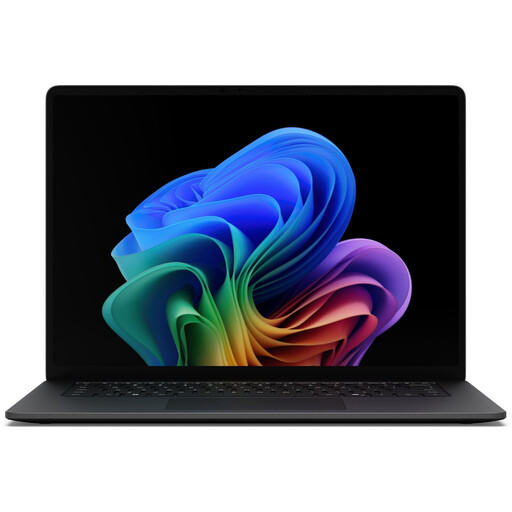 Image unavailable
Microsoft Surface Laptop 8 Core Ultra 7
This specified Windows 11 Professional configuration may suit you if you use NVDA and need to check collection content visually.
- 15-inch touchscreen
- 16 GB RAM
- 512 GB SSD
- microSDXC card reader
- Colour: Black
View on Joybuy
Frequently asked questions
Can I use NVDA as a macOS screen reader on a MacBook?
No. NV Access provides NVDA for Windows PCs; VoiceOver is the built-in screen reader on a Mac. If NVDA is part of your testing, you’ll need a suitable way to test on Windows.
How do I test a newly set-up collection website?
Test the website using a keyboard and the intended screen reader, checking things such as reading order and how easy the pages are to use. Add other expert assessments too: according to the W3C Web Accessibility Initiative, no single tool can assess a website’s accessibility on its own.
What extra costs might come with choosing a laptop?
If your existing connectors aren’t compatible with the ports on the version you choose, you may need an adapter or dock. If your business uses Docker Desktop commercially, Docker states that businesses with more than 250 employees or more than USD 10 million in annual revenue need a paid subscription. Check the terms for your specific use.
What are my rights if my laptop arrives faulty?
Your statutory rights are against the seller and are separate from any voluntary manufacturer’s warranty. Online consumer purchases also generally come with a 14-day right to cancel. The Verbraucherzentrale explains that specific terms and possible exceptions apply.
Does a German museum collection website have to be accessible?
You can’t determine that simply from the word “museum”. For services provided by public bodies, check whether BITV 2.0 applies. Its exception for certain reproductions from cultural heritage collections is subject to the conditions set out in the regulation. For private services, it’s relevant, among other things, whether a digital service enables consumers to enter into a contract. The BFSG has applied to covered services since 28 June 2025; the Federal Accessibility Centre explains its scope. To assess a specific case, you’ll need to consider who runs the website and what it does.


