What should you consider when choosing?
First, decide whether you’ll mainly work on the built-in display or use an external monitor as well. Then check your development tools’ requirements and your portability needs against the specifications of the exact configuration.
| Consideration |
What to check before buying |
Who should pay particular attention? |
| Screen space for layouts |
Check the display size and aspect ratio of the specific configuration, along with the ports available for a planned monitor. Also test layouts on a real mobile device. |
If you want to have your code and several layout views open at the same time, the built-in screen space is key. Around 33% of consumers put this consideration first. |
| Local development tools |
Check that your programmes, operating system and processor architecture meet the requirements, including any Docker requirements, against the configuration you’ve chosen. |
If your project needs local servers or containers, check that the device supports your planned tool stack. Around 27% of consumers prioritise compatibility with local tools. |
| Portability |
Compare the weight, screen size, ports and charging accessories required for the exact configuration. Don’t assume the manufacturer’s battery-life figures reflect how long it will last while you’re developing. |
If you regularly work in different locations, a lighter, easier-to-carry device may matter more to you than having as much built-in screen space as possible. Around 20% of consumers prioritise portability. |
| Cost |
First, decide which programmes and workflow you need. Then compare only configurations with the same specifications, including any accessories you need. |
If you want to cover the requirements of your development setup without paying for a higher model tier just for its own sake, focus on getting the right specifications. Around 20% of consumers prioritise this consideration. |
Joybuy products for this workflow
This selection includes laptops with a stated built-in screen size or ports for an external monitor, as well as a MacBook for a macOS workflow.
 No image available
Acer TravelMate TMP216-41-TCO
The 16-inch display gives you built-in screen space for code and browser previews.
16 inches, WUXGA IPS; AMD Ryzen 3 PRO 7335U; 16 GB DDR5; 512 GB SSD; Windows 11 Pro Education; USB4 and HDMI 2.1.
View at Joybuy
 No image available
Lenovo ThinkPad E16 Gen 3 21ST
The 16-inch display and listed monitor ports make this a good fit for a workstation with code and an additional screen.
16 inches, WUXGA; AMD Ryzen 7 250; 32 GB DDR5; 1 TB SSD; Windows 11 Pro; HDMI 2.1 and USB4-C.
View at Joybuy
 No image available
Lenovo ThinkBook 16 Gen 9
The 16-inch display with a 16:10 aspect ratio gives you built-in screen space for code and layout views.
16 inches, WUXGA; Intel Core Ultra 5 325; 32 GB DDR5; 512 GB SSD; Windows 11 Pro; HDMI 2.1 and Thunderbolt 4.
View at Joybuy
 No image available
Apple 15-inch MacBook Air (M5, 2026)
This configuration is listed for a macOS workflow with a built-in display and the option to connect an external monitor.
15.3 inches; M5 with 10-core CPU and 10-core GPU; 16 GB unified memory; 512 GB SSD; German QWERTZ keyboard layout; support for up to two external displays.
A power adapter is not included and must be purchased separately.
View at Joybuy
 No image available
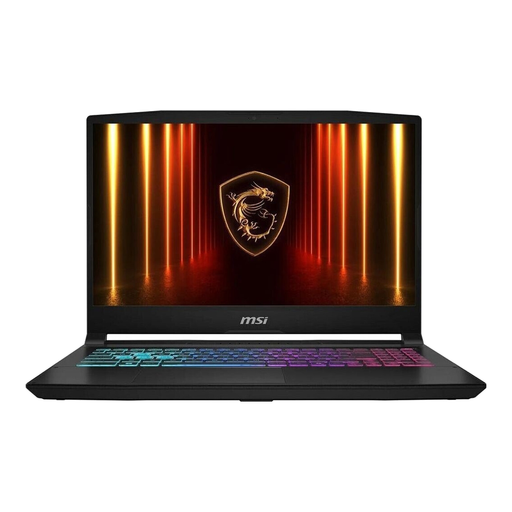
MSI Katana 15 HX B14WFK-487
The 15.6-inch display and listed video ports are useful for coding and potentially connecting an external screen.
15.6 inches, Full HD IPS; Intel Core i7-14650HX; 16 GB RAM; 512 GB SSD; Windows 11; HDMI 2.1 and USB-C with DisplayPort.
View at Joybuy
Frequently asked questions
Is the responsive browser view enough to test my directory?
No, not as a complete device test. Chrome for Developers describes Device Mode as an approximation. Also test important pages and interactions on a real mobile device.
Do I definitely need a particular amount of memory for the project?
The project description doesn’t provide enough information to set a universal minimum. Visual Studio Code publishes its own hardware recommendations, but these don’t automatically cover additional local services. First, check which tools you actually plan to use, then compare their requirements with the specifications of the laptop configuration you’re considering.
What should I check before running local containers on Windows?
Check the Docker Desktop requirements for your processor architecture and installation type, as well as the backend type you plan to use. The Docker documentation distinguishes between x86_64 and Arm, among other things, and lists options that depend on the installation method.
What are my rights when buying a laptop online in Germany?
For an online distance contract covered by the relevant rules, consumers generally have a 14-day right to cancel. For goods, the period usually starts when they’re delivered. This is separate from your statutory rights against the seller if goods are faulty: the European Union’s consumer information states that goods are covered for at least two years from receipt. Different rules may apply to business purchases rather than consumer purchases.


