Related products from Joybuy
The Joybuy products below include individual Wi-Fi repeaters and a wired Wi-Fi access point. The right type for you depends on whether there’s still a wireless signal or network cabling at the location where you need coverage.
 No image available
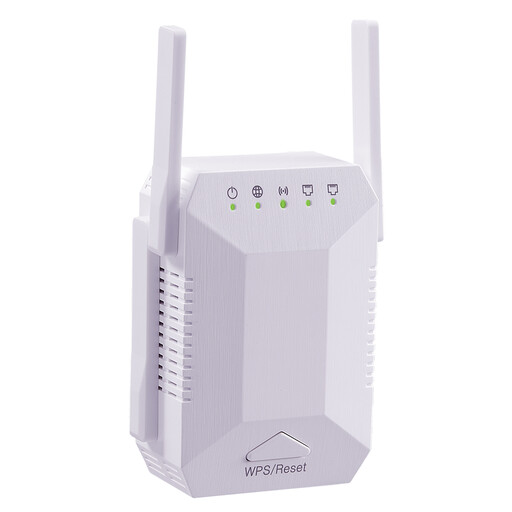
Dual-band Wi-Fi signal booster, 1200 Mbit/s, 4 antennas
Described as a standalone signal booster for extending your existing Wi-Fi network.
Dual-band Wi-Fi and four adjustable antennas; two 10/100 Mbit/s LAN ports.
View on Joybuy
 No image available
Ubiquiti UniFi U6+ Wi-Fi 6 access point
For a location with network cabling where you plan to install a Wi-Fi access point with an Ethernet connection.
Gigabit RJ45 port and PoE according to 802.3af. Ethernet and PoE are required for the described setup; depending on your configuration, you may need a suitable switch or PoE injector. Ceiling or wall mounting and configuration via the UniFi Network application are described.
View on Joybuy
 No image available
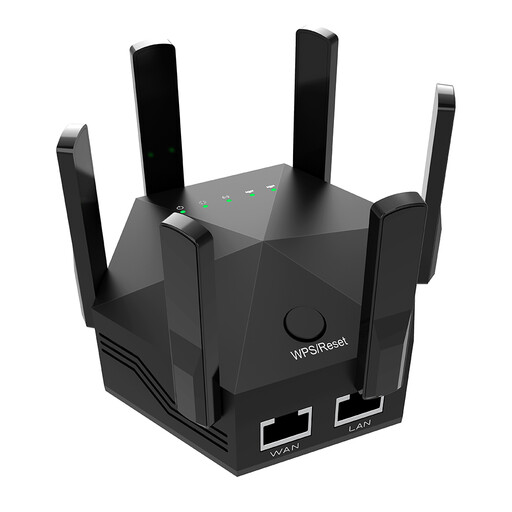
Dual-band Wi-Fi signal booster, 1200 Mbit/s, 6 antennas
Described as a standalone signal booster for indoor and home use.
Six adjustable antennas and two 10/100 Mbit/s LAN ports; EU plug and WPS setup are specified.
View on Joybuy
 No image available
Compact Wi-Fi booster
Described as a compact booster for extending a wireless network in flats and houses.
The product description specifies plug-and-play setup.
View on Joybuy
 No image available
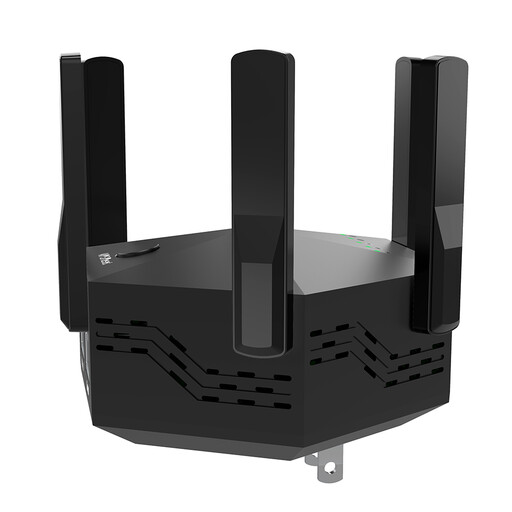
Dual-band Wi-Fi booster, 1200 Mbit/s, 6 antennas
Described as a standalone Wi-Fi booster for extending coverage at home.
Six adjustable antennas and two 10/100 Mbit/s LAN ports; EU plug and WPS setup are specified.
View on Joybuy
Frequently asked questions
Where should I place a wireless repeater?
Don’t wait until you reach a spot where the Wi-Fi has already dropped out. Instead, look for an intermediate location where it can still connect to the router. Telekom says LED indicators on Speed Home WLAN show when the connection is weak or missing.
Will a repeater also fix a music library that can’t be found?
Not necessarily. For Sonos, music files on a computer or NAS must be shared on the local network with the right permissions. Check the requirements for your particular music system separately.
Can I connect a Sonos speaker to the LAN port on a wireless repeater?
Sonos advises against using spare Ethernet ports on Wi-Fi access points or extenders for this, unless the device itself is connected to the network via Ethernet. This is Sonos’s recommendation for this setup, not a general rule for all music devices.
Is one repeater enough for three floors?
You can’t tell from the number of floors alone. A single repeater may be suitable if you mainly need to cover one area and it can still connect to the router from the planned location. For several floors with weak coverage, consider using several suitable access points or a LAN connection.
Do mesh repeaters work with every router?
No. Mesh features may only work with certain routers or product ranges. For example, TP-Link’s EasyMesh feature on the RE700X requires an EasyMesh-compatible router. Check that your specific router and repeater support the features you need.


