Households with Wi-Fi dead spots
If you want music to play on several floors but your home network doesn’t reach everywhere reliably, the connection between Wi-Fi stations and where you place them are important factors to consider.


You don’t automatically need a new router. If your existing router and music sharing are working, a targeted Wi-Fi extension may be enough. If you have network cables available, a mesh system with suitable Ethernet backhaul is another option. If local music sharing isn’t available either, or you want to replace your DSL router, a router with a media server could be a good fit. Check storage, file and device compatibility separately, as well as the connection on every floor.
If you want music to play on several floors but your home network doesn’t reach everywhere reliably, the connection between Wi-Fi stations and where you place them are important factors to consider.
If your music is stored on a drive or on your home network, check that storage sharing, the media server and the playback methods supported by your devices are all compatible.
If you want to keep using your existing connection and router, check before you buy that the operating mode and the connection for additional Wi-Fi stations are compatible with your current equipment.
First, work out whether the bottleneck is Wi-Fi coverage between floors, music sharing or connecting to your existing router. The figures show the share of consumers who rank each concern as their main priority for this scenario.
| Buying priority | What to check before buying | Who is most affected? |
|---|---|---|
| Connection between floors | Station placement and wired or wireless backhaul | If I want to listen to music on several floors, I need a reliable connection between the stations at the planned locations. Around 31% of consumers put the connection between floors first. |
| Music sharing | Storage location, sharing method and supported file formats | I want my collection to be accessible from its storage location to my playback device, so the server, sharing method and playback device all need to work together. Around 25% of consumers prioritise music sharing. |
| Existing equipment | Connection type and router or access point mode | If you want to keep your current router or DSL connection, you’ll need to choose a compatible operating mode and connection for the additional stations. Around 19% of consumers prioritise compatibility with their existing equipment. |
| Securing your home network | Available firmware updates and Wi-Fi encryption | If I keep personal files on my home network, I want to keep an eye on access and updates. Around 13% of consumers put home network security first. |
| Additional system requirements | Stations and cables required, plus any separate services | If additional devices or cabling might be needed, I want to know what’s involved in advance. Around 12% of consumers focus first on the additional system requirements. |
The connection between mesh stations and where you place them affect how well your home network reaches each floor. A high data rate alone doesn’t tell you whether music will be available where you want it.
Before choosing a system, check where you can place the stations and whether a suitable backhaul connection is possible.
Depending on the Wi-Fi dead spots, you may need additional stations or a wired connection.
Extending your Wi-Fi coverage doesn’t automatically make music files available. Your storage, media server and playback devices all need to be compatible with the way you want to access your music.
Decide where your collection is stored and how your devices should access it.
You may also need suitable storage or a media server.
A Joybuy product page lists four Gigabit LAN ports for the FRITZ!Box 7690. FRITZ!’s manufacturer specifications list two Gigabit LAN ports and two 2.5 Gbit/s ports, with different uses.
For the specific model version, check the ports you need and how they can be used against the manufacturer’s specifications.
The FRITZ!Box 7690 could be worth considering if you want to look at a DSL router and local storage or media sharing together.
Deco systems may be suitable as additional Wi-Fi stations. The Deco X50 and Deco BE25 are different model ranges, so compare their individual specifications.
The ZenWiFi XT9 could be a mesh option if its operating mode and ports suit your existing network equipment.
This selection includes access points and mesh systems for extending an existing network, as well as a DSL router with a media server if you’re considering replacing your router.
 No image available
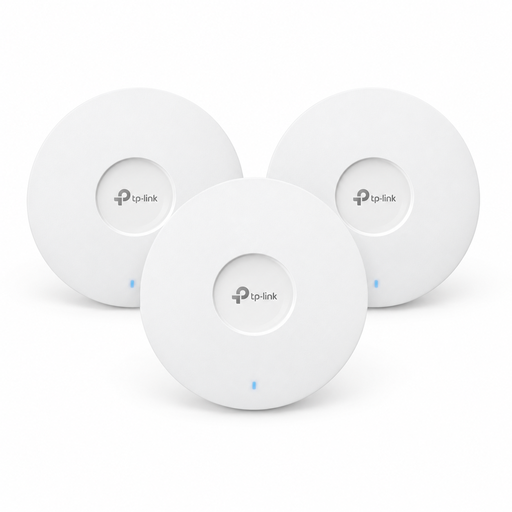
This 3-pack could be suitable for adding access points to an existing network. Check that the setup and power supply work with your installation.
Wi-Fi 6; Omada Mesh; PoE+ or 12 V DC power supply. Power adapter sold separately.
 No image available
Access point mode is useful if you want to keep using your existing router. Check that the three units can connect reliably from their planned locations.
Three units; router and access point modes; Gigabit ports on each unit.
 No image available
If you’re replacing your DSL router and want to make music available locally, the listed media server may be useful. Check that it’s compatible with your storage and playback devices.
VDSL Supervectoring 35b; four Gigabit LAN ports; FRITZ!Mesh; media server and USB ports for network storage.
 No image available
This two-unit set could help extend Wi-Fi across several areas. Whether the locations work in a three-storey home depends on the connection between the units.
Wi-Fi 7; three Gigabit ports per unit; WPA3.
 No image available
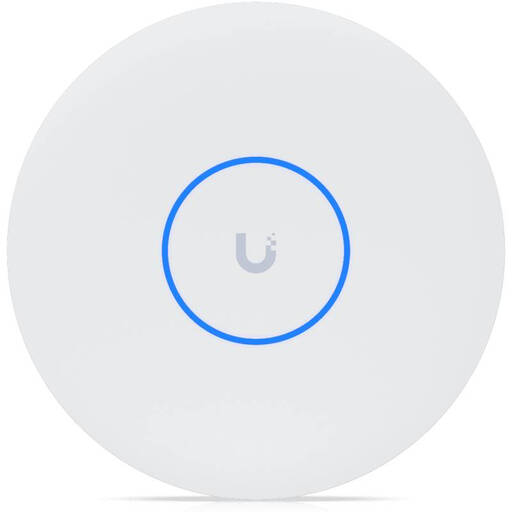
This access point is an option for extending an existing network, but it isn’t a router. Check how it will connect and whether you have the required PoE+ power supply.
Tri-band; 10 GbE uplink; wireless meshing and fast roaming. A PoE+ switch or injector is required and not included.
Not necessarily. If you already have accessible storage or a media server, Wi-Fi coverage may be the real issue. Check access to your storage and signal strength on the affected floors separately.
You can use Ethernet backhaul with a system that supports it. TP-Link Germany describes different ways to connect Deco units in router and access point modes. Check your devices’ instructions and, once everything is set up, check the backhaul connection shown in the system settings.
No, that isn’t guaranteed. FRITZ! points out that not every playback device or programme can play all file formats. Check the formats and sharing methods supported by your devices.
The Federal Office for Information Security (BSI) recommends, among other things, changing the router administration’s default password, keeping the firmware up to date and setting a long Wi-Fi password. These are recommendations for secure setup, not a statement about a particular model.
As part of its market surveillance, the German Federal Network Agency (Bundesnetzagentur) checks, among other things, for correct CE marking, manufacturer details, the required declaration of conformity, and German instructions and warnings. According to the Bundesnetzagentur, CE marking is based on a declaration made by the manufacturer on its own responsibility. Check the documentation for the specific product.