One-handed readers
If you read longer chapters lying down, check the weight of the exact device configuration, including its case, and make sure you can hold the tablet securely with your preferred text size.


If you hold a tablet for long periods while reading, compare compact models by weight, text size and the book app you need. A larger display can be useful for biographies with lots of images or music alongside the text, but it won’t necessarily be more comfortable to handle in bed. An e-reader could be an option if it supports your book source. Dimming a tablet or setting its display to a warmer colour doesn’t prove that reading in the evening won’t affect your sleep.
If you read longer chapters lying down, check the weight of the exact device configuration, including its case, and make sure you can hold the tablet securely with your preferred text size.
If you want to view photos or covers, or listen to music alongside the text, check which app you’ll need, how image pages are displayed and what audio features the particular model offers.
If you borrow biographies digitally, check that the required app and operating system version are compatible with your device, and make sure the title you want is available. The Onleihe help pages specify Android 10 or iOS 15.1 as the minimum for Onleihe 3.
A good fit if: You read longer passages in bed while holding the device, but still want to use apps, view colour photos or listen to music.
Consider: Photos and fixed page layouts have less room on a smaller display. Check the weight and how comfortable the device feels to hold in the exact configuration you’re considering.
A good fit if: Image pages or fixed PDF layouts matter more to you than holding the device in one hand.
Consider: A larger display doesn’t solve questions of weight or ease of use. Factor in any case or stand you plan to use, too.
A good fit if: You mainly read text and don’t need tablet apps or colour book pages.
Consider: The key question is whether the e-reader can open the titles you’ve bought or borrowed. The Onleihe help pages state that Kindle e-readers can’t open Onleihe 3 e-books.
| What matters to you | What to check | Who is it most important to? |
|---|---|---|
| Ease of use | Check the weight of the exact configuration, including any case you plan to use. Try reading in portrait orientation at your preferred text size. | If you read longer chapters lying down, the device should feel secure in your hand and the text should remain easy to read. Around 29% of consumers put ease of use first when reading. |
| Reading in the evening | Check whether you can adjust the brightness to suit the room. Don’t assume a warmer display colour proves that your sleep routine won’t be affected. | If you read just before going to sleep, you’ll want to adjust the display to suit your surroundings. Around 29% of consumers prioritise evening screen use. |
| Books and apps | Check that the titles, book source, app and operating system version you need are compatible. The Onleihe help pages specify Android 10 or iOS 15.1 as the minimum for Onleihe 3. | If you want to read bought or borrowed biographies on a particular device, your book source needs to work on it. For around 28% of consumers, access to books and compatible apps comes first. |
| Photos and media | View a sample of any image page you’re interested in, and check that the particular model supports the music app you need and has the right speakers or headphone socket. | If photos, covers or music alongside the text matter to you, it’s about more than just the area available for reading. Around 14% of consumers prioritise images and media. |
When you’re reading lying down, weight and grip matter just as much as the space available for photos. A larger display won’t automatically be more comfortable if you’re holding the device for a long time.
Compare the exact model with the case you plan to use, and try reading both text and image pages in your usual position.
For Onleihe 3, the Onleihe help pages specify certain app stores and Android 10 or iOS 15.1 as the minimum. According to its product details, the 2024 Fire HD 8 doesn’t support Google Play; Kindle e-readers can’t open Onleihe 3 e-books. This restriction on Kindle e-readers doesn’t apply across the board to Fire tablets.
Before you buy, check that your book source, the titles you want and the app you need will work on the specific device.
The setting alone doesn’t tell you how reading on a lit display may affect your evening routine.
Adjust the brightness to suit the room, and think about when and for how long you read before going to sleep.
The Tab One is a compact Android option for readers looking for a colour display and a handy size.
The Galaxy Tab A11 is a compact tablet range to consider if you want to use apps and play music as well as read.
The iPad mini is a compact iPadOS option for readers who want to use apps and view colour image pages on a small device.
The following Joybuy offers are larger tablets suited to image-rich biographies and media use. Their displays make them a different choice from a compact device you’ll be holding for long periods while reading.
 No image available
The 11-inch size could suit you if you want to listen to music or view image pages while reading. The listed configuration weighs 482 g, which is worth bearing in mind if you’ll be holding it for a long time.
11-inch TFT display with 1.920 × 1.200 pixels; dual speakers and a 3.5 mm socket.
 No image available
The 11-inch size is an option if you want more room for biographies with images and plan to use a reading app from the Google Play Store. Check that the app you need works on this device.
Display with 2.176 × 1.600 pixels; Android 15 and access to the Google Play Store are listed for this configuration.
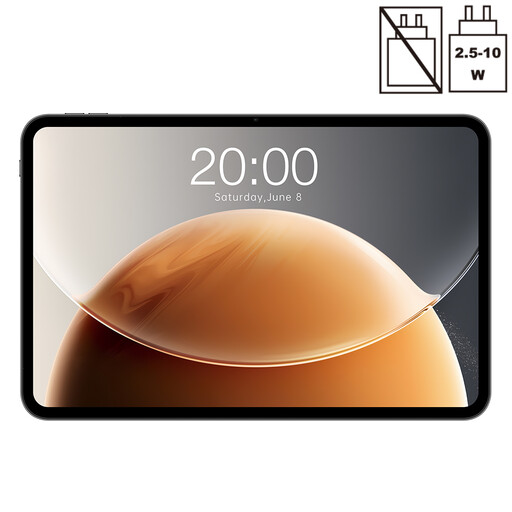 No image available
The 13.4-inch display could be appealing if you want to view large images or other media while reading. It’s less compact for long reading sessions holding the device in your hand.
The title lists 120 Hz; the description mentions streaming and browsing as uses.
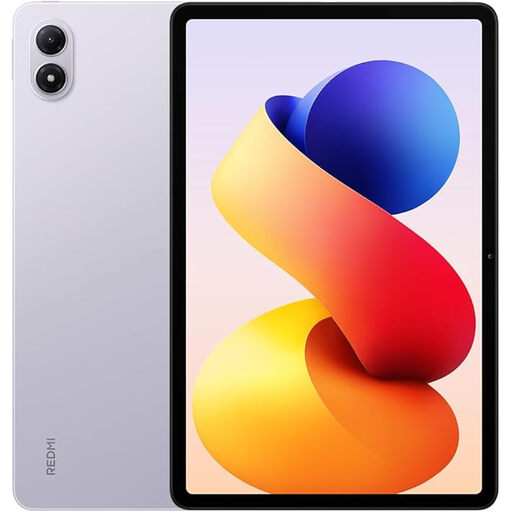 No image available
The large display could suit biographies with photos if you’d rather have more room for images than a particularly compact device that’s easy to hold while reading.
6 GB RAM and 128 GB storage are listed for this configuration.
 No image available
If photos or fixed page layouts matter more to you than having the smallest possible reading device, the listed 12.7-inch size gives you more room. Bear in mind that it weighs 640 g if you’ll be holding it for a long time.
Display with 2.944 × 1.840 pixels; 256 GB storage and Android 14 are listed for this configuration.
According to the Onleihe help pages, Kindle e-readers can’t open Onleihe 3 e-books. Fire tablets are different; Google Play isn’t available on the Fire HD 8 (2024 version), so check separately whether the app you need works on this model. The Onleihe installation guide lists Google Play and the Apple App Store.
For Onleihe 3, the Onleihe help pages specify Android 10 or iOS 15.1 as the minimum, as well as a valid library card and its password. According to the installation guide, you can get the app from Google Play or the Apple App Store. You’ll also need to check with your library whether a particular biography is available.
The Verbraucherzentrale advises against charging batteries in the bedroom overnight right next to your head. This is consumer advice on battery use, not a claim that tablets are subject to any specific approval requirement.
For a typical online purchase, the Verbraucherzentrale says you generally have a 14-day right to cancel, starting from the day you receive the goods. You must notify the other party to the contract that you wish to cancel. If a product is faulty, your statutory rights against the seller are separate from any voluntary manufacturer’s guarantee. Exceptions and the terms of your specific contract should also be taken into account.