Readers who prefer larger text
If you read longer mythology texts, check the specific book file in your reading app. Google Play Books offers adjustable font options for reflowable text, while fixed-layout pages work differently.


First, check whether the specific edition in your reading app offers reflowable text with adjustable font sizes or fixed-layout pages. A tablet could suit you if you also want to use apps or read illustrations and PDFs on a larger screen. If you mainly read standard books, an e-reader could be a good fit, as long as it works with your book source.
If you read longer mythology texts, check the specific book file in your reading app. Google Play Books offers adjustable font options for reflowable text, while fixed-layout pages work differently.
For maps, family trees and designed book pages, what matters is how an original page looks at your preferred zoom level. Google Play Books distinguishes between fixed-layout pages and reflowable text.
If you borrow mythology books from a library, check how to access them before buying a device. Onleihe describes different ways to access books on tablets and supported e-readers.
First, check how your specific edition is displayed and which book source you need. Then choose a screen size and device to suit the way you read.
A good fit if: you want to read reflowable text and also use reading apps or other tablet features.
The trade-off: The system font won’t automatically enlarge every book page, so test the edition in the app you plan to use.
A good fit if: your edition includes lots of maps, illustrations or fixed-layout pages, and you can often prop the device up.
The trade-off: A larger screen doesn’t make fixed-layout text freely resizable, and the weight may matter if you’re holding the device for a long time.
A good fit if: you mainly read standard books and don’t need tablet apps.
The trade-off: Rakuten Kobo notes that you can’t adjust the font size and style in PDFs in the same way. Also check that your library access is compatible.
| What matters | What to check before buying | Who is it important to? |
|---|---|---|
| Resizable book text | Open a sample in the app you plan to use, then try changing the font size and line spacing in the book itself. | If I want to read long texts in larger print, I’ll first check whether the edition offers reflowable text. Around 33% of consumers would choose adjustable text as their top priority. |
| PDFs and illustrations | Look at a typical page, including its caption, and try zooming in and moving around. | For maps, family trees or designed pages, I want to see whether the text and images remain legible at my preferred zoom level. Around 27% of consumers would make this their top priority. |
| Comfort when holding the device | Compare the weight and dimensions of the specific model, then try it in your usual reading position. | If I’m reading for a long time without putting the device down, how comfortable it is to hold matters as much as screen size. Around 20% of consumers would give greatest importance to comfort when holding a device. |
| Books and reading apps | Check the book source, app you need and file format before choosing a device. | If you get books from a library or need a particular reading app, check how to access them first. Around 20% of consumers would make access their top buying priority. |
Even on a large screen, fixed-layout pages may need to be zoomed and moved around rather than offering freely adjustable text.
Open a sample of the edition you want in the reading app you plan to use, and try it out in the book itself.
Google Play isn’t supported on Fire tablets, so the app you need may not be available.
Before buying, check whether the specific reading app is available on the device and supports your book source.
Onleihe describes its own ways to access books on tablets and supported e-readers. According to Onleihe, its e-books can’t be opened on Kindle e-readers.
First decide how you want to get and borrow books, then check which devices are supported.
A power adapter is listed as not included with the REDMI Pad 2 Pro and the Fire HD 10 version we checked.
Compare the contents of the exact model with the charging accessories you already have.
If you don’t have a compatible power adapter, you may need to buy a charger separately.
The Galaxy Tab A11+ is an 11-inch Android tablet for readers who want to combine reading apps with other tablet features.
The iPad (A16) is in the 11-inch class and could suit readers who want to use iPad apps and the system’s accessibility features.
With its 12.1-inch display, the REDMI Pad 2 Pro is a larger tablet option for readers who also view illustrations or fixed-layout pages.
Kobo is an e-reader alternative for readers who value standard book text more than tablet apps.
The Joybuy models below include tablets in the 11- to 13.4-inch class, for reading on a tablet and for editions that may benefit from extra screen space. Whether book text can be freely resized still depends on the edition and reading app.
 No image available
An option if you want to read on a tablet and use reading apps too. Whether you can enlarge the book text depends on the edition and app.
11-inch display, WiFi, 6 GB RAM and 128 GB storage.
 No image available
Its listed screen size makes this a possible choice if you want more room for illustrations or fixed-layout pages, but that doesn’t mean the text can be freely resized.
13.4-inch display, 120 Hz and Folio Case, as stated in the product name.
 No image available
A larger tablet option for readers looking for extra screen space for illustrated or fixed-layout pages. Be sure to check the text settings available in the specific edition.
13.4-inch display, 2K resolution and 256 GB storage.
 No image available
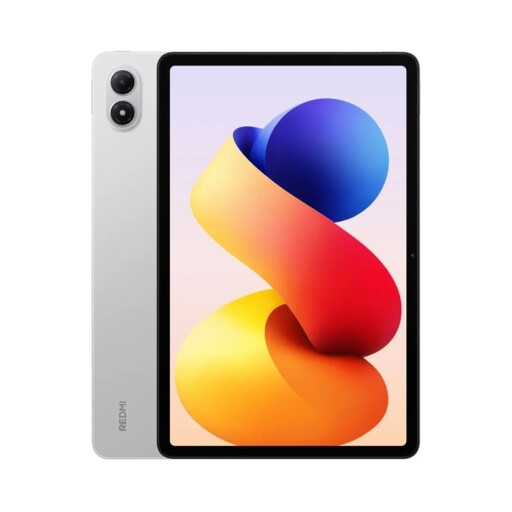
The 12.1-inch screen could be worth considering if you want to read illustrations or fixed-layout pages on a larger tablet display.
6+128 GB, 12.1-inch display and 2.5K resolution.
 No image available
A tablet with a 12.1-inch display to consider if you’d like more screen space for reading. Whether you can adjust the book text depends on the edition.
12.1-inch display, WiFi and 256 GB storage.
No. It depends on the edition and reading app. Google Play Books distinguishes between original fixed-layout pages and reflowable text with adjustable fonts. So try a sample of the edition you want rather than relying on the tablet’s general font size settings.
First, open the display settings in your reading app while viewing the book. Apple describes additional text-size settings for apps that support Dynamic Type, but these don’t automatically apply to every book file.
No. Onleihe offers an app for tablets and separate ways to access books on supported e-readers. According to Onleihe, its e-books can’t be opened on Kindle e-readers. Check that your library and the specific device are supported.
Factor in the e-books you want and check whether the box includes any charging accessories you need. For online purchases in Germany, the Verbraucherzentrale says you generally have a 14-day right of cancellation. The statutory guarantee from the seller is separate from any voluntary warranty.