For reflowable EPUB text and longer periods of handheld reading, a compact tablet is a sensible starting point. For illustrated editions and PDFs with fixed page layouts, check whether a larger screen better suits your edition. The Onleihe help pages distinguish between reflowable EPUB text and PDFs with fixed page layouts. The right reading app and access without an internet connection, tested before your journey, also matter.
Which option suits you?
Readers of reflowable text on the go
If you usually hold a book with adjustable text while travelling by bus, give more weight to size, weight and font adjustment than to having the largest possible screen. The Onleihe help pages explain that EPUB text adapts to the screen size.
Readers of illustrated editions
If you want to read maps, illustrations or PDF pages without constantly zooming and scrolling, try a typical page from your edition on the screen you’re considering. The Onleihe help pages point out that PDFs have fixed line and page breaks.
Library and app users
If your book source or library service determines your choice of device, check that the required app or browser access is available on the tablet. For journeys without a reliable connection, it’s also important to test offline access in advance.
What should you look for when buying?
First, check the format of your mythology edition and how you’ll access it. Then decide whether portability or more screen space matters most.
| What matters |
What to check before buying |
Who is this important to? |
| Easy handling in a cramped seat |
Check the dimensions and manufacturer’s stated weight for the exact variant; a case can affect the overall size. |
If I’m holding the tablet for a long time in a cramped seat, a handy size matters more to me than a large screen. Around 31% of consumers would prioritise portability when making this choice. |
| Text, maps and PDFs |
Open a typical page from your edition at your preferred font size; don’t assume EPUB and PDF work in the same way. |
If I want to read maps or fixed-layout PDF pages, being able to see the whole page clearly matters more to me than having the smallest device. Around 25% of consumers would put page readability first. |
| Book and app access |
Test the titles you need, the relevant app or browser access, and offline access on the specific device before your journey. |
If my library service or book source determines my choice of device, I need to make sure I can access my titles as intended. Around 25% of consumers would put book and app access first. |
| Reading in changing light |
Check text contrast and reflections in lighting conditions similar to those you’ll encounter; a brightness figure can’t replace testing the device in the situation you’ll use it in. |
If I often sit by a window, I want to be able to read the text clearly in my usual lighting. Around 19% of consumers would prioritise readability in changing light. |
Tablet-buying pitfalls
-
Treating a fixed-layout PDF like reflowable EPUB text
PDF pages retain their fixed layouts, so you may need to zoom and scroll more often on a small screen.
Before choosing a device, open a typical page from your mythology edition and check whether you can make out the text and images in your usual reading position.
-
Assuming Fire OS is the same as Android with Google Play
Fire tablets don’t support Google Play, and the Onleihe 3 app isn’t available for Fire tablets. Access to Onleihe on the web through Silk is a separate option.
Check each of the titles and apps you need individually. Browser access isn’t the same as an app you can use offline.
-
Assuming the manufacturer’s battery-life figure guarantees reading time on the bus
Lenovo’s battery-life figure for the Tab One is based on YouTube streaming. It doesn’t confirm how long you’ll be able to read using your book app.
Check the conditions used to arrive at a battery-life figure, and try the tablet with your own reading app before longer journeys.
-
Assuming similar model names mean you’re looking at the same variant
Storage and connectivity options can vary within a tablet range.
Before buying, check the full model code, storage option and connectivity type of the specific product on offer.
Brands worth considering
Lenovo
The Tab One ZAF00255SE is a compact Android option for reading text on the go.
- Lenovo lists the Tab One as having an 8.7-inch screen, 64 GB of storage and a weight of around 320 g.
- The stated battery life of up to 12.5 hours is based on YouTube streaming, not on a test of reading on the bus.
Samsung
The Galaxy Tab A11 is a compact Android range with variants that you should check separately before buying.
- For the Wi-Fi variant SM-X130NZAEEUB, Samsung lists an 8.7-inch screen and configurations with 4 GB of RAM and 64 GB of storage, or 8 GB of RAM and 128 GB of storage.
- Check the model code, storage option and connectivity version. The manufacturer’s claims about use in direct sunlight aren’t an independent test of your bus journey.
Apple
The iPad mini (A17 Pro) is the compact iPad option, while the iPad (A16) offers more screen space for page layouts.
- Apple lists the iPad mini (A17 Pro) as having an 8.3-inch screen and weighing 293 g for the Wi-Fi model. The Wi-Fi iPad (A16) has an 11-inch screen and weighs 477 g.
- These model specifications show differences in size and weight; they don’t mean all Apple tablets are generally more comfortable to use.
Xiaomi
The REDMI Pad SE 8.7 is another compact tablet range to consider.
- Xiaomi lists an 8.7-inch screen, a reading mode and an outdoor brightness mode for the model.
- Check the exact configuration. Manufacturer claims about eye comfort and battery life don’t prove a health benefit or how long you’ll be able to read on the bus.
Joybuy tablets for reading on the bus
The models below range from compact Android tablets for reflowable text to larger screens for illustrated editions and fixed-layout PDF pages. Before buying, check that your reading app is supported and that the device suits your edition.
 No image available
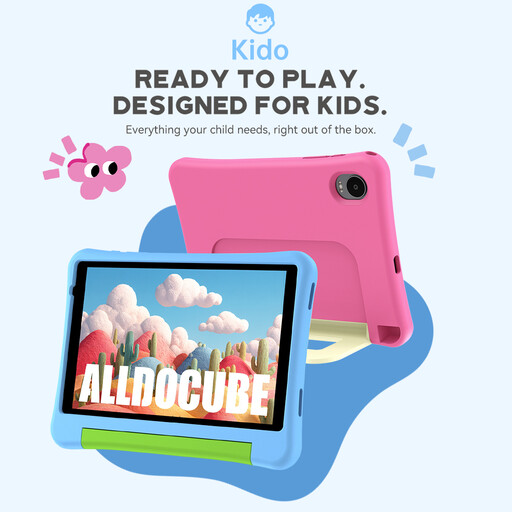
ALLDOCUBE Kido children's tablet, 8 inches, Android 15, 3GB+32GB
The compact size could suit reflowable text on the go; check that the reading app you need is available on the device.
The product title lists an 8-inch screen, Android 15, 3GB+32GB and a blue protective case; according to the title, an adapter isn’t included.
View at Joybuy
 No image available
ALLDOCUBE iPlay 70 mini Ultra, 8.8 inches, 12GB+256GB, Android 14
The compact screen is an option for reflowable text; compare a typical PDF page with a larger device first.
The product title lists an 8.8-inch screen, 12GB+256GB and Android 14. According to the title, a power adapter isn’t included.
View at Joybuy
 No image available
Samsung Galaxy Tab A11+ X230, 11 inches, Wi-Fi, 6GB RAM, 128GB
The larger screen could be a good fit if you’d prefer more display space for illustrated editions or fixed-layout PDF pages.
The product title lists an 11-inch screen, Wi-Fi, 6GB RAM and 128GB of storage. Check that your reading app is available.
View at Joybuy
 No image available
Android 16 tablet, 10.1 inches, 36 GB RAM + 256 GB ROM, keyboard set
The 10.1-inch screen offers more space for illustrated editions and PDF pages; check that the size suits your reading position.
The product title lists Android 16, a 10.1-inch screen, 36 GB RAM + 256 GB ROM and a keyboard set.
View at Joybuy
 No image available
Android 16 tablet, 10.1 inches, 36 GB RAM + 256 GB ROM, keyboard and touch pen
The larger screen is an option for illustrated editions and PDF pages; check that the features suit the way you’ll actually use it for reading.
The product title lists Android 16, a 10.1-inch screen, 36 GB RAM + 256 GB ROM, plus a keyboard and touch pen.
View at Joybuy
Frequently asked questions
Is a small tablet enough for reading mythology?
For EPUB narratives, adjustable text on a small screen may suit the way you like to read. For PDFs with fixed page layouts, maps or lots of images, compare the same sample page on a larger screen.
How can I prepare for a journey without a reliable internet connection?
Download the title you want in advance using the relevant access method, then check that you can open it without an internet connection. In August 2026, the Onleihe help pages noted that offline use can be restricted depending on the device, so test access on your specific device before travelling.
Does the Onleihe 3 app work on every tablet?
No. Before buying, check whether the app is available for your tablet’s operating system. The Onleihe help pages list Google Play and Apple’s App Store as places to get the app; accessing Onleihe on the web through a browser is a separate option.


