What to look for when buying
First check whether your connection allows additional devices. Then compare the number of ports and speeds you need.
| Consideration | What to check before buying | Who it matters most to |
|---|
| Halls rules and NAS security |
Check the operator’s rules, which devices are permitted and whether they need registering, as well as how to connect your NAS securely to your specific network. |
If I use halls LAN, I want to know whether additional devices are allowed and how to register them before connecting anything. Around 36% of consumers are likely to have this as their main concern. |
| Extra LAN ports |
Count your NAS, computer and, where relevant, the connection to your router or network socket. Only plan for a switch if you’re short of ports. |
If I don’t have enough wired connections for my NAS and other devices, I need a simple way to add more rather than extra features. Around 29% of consumers are likely to have this as their main concern. |
| Local transfer speeds |
Check the port speeds of your NAS, computer and switch across the whole data path. Don’t treat manufacturers’ specifications as measured file-transfer speeds. |
If I regularly transfer large files between devices, I want to know whether both my NAS and computer support 2.5 GbE. Around 21% of consumers are likely to prioritise this speed. |
| A quiet desk setup |
Check whether the switch has a fan, what power supply it uses and where you can place it. |
If the switch will stay in my room, I want it to run without fan noise and can allow for an external power supply. Around 14% of consumers are likely to prioritise this kind of comfort in their room. |
Switches at Joybuy
This selection includes Gigabit and 2.5 GbE switches for adding connections for your NAS and computer, including models with PoE or configurable features.
 No image available
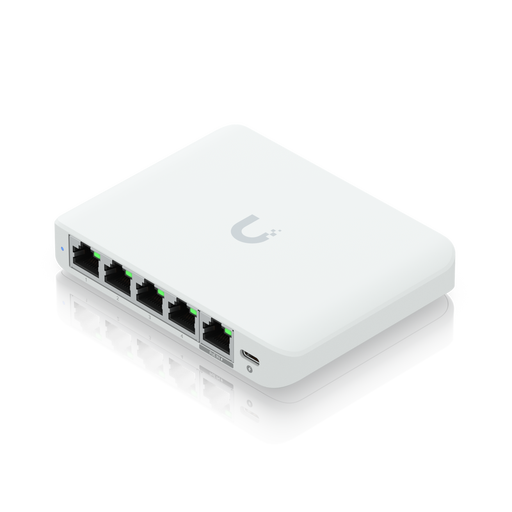
Ubiquiti UniFi Flex Mini 2.5G Managed
Worth considering if your NAS and computer support 2.5 GbE and you need managed network features.
The product name specifies 2.5G and managed features; it doesn’t guarantee a particular file-transfer speed.
View at Joybuy
 No image available
D-Link DGS-1005P/E, 5-port Gigabit switch
An option if you need extra Gigabit ports and want to connect PoE+ devices too.
The product name specifies 4 PoE+ ports and a 60 W PoE budget.
View at Joybuy
 No image available
TP-Link TL-SG105PE Gigabit Easy Smart, 4× PoE+
A good fit if you need Gigabit and PoE+ ports and want to use configurable network features.
The product name specifies 5 ports, 4 PoE+ ports, a 65 W PoE budget, VLAN, QoS and IGMP.
View at Joybuy
 No image available
TP-Link TL-SG1008P, 8-port Gigabit switch
A possible choice if five ports aren’t enough for your NAS, computer and other wired devices.
The product name specifies Gigabit Ethernet at 10/100/1000 Mbit/s and PoE.
View at Joybuy
 No image available
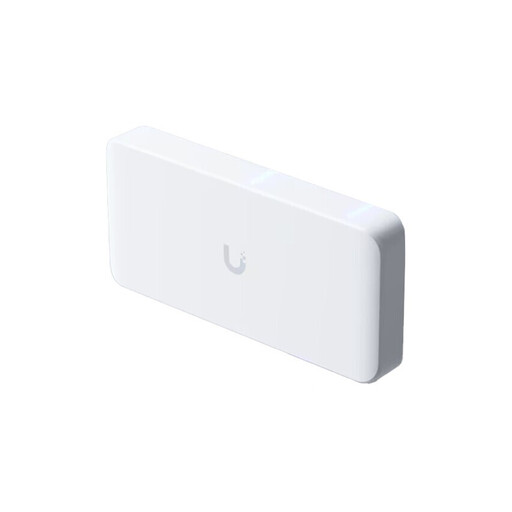
Ubiquiti UniFi Flex 2.5G PoE, 8-port
Worth considering if several connected devices support 2.5 GbE and you need managed features.
The product name specifies 8 2.5 GbE ports and a 10 GbE uplink. The power adapter isn’t included, so check which power supply you need before buying.
View at Joybuy
Frequently asked questions
Can I simply connect a switch between the network socket, my computer and my NAS in student halls?
Not necessarily: it depends on your halls’ rules and connection procedure. The Studierendenwerk Heidelberg’s published rules prohibit setting up private networks; the Studierendenwerk Trier’s guidance describes an authenticated LAN connection, while the Studierendenwerk Frankfurt lists LAN access and the option to connect your own Wi-Fi router. Ask your operator which devices and network setups are permitted on your connection, and whether you need to register them.
Does a switch replace a router or protect my NAS from other users?
No. A standard switch adds wired connections, but it doesn’t create a private network boundary. The German Federal Office for Information Security recommends changing your router’s default password and keeping its firmware and updates up to date. You’ll also need to follow your halls operator’s rules.
Do I really need to buy 2.5 Gbit/s for a NAS?
No. If your NAS or the computer accessing it only supports Gigabit Ethernet, a 2.5 GbE switch won’t give those devices a 2.5 GbE connection. Check the ports across the whole local data path; the stated port speed doesn’t guarantee a particular file-transfer rate.
What else do I need for the setup and to back up my data?
Allow for suitable network cables and a power supply. You may also need to register devices on your halls network. Synology points out that a copy on the same NAS can still be lost if a RAID array or hard drive fails. For important files, you should therefore plan to back them up to a separate destination.
Which EU marking should I check on a new switch?
Any device newly placed on the EU market must meet the applicable conformity requirements; products covered by the rules must carry the required CE marking. Check the marking on the specific product you’re buying and make sure the device and power supply meet your needs. These product requirements don’t replace your halls’ separate rules on how you can use the network.


