NAS users working with large files
If you regularly move large files between a wired computer and your NAS, compare the Ethernet speeds of both devices and the switch ports you plan to use.


If your NAS and computer only support Gigabit Ethernet, and you mainly need extra LAN ports, a basic Gigabit switch is a sensible starting point. For faster local file transfers, your NAS, computer and the switch ports you plan to use all need to support 2.5 Gbit/s. VLANs, Link Aggregation and PoE are relevant if you actually need these features; Link Aggregation does not automatically speed up the connection to a single computer.
If you regularly move large files between a wired computer and your NAS, compare the Ethernet speeds of both devices and the switch ports you plan to use.
If you want to connect your NAS, computer and other devices by cable at the same time, remember to include the connection to your router in your port count.
Quiet operation, VLANs and PoE can all be important, but they meet different needs. Check the exact model variant and the devices you want to connect.
Suitable if: Your NAS and computer connect at 1 Gbit/s and you mainly need extra LAN ports.
Consider: The connection to your router also uses a port; a Gigabit port cannot provide a 2.5 Gbit/s connection to your NAS.
Suitable if: Your NAS and at least one computer you use regularly support 2.5 Gbit/s Ethernet, and you transfer large files locally.
Consider: The port speed does not guarantee the same file transfer rate; your devices, cabling and NAS all play a part too.
Suitable if: You need VLANs, Link Aggregation or a specific combination of Gigabit and faster ports.
Consider: Port assignment and configuration need more attention. Link Aggregation does not automatically replace a faster individual connection for a client.
Suitable if: You also want to power compatible access points or other PoE devices through their network cable.
Consider: PoE does not benefit the NAS connection itself. Check the PoE standard and power budget for the exact model variant.
When connecting a NAS in your home office, the right choice mainly depends on whether you need more ports, faster local connections or a specific extra feature.
| What you need | What to check before buying | Who it matters most to |
|---|---|---|
| Local transfer speed | Compare the Ethernet speeds of your NAS and computer with the switch ports you plan to use. | If I regularly move large files between my computer and NAS, the speed of both connections matters. Around 31% of consumers put fast local NAS transfers first. |
| Number and type of ports | Count all the devices you’ll connect at the same time, including the router uplink, and check the speed of each port. | If I want to connect my NAS, computer, router and other devices by cable at the same time, I need enough suitable ports. Around 31% of consumers prioritise extra LAN ports. |
| Quiet, simple operation | Check whether the specific model has a fan and whether you need network management features. | If the switch is on or near my desk, quiet operation and straightforward set-up matter to me. Around 23% of consumers give these points priority. |
| Management or PoE | Check that the specific model variant has the feature you need; for PoE, also check compatibility with your devices and the power budget. | If my network needs VLANs or PoE for specific devices, I choose a model with those features in mind. Around 15% of consumers prioritise management or PoE. |
The router uplink usually takes up one port. And on models with different port speeds, not all ports are necessarily equally fast.
Count your router, NAS, computer and other devices you’ll connect at the same time, and check the speed of the ports you actually plan to use.
The port rating indicates the possible link speed, not the actual speed you’ll get when transferring files from your NAS.
First check the connections on the devices involved and the transfer path. Then choose the switch speed.
Synology notes that with standard Link Aggregation, the total bandwidth only increases when you have multiple clients. The selected mode and switch configuration also need to work together.
Check the specific NAS mode and its requirements. Don’t assume that combining ports alone will increase the speed for a single client.
The models listed range from a basic Gigabit switch to managed and Multi-Gigabit options.
The MS305 is an unmanaged five-port switch for wired connections at different link speeds.
The XGS1250-12 combines Gigabit and faster ports with web-based management.
The QSW-1105-5T is designed for compatible NAS and computer connections using 2.5 Gbit/s ports.
The range includes Gigabit switches with extra PoE or management features, as well as a 10/100 Mbit/s model for basic connections. For your NAS and computer, check that the speed of the relevant ports meets your needs.
 No image available
An option for your NAS, computer and router if Gigabit Ethernet is fast enough and you also want to connect compatible PoE devices.
5 Gigabit ports; 4 PoE+ ports; 60 W PoE budget; fanless casing.
With five ports, remember to allow one for the router connection.
 No image available
A good fit for a Gigabit network if you plan to use VLAN features or connect compatible PoE devices alongside your NAS, computer and router.
5 Gigabit ports; 4 PoE+ ports; 65 W PoE budget; VLAN, QoS and IGMP; fanless metal casing.
With five ports, remember to allow one for the router connection.
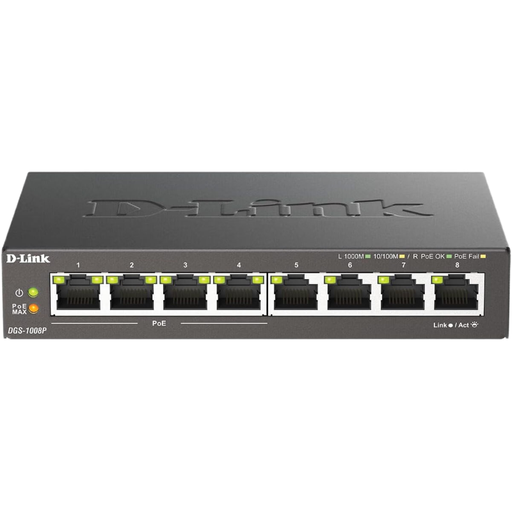 No image available
An option for a Gigabit network if you want to connect PoE devices to the switch.
Gigabit Ethernet; PoE; unmanaged.
Before choosing, check that the exact number of ports and PoE specification suit the devices you want to connect.
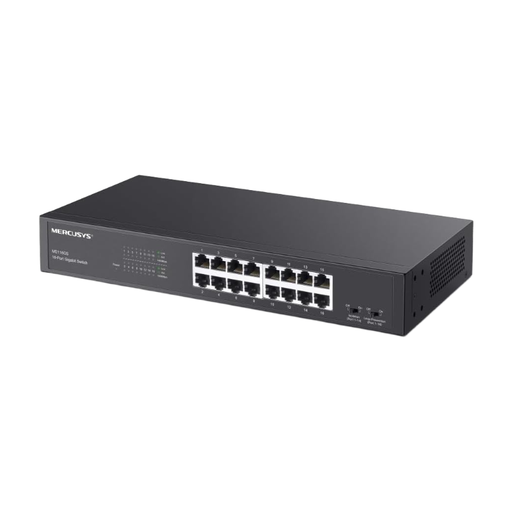 No image available
An option if you want to connect your NAS, computer, router and other wired devices to a Gigabit network at the same time.
16 Gigabit ports; unmanaged; described as suitable for desktop or rack mounting.
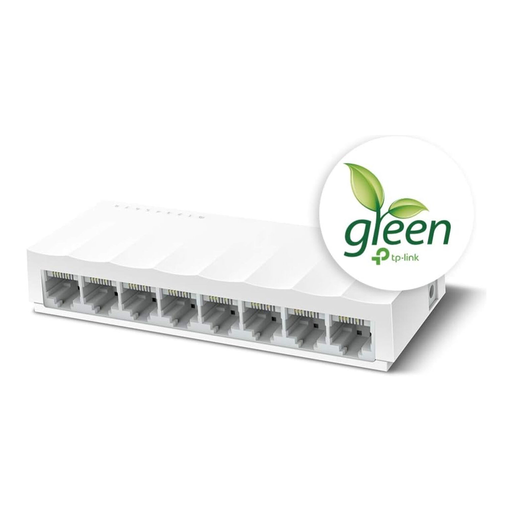 No image available
For basic wired connections where 10/100 Mbit/s is enough. For NAS and computer connections, note that the ports are rated at 10/100 Mbit/s rather than Gigabit Ethernet.
8 ports; 10/100 Mbit/s; unmanaged; fanless plug-and-play operation.
No. A switch first of all expands your local wired network; it won’t make your internet connection faster or automatically speed up file transfers. For faster transfers, your NAS, computer and the switch ports you use all need to support the Ethernet speed you want.
Connect one switch port to your router’s LAN port, then connect your NAS and computer to other ports. Remember to include the router connection in your port count, then check the negotiated link speed on your devices.
It depends on your NAS and the mode you choose. Synology describes both a mode that doesn’t require switch support and IEEE 802.3ad, which requires LACP to be configured correctly on the switch. According to Synology, standard Link Aggregation increases total bandwidth only when you have multiple clients; it does not guarantee a faster connection for a single client.
If you buy as a consumer from a business seller in the EU, you’re covered by the statutory guarantee. According to consumer information from Your Europe, this lasts for at least two years and is not replaced by a voluntary manufacturer’s guarantee. Check the guarantee terms and seller details for the specific offer separately.
Electrical equipment placed on the market in Germany must meet the relevant EU harmonisation requirements; CE marking is required where the applicable rules call for it. The Bundesnetzagentur lists marking, manufacturer details and conformity documents among the areas it checks. Old equipment should not go in household waste; it must be collected separately.