Readers without in-flight Wi-Fi
If you want to open your journal during the flight, download the title and app beforehand, then test that exact title in aeroplane mode. Google Play Help explains how to download e-books for offline reading.


For mostly text-based reading that you’ll be holding for a long time, a compact device could be a good fit. For large photos, maps or handwritten additions, a larger screen may work better. The key is whether your specific journal file and preferred app will work: download the title before your flight, test it offline and don’t treat manufacturers’ battery-life claims as guaranteed reading time.
If you want to open your journal during the flight, download the title and app beforehand, then test that exact title in aeroplane mode. Google Play Help explains how to download e-books for offline reading.
If you’ll be holding the device for a long time, its weight and size matter. For fixed-layout pages, also check whether you’ll need to zoom in often. Apple and Samsung list different screen sizes and designs for some of their compact models.
If your nature journal contains lots of photos or maps, or you want to add handwritten notes, look for enough screen space and check whether your specific file can be edited in the app you plan to use.
A good fit if: you often read while holding your device and want to view colour illustrations or use a general reading app.
Things to consider: The smaller screen may mean you need to zoom in more often on fixed-layout pages.
A good fit if: you want to view image-rich pages at a larger size or add handwritten notes in a compatible app.
Things to consider: The larger screen takes up more room in your seat, and having a stylus doesn’t automatically mean every book file can be edited.
A good fit if: you mainly want to read and take handwritten notes, and your specific file is supported.
Things to consider: An e-reader like this won’t automatically offer the apps and uses of a general-purpose tablet.
| Criterion | What to check before buying | Who should consider it? |
|---|---|---|
| Offline access | Download the title and app before your flight, then open them in aeroplane mode; check there’s enough storage for image files. | If you want to keep reading without an internet connection during your flight, you’ll need a download that actually works on your device. Around 33% of consumers prioritise offline access. |
| Comfortable to hold | Check the weight of the exact model, including the case you plan to use, and view a typical journal page at a comfortable text size. | If you read for a long time while holding your device and want to pack it away easily, portability matters. Around 25% of consumers rank it as their top priority. |
| Battery life | Compare manufacturers’ claims and the testing methods used, charge the device before you fly, and try reading your file at your usual brightness level. | If you want to read over a long flight, you won’t want to rely on a general battery-life figure alone. Around 25% of consumers prioritise battery life. |
| Images and notes | Open the original file in the app you plan to use and try the highlighting or handwritten notes you want to make; check what’s included with the stylus. | If your journal contains lots of images or you want to add your thoughts, the screen, file and app all need to work together. Around 17% of consumers prioritise screen space for images and note-taking. |
A title needs to be downloaded to your device before you can open it without an internet connection. Google Play Help describes this as a separate download step.
Before you fly, try opening the fully downloaded title in aeroplane mode.
Apple’s battery-life figure is based on web browsing over Wi-Fi or video playback. Lenovo notes that actual battery life depends on factors including brightness and usage.
Compare figures only when you know how they were tested, and try out your usual reading habits before travelling.
Whether you can read your journal on your chosen device also depends on whether the specific app or file access method you need is available.
Before buying, check how you’ll open your title on the device and test the file in the app you plan to use.
Stylus support alone doesn’t tell you whether you can write or highlight in your specific book file.
Check what’s included with the stylus and try the input method you want with your file in the app you plan to use.
Compact colour tablets for reading and possible stylus input.
The range includes compact colour tablets as well as devices with a larger screen and a stylus.
The Tab One is a compact Android tablet range; check whether you’re buying a Wi-Fi or mobile network model.
This selection includes compact reading devices and larger colour and E-Ink devices for image-rich journal pages and possible note-taking.
 No image available
The 11-inch display can show image-rich pages at a larger size; check whether your file can be edited in the app you plan to use.
11-inch display; Wi-Fi; 128GB.
 No image available
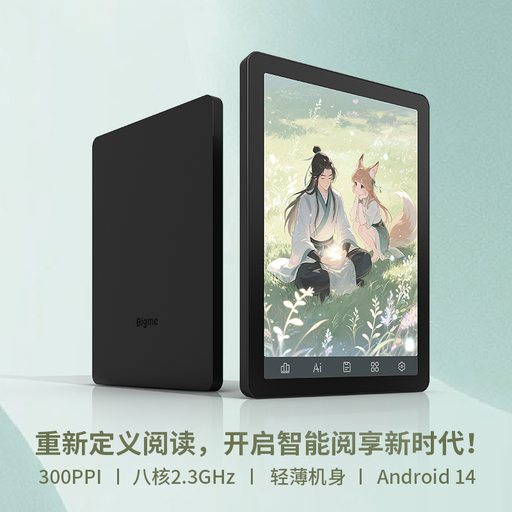
This compact reader could be a good choice if you prefer a handy size; check that your reading app is available and that your file displays as you’d like.
6.13-inch colour E-Ink display; Android 14; 8GB+256GB.
 No image available
The 6-inch format is an option if you’re mainly looking for a handy reader; check that your journal pages are easy to read on the small screen.
6-inch e-Ink display; 36-level front light; Android 14; 4+64GB.
 No image available
The larger E-Ink screen with note-taking could suit you if you want to read and add handwritten notes; check that the input method you want works with your file.
10.65-inch E-Ink display; stylus and protective case listed as included in the product name.
 No image available
The larger screen could be a good fit if you want to view photos or maps at a bigger size; check it will fit your seat space and that your file can be edited with the stylus.
12.7-inch 2K display; T-Pen support; stylus, protective case and English Bluetooth keyboard listed as included in the product name.
In most cases, the European Union Aviation Safety Agency says you can use a tablet during much of a flight, although there may be exceptions during certain stages. Follow the crew’s instructions and your airline’s rules, including those on aeroplane mode.
The European Union Aviation Safety Agency recommends carrying portable devices with lithium batteries in your hand luggage. Spare batteries and power banks must also go in your hand luggage and be protected against short circuits. Check your airline’s rules too.
Download the title to your device in the app you actually use, then test it in aeroplane mode. Google Play Help explains how to download e-books; check with your own title that you can open all the pages you need.
Not with every model: Samsung lists an S Pen as included with the Galaxy Tab S10 FE. Whether you can use it to edit your journal file also depends on the file and the app you plan to use. Try the input method you want before buying.
Under EU consumer information, faulty goods come with at least two years of legal protection against the seller from the date you receive them; this is separate from any voluntary manufacturer’s guarantee. For an ordinary online purchase, you will generally also have a 14-day right to cancel, subject to legal exceptions.